Wild Creek Web Studio
  • About Wild Creek
    • Awards
    • Case Studies
    • Portfolio
    • Testimonials
  • Services
    • SEO Services
    • Paid Marketing Services
    • Social Media Marketing
    • Consulting and Strategy
  • Resources
    • Blogs
    • Free SEO Tools
    • Digital Marketing Glossary
  • Contact
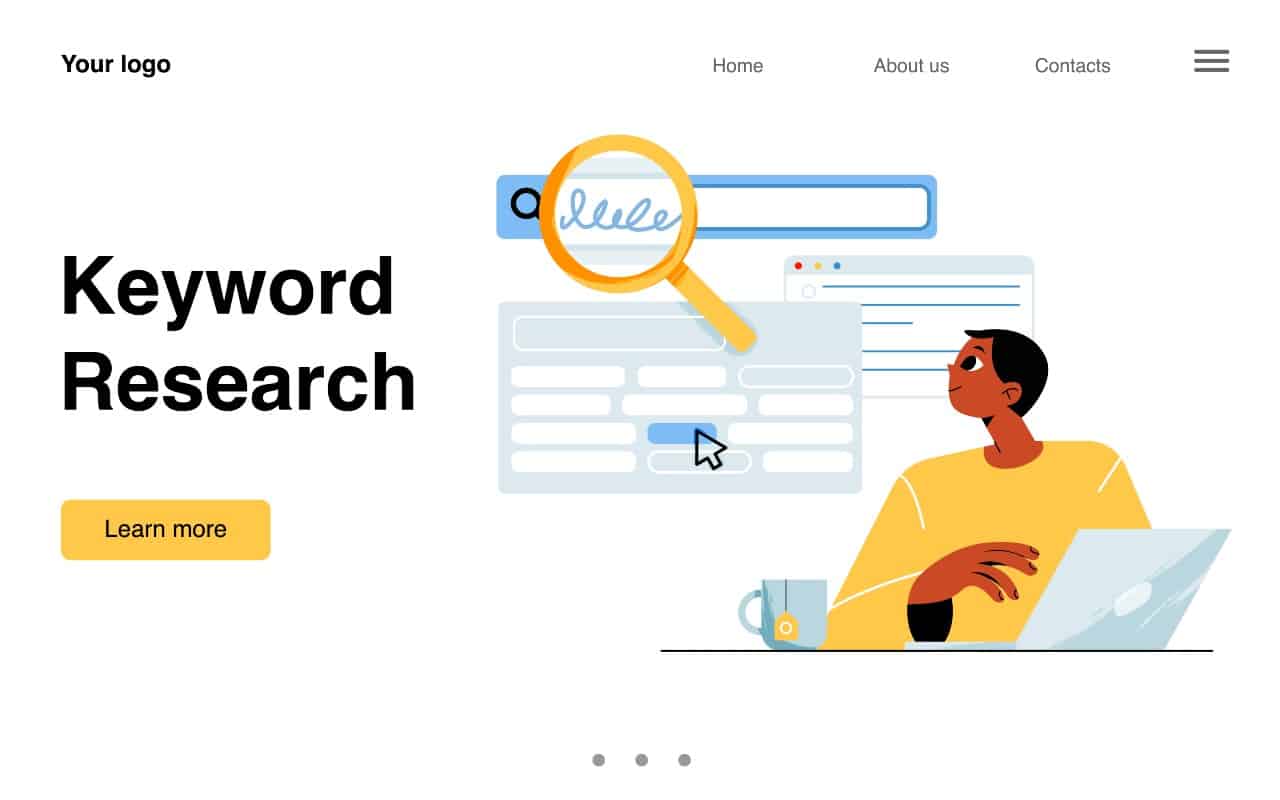
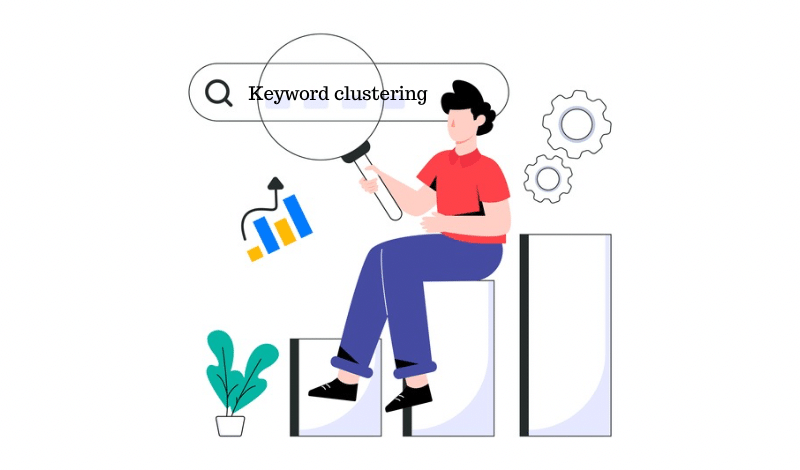
Illustration of a person analyzing keyword clustering with a magnifying glass and bar chart

What Is Keyword Clustering? Advanced Guide for SEO Success

In this Article

Toggle
  • TL;DR
  • What is Keyword Clustering and Why is it Important for SEO?
    • How Is Keyword Clustering Helping SEO?
  • What Do You Need Before You Begin Keyword Clustering?
    • Build a List Of Potential Keywords
    • Collect Data: Tools, Spreadsheets, And Organisation
  • How Do You Create Effective Keyword Clusters? Step-By-Step
    • Step 1: Conduct Comprehensive Keyword Research
    • Step 2: Identify Primary, Secondary, and Supporting Keywords
    • Step 3: Group Keywords Based on Relevance and Search Intent
    • Step 4: Analyse SERPs to Validate Your Clusters
    • Step 5: Map Clusters to Content Topics and Pages
    • How To Structure Topic Clusters?
  • What Is A Keyword Clustering Tool And How Does It Work?
    • How Can A Keyword Clustering Tool Improve My SEO Strategy?
  • How Does Keyword Clustering Impact Content Creation?
    • What Are the Best Keyword Clustering Tools to Boost Your Rankings?
  • What are the Common Mistakes to Avoid When Keyword Clustering?
    • 1. Clustering Too Broadly
    • 2. Ignoring Search Intent
    • 3. Not Checking SERPs
    • 4. Duplicate Targeting and Keyword Cannibalisation
    • 5. Using Outdated Keyword Data
  • What are the Best Practices in Keyword Clustering for Maximum SEO Impact?
    • 1. Start With Updated Keyword Insights
    • 2. Use a Keyword Grouping Tool With SERP Analysis
    • 3. Validate Clusters With Manual SERP Checks
    • 4. Align Clusters With Target Audience and Content Quality
    • 5. Map Clusters Clearly to a Single Page or Blog Topic
    • 6. Optimise Clusters for Both Search Engine and User Needs
  • Ready to Rank Smarter? Let Wild Creek Web Studio Elevate Your SEO Game
  • Conclusion
  • Frequently Asked Questions
    • How do you group keywords for SEO?
    • What does it mean to cluster similar keywords?
    • What is the difference between keyword cluster and topic cluster?
    • What role does user intent play in keyword clustering?
    • How often should you revisit and update your keyword clusters?
    • Where does the keyword grouping tool get its data?
    • Can keyword clustering improve your website’s ranking on search engines?
    • Can a keyword clustering tool help with competitor analysis?
    • Which keyword tool is most accurate?
    • Which is the best free keyword clustering tool?
    • Is the clustering SERP-based or semantic-based?
    • Is focusing on keyword clusters more effective than individual words for search engine optimization (SEO)?
    • What is the difference between keyword clustering and standard keyword research?

TL;DR

  • Keyword clustering groups related keywords to create structured, high-performing content.
  • It improves topical authority, prevents keyword cannibalization, and boosts organic traffic.
  • Start with updated keyword insights and align clusters with user intent.
  • Validate clusters with SERP analysis and map each to a single page or topic.
  • Use tools like Keyword Insights, Cluster AI, Surfer SEO, and WriterZen for efficient clustering.
  • Avoid mistakes like broad clustering, ignoring search intent, or using outdated data.
  • Revisit clusters quarterly to stay aligned with search trends and maintain higher rankings.

Ever feel like your SEO efforts are all over the place, delivering inconsistent results? We get it. Publishing random blogs around single keywords might bring a small traffic spike, but it rarely builds lasting authority or rankings.

This is where keyword clustering comes in. By grouping related keywords into strategic clusters, you can create content that matches user intent, strengthens topical authority, and speaks the same language as search engines. It’s the secret behind why top-performing sites consistently dominate the SERPs.

In this advanced guide to keyword clustering, you’ll discover exactly how keyword clustering works, why it’s critical for SEO, and how to create clusters step-by-step. We’ll also explore the best tools, proven strategies, and common pitfalls, so you can transform scattered content into a structured SEO powerhouse.

What is Keyword Clustering and Why is it Important for SEO?

Keyword clustering is the process of grouping a list of keywords with similar meanings or search intent into clusters. This helps you create web pages or topic clusters that address a broader range of queries while building topical authority.

How Is Keyword Clustering Helping SEO?

By clustering related keywords, you reduce content overlap, avoid keyword cannibalisation, and improve internal linking. It also helps search engines understand your site’s structure and relevance, improving search engine rankings.

You’re not just optimising for one keyword, but you’re answering multiple search queries in a single piece of content.

What Do You Need Before You Begin Keyword Clustering?

Before jumping into keyword clustering, having the right groundwork in place ensures accuracy and efficiency. You need both a strong keyword list and a system to organise your data effectively.

Build a List Of Potential Keywords

Start by collecting a comprehensive keyword list around your primary topic. Include variations, long-tail keywords, and related keywords with different search intents.

  • Use tools like Semrush, Ubersuggest, or any free keyword research tool to discover new keyword ideas.
  • Check search volume, keyword difficulty, and related search terms to ensure your list is meaningful and actionable.
  • Consider competitors’ content and the keywords they rank for to find opportunities.

A strong keyword list is the foundation of accurate keyword clustering.

Collect Data: Tools, Spreadsheets, And Organisation

Once you have your keywords, organising them is crucial for efficient clustering and analysis. A simple spreadsheet in Google Sheets, Excel, or Notion can make your workflow seamless.

Include columns such as:

  • Keyword – The target search term
  • Search Volume – To prioritise high-traffic opportunities
  • Intent – Classify as informational, commercial, or transactional
  • Cluster Name – Assign after grouping keywords
  • Current Ranking URL – Track existing pages that already rank

Keeping your keywords structured this way allows for easy clustering, SERP validation, and future updates.

How Do You Create Effective Keyword Clusters? Step-By-Step
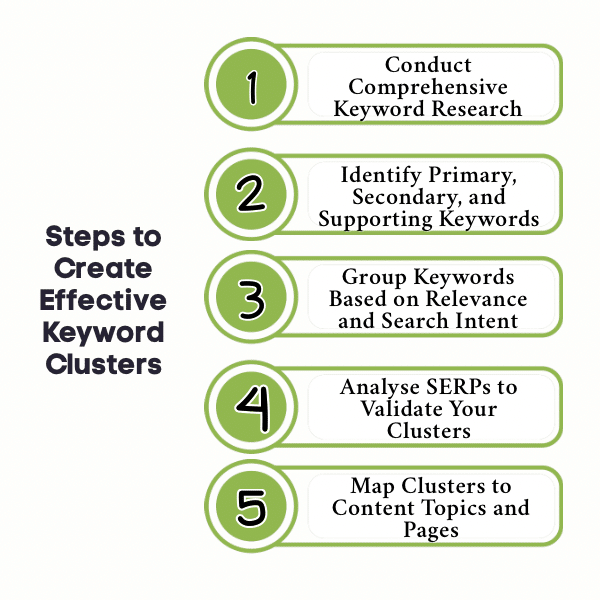
An Infographic on Create Effective Keyword Clusters

An Infographic on Create Effective Keyword Clusters

Building keyword clusters isn’t just about grouping similar keywords; it’s about creating a framework that fuels your content strategy, boosts topical authority, and drives higher search engine rankings. Here’s a clear, actionable process to get it right:

Step 1: Conduct Comprehensive Keyword Research

Every successful cluster starts with solid research. Use a keyword discovery tool to uncover all possible keyword ideas around your primary keyword. Focus on search volume, keyword difficulty, and related keywords. This ensures you have a strong, diverse keyword list to work with.

Once you’ve gathered a wide keyword base, the next step is to sort and define their roles in your content plan.

Step 2: Identify Primary, Secondary, and Supporting Keywords

Organise your keyword list into three layers:

  • Primary keywords as your main focus.
  • Secondary keywords to support broader intent.
  • Supporting keywords for long-tail or specific queries.

This hierarchy helps you address user intent comprehensively while making your clusters SEO-friendly.

With clear keyword roles in place, it’s time to start forming clusters that truly align with user search behaviour.

Step 3: Group Keywords Based on Relevance and Search Intent

Clustering based on a keyword means grouping search terms that share the same intent. Combine keywords that would trigger similar search engine results pages. This step ensures your clusters serve both your target audience and SEO goals effectively.

But keyword grouping alone isn’t enough. Before moving forward, you must confirm your clusters work in real-world search results.

Step 4: Analyse SERPs to Validate Your Clusters

Review the clustering of keywords in SERP results to see if they generate overlapping pages. If multiple keywords surface the same type of content, they belong together. Manual SERP validation prevents misalignment and reduces the risk of keyword cannibalisation.

Once your clusters are validated, you can turn this research into a content plan that directly drives traffic and rankings.

Step 5: Map Clusters to Content Topics and Pages

Convert your keyword clusters into actionable content topics through keyword cluster mapping. Assign each cluster to a single page, blog post, or pillar page. This creates a focused content strategy that improves internal linking, enhances topical authority, and supports your SEO efforts.

How To Structure Topic Clusters?

Once your keyword clusters are mapped, structuring them effectively is critical for SEO impact. This ensures your content is easy for both search engines and users to navigate.

  1. Create A Pillar Page For Each Cluster: Develop one comprehensive pillar page covering the main topic, supported by your primary keyword.
  2. Add Supporting Blog Posts For Secondary Keywords: Build detailed articles around secondary and supporting keywords that link back to the pillar page.
  3. Ensure Strong Internal Linking: Connect pillar and supporting pages with descriptive anchor text to reinforce topical relationships and improve crawlability.
  4. Use Headings And Schema Markup Wisely: Clearly signal topic hierarchy with H2/H3 headings and implement structured data where relevant to boost visibility in search engine results.

What Is A Keyword Clustering Tool And How Does It Work?

A keyword clustering tool helps SEO professionals organise large keyword lists into meaningful clusters for better content planning. These tools use natural language processing (NLP) and search engine data to understand which keywords are contextually and semantically related.

They typically work by:

  • Analysing SERPs: Checking which pages rank for similar search terms to identify relationships.
  • Grouping Related Keywords: Creating clusters based on overlapping results and shared relevance.
  • Categorising By Search Intent: Distinguishing informational, commercial, and transactional queries.
  • Finding Semantic Similarity: Using NLP to link keywords beyond exact matches.

How Can A Keyword Clustering Tool Improve My SEO Strategy?

A keyword clustering tool takes the manual guesswork out of content planning, helping you create focused, high-performing SEO content.

Key benefits include:

  • Eliminating Guesswork: Automatically identifies which keywords belong together for better topical coverage.
  • Automating Clustering For Large Datasets: Handles hundreds or thousands of keywords quickly.
  • Supporting Better Content Creation: Aligns each cluster with a single page or content piece for clarity.
  • Reducing Keyword Cannibalization: Prevents multiple pages from competing for the same search intent.
  • Speeding Up SEO Execution: Streamlines your content strategy and reduces time-to-publish.

How Does Keyword Clustering Impact Content Creation?

Keyword clustering transforms how you produce content. Instead of targeting single keywords per blog, you write comprehensive content pieces around a keyword cluster, which increases depth, relevance, and ranking potential.

Here’s how it helps:

  • Encourages comprehensive content around a specific topic.
  • Enables efficient content planning and scheduling.
  • Helps avoid duplicate content across web pages.
  • Informs what should be a pillar page vs. a sub-topic.
  • Guides internal linking for better search engine optimisation.

What Are the Best Keyword Clustering Tools to Boost Your Rankings?

Choosing the right keyword clustering tool can transform your SEO strategy by helping you group keywords efficiently, align with search intent, and plan content that boosts rankings. Here are the top 10 tools to consider:

  1. Keyword Insights: A powerful tool for clustering keywords, Keyword Insights uses SERP data and natural language processing to generate highly accurate clusters and actionable content briefs.
  2. Cluster AI: Cluster AI automatically groups keywords based on search engine results, allowing you to create topic clusters quickly and reduce manual effort.
  3. Surfer SEO: Surfer SEO offers clustering features alongside content optimization, making it easier to create data-backed content strategies that improve on-page SEO.
  4. KeyClusters: KeyClusters leverages SERP-based clustering to identify keyword overlaps, prevent cannibalisation, and build content clusters aligned with user intent.
  5. Keyword Cupid: This tool uses AI-powered clustering and visual mapping to show relationships between keywords, helping you craft content around semantic topics.
  6. SE Ranking Keyword Grouper: A dedicated clustering feature in SE Ranking, this tool simplifies the grouping process by identifying keywords with shared SERP intent.
  7. Serpstat: Serpstat’s clustering tool groups keywords by SERP similarity, ensuring that your clusters match how search engines interpret topics.
  8. Semrush: Semrush offers keyword grouping via its Keyword Manager and Topic Research tools, helping you create data-driven content clusters efficiently.
  9. Ahrefs: Ahrefs helps identify related keywords and SERP overlap, providing insight for building clusters that strengthen topical authority.
  10. WriterZen: WriterZen provides SERP-based keyword clustering and search intent analysis, making it a great choice for structured content planning.

Want to understand why SEO is evolving fast? Read our guide on Why SEO Matters in 2025 and Beyond.

What are the Common Mistakes to Avoid When Keyword Clustering?
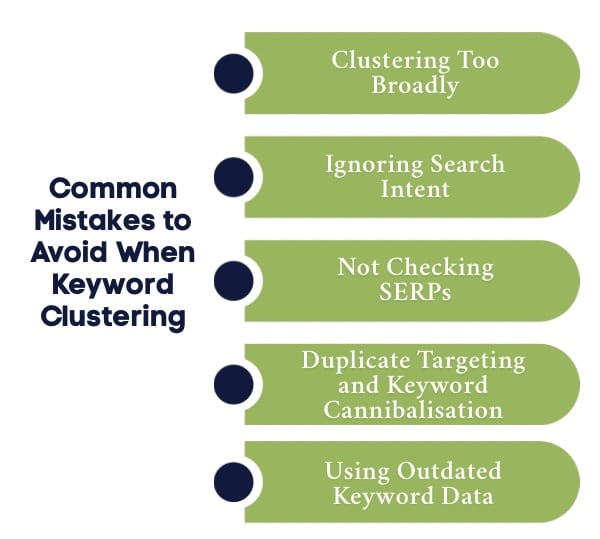
An Infographic on Common Mistakes to Avoid When Keyword Clustering

An Infographic on Common Mistakes to Avoid When Keyword Clustering

Even the most well-planned SEO strategy can fail if keyword clustering is done incorrectly. Many marketers make mistakes that lead to poor rankings, keyword cannibalisation, and missed traffic opportunities. Avoiding these pitfalls ensures your clusters drive maximum SEO impact:

1. Clustering Too Broadly

Creating clusters that are too wide or cover unrelated keywords leads to vague content. Broad clusters confuse search engines and fail to provide users with focused, actionable information, ultimately weakening your search engine optimization and content strategy efforts.

2. Ignoring Search Intent

Skipping user intent analysis results in content that doesn’t meet search expectations. If your keyword clusters don’t align with informational or commercial intent, your pages will struggle to engage the target audience or achieve strong keyword rankings.

3. Not Checking SERPs

Failing to validate clusters against search engine results can lead to misaligned content. SERPs reveal whether your grouped keywords are truly related. Ignoring this step increases the risk of low rankings and wasted SEO efforts on irrelevant clusters.

4. Duplicate Targeting and Keyword Cannibalisation

Targeting the same keyword across multiple clusters causes overlap and cannibalisation. When clusters compete for the same search terms, search engines may struggle to identify the most relevant page, lowering visibility and weakening your overall topical authority.

5. Using Outdated Keyword Data

Relying on old keyword lists or ignoring trends and search volume optimisation can reduce effectiveness. Outdated clusters miss new opportunities and risk targeting low-performing keywords, making it harder to achieve higher rankings or sustain organic traffic growth.

What are the Best Practices in Keyword Clustering for Maximum SEO Impact?
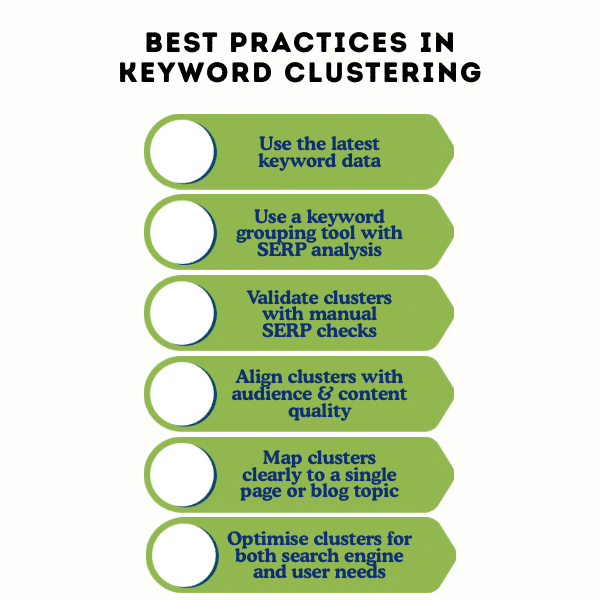
An Infographic on Best Practices in Keyword Clustering

An Infographic on Best Practices in Keyword Clustering

Implementing keyword clustering effectively requires a structured approach to ensure that every cluster supports higher rankings, user engagement, and topical authority. Here are the best practices to follow:

1. Start With Updated Keyword Insights

Begin with the latest keyword data to ensure your clusters are relevant. Use a keyword research tool to check search volume, keyword difficulty, and emerging trends. Fresh insights prevent wasted effort on outdated or low-traffic search terms.

2. Use a Keyword Grouping Tool With SERP Analysis

Leverage tools that analyse search engine results alongside keyword data. This approach helps identify patterns, related keywords, and search intent. SERP-based clustering ensures your content aligns with how search engines rank and categorise topics.

3. Validate Clusters With Manual SERP Checks

After creating clusters, review the search results manually to confirm all keywords within a cluster point to similar content. This step helps prevent keyword cannibalization and ensures each cluster is targeting the right intent and user expectations.

4. Align Clusters With Target Audience and Content Quality

Each cluster should focus on a specific topic that resonates with your target audience. Build content that addresses their search queries comprehensively. Prioritising quality and relevance improves engagement, user experience, and overall search engine optimisation results.

5. Map Clusters Clearly to a Single Page or Blog Topic

Assign each keyword cluster to one page, blog post, or landing page to maintain clarity and focus. This prevents overlapping coverage, improves internal linking, and strengthens your website’s topical authority for better long-term search visibility.

6. Optimise Clusters for Both Search Engine and User Needs

Incorporate keywords naturally into headings, subheadings, and body content without overstuffing. Focus on creating comprehensive, user-friendly content that satisfies search intent while signalling relevance and quality to search engines for higher rankings.

Ready to Rank Smarter? Let Wild Creek Web Studio Elevate Your SEO Game

If you’re serious about growing your digital presence with smart, search-first strategies, Wild Creek Web Studio is your partner in visibility. Our tailored SEO approach doesn’t just chase rankings, but it builds lasting authority with data-backed strategies and technical precision.

From keyword clustering to content planning, our services are designed to drive sustainable growth. If you want SEO that actually moves the needle, it’s time to connect with experts who get it right from the ground up.

Ready to grow with smarter SEO? Contact us today.

Conclusion

By grouping similar keywords based on intent and SERP overlap, you can avoid content duplication and increase your chances of ranking higher. This structure also helps you plan smarter content strategies that build topical authority over time.

When done right, keyword clustering improves both user experience and search visibility. It guides your internal linking, makes navigation intuitive, and aligns each page with a clear search purpose. As search engines evolve, adopting advanced clustering methods will keep your content relevant, competitive, and impactful.

Frequently Asked Questions

How do you group keywords for SEO?

Keyword grouping involves researching relevant terms, identifying search intent, and organizing them by topic. Then, map each group to a specific page or content type to improve SEO performance and avoid keyword cannibalization.

What does it mean to cluster similar keywords?

Clustering similar keywords means grouping terms with the same intent or topic, so you can target them within a single, in-depth piece of content. This helps search engines understand your authority on the subject and boosts your visibility.

What is the difference between keyword cluster and topic cluster?

A keyword cluster is a collection of related keywords sharing similar intent, while a topic cluster is a broader content strategy built around a pillar page with multiple supporting pages that cover subtopics to strengthen topical authority and improve search rankings.

What role does user intent play in keyword clustering?

User intent ensures that each keyword cluster aligns with what searchers are looking for. When clusters are built around intent, content satisfies informational or commercial needs, improves engagement, and supports higher search engine rankings through relevant and targeted coverage.

How often should you revisit and update your keyword clusters?

Revisiting keyword clusters every three to six months is ideal to reflect changes in search volume, seasonal trends, and algorithm updates. Regular updates help maintain accuracy, prevent keyword cannibalization, and ensure that your SEO efforts continue delivering strong performance.

Where does the keyword grouping tool get its data?

A keyword grouping tool gathers data from search engine results, APIs, and keyword research databases. Some also integrate with Google Search Console or other SEO platforms to provide insights into search queries, keyword performance, and competitor activity for accurate clustering.

Can keyword clustering improve your website’s ranking on search engines?

Yes, keyword clustering enhances website rankings by improving topical authority, reducing duplicate targeting, and supporting internal linking. By creating comprehensive content that answers multiple search queries within one theme, search engines view your site as a trusted, authoritative resource.

Can a keyword clustering tool help with competitor analysis?

Yes, many keyword clustering tools provide competitor insights by analysing their ranking pages, top-performing keyword clusters, and SERP overlaps. This data helps you identify content gaps, build stronger clusters, and refine your SEO strategy to outperform competing websites in search.

Which keyword tool is most accurate?

A tool for keyword clustering that combines SERP data, natural language processing, and real-time keyword metrics is most accurate. Platforms like Keyword Insights or WriterZen deliver precise clustering by validating keyword relationships using search engine results and semantic relevance.

Which is the best free keyword clustering tool?

Free keyword clustering options include LowFruits and Google Keyword Planner. While they are less advanced than paid tools, they provide essential keyword grouping capabilities and insights, helping content creators build foundational clusters for SEO without requiring an immediate investment.

Is the clustering SERP-based or semantic-based?

Clustering can be either SERP-based or semantic-based. SERP-based clustering uses overlapping search engine results to group keywords, while semantic-based clustering relies on natural language processing to identify contextual relationships and user intent between search terms for precise grouping.

Is focusing on keyword clusters more effective than individual words for search engine optimization (SEO)?

Yes, focusing on keyword clusters is more effective because it enhances topical coverage, aligns content with varied user intent, and reduces thin pages. Search engines reward comprehensive content, making clusters better for sustainable organic growth and improved long-term search performance.

What is the difference between keyword clustering and standard keyword research?

Standard keyword research focuses on discovering search terms, search volume, and keyword difficulty, while keyword clustering organizes those terms into groups based on intent and relevance. Clustering transforms raw keyword data into actionable content plans that improve SEO structure and visibility.
0 comments
People analyzing category keywords on a large computer screen with magnifying glasses

How to Use Category Keywords for Better SEO Results?

In this Article

Toggle
  • TL;DR
  • What are Category Keywords and Why Are They Important for SEO?
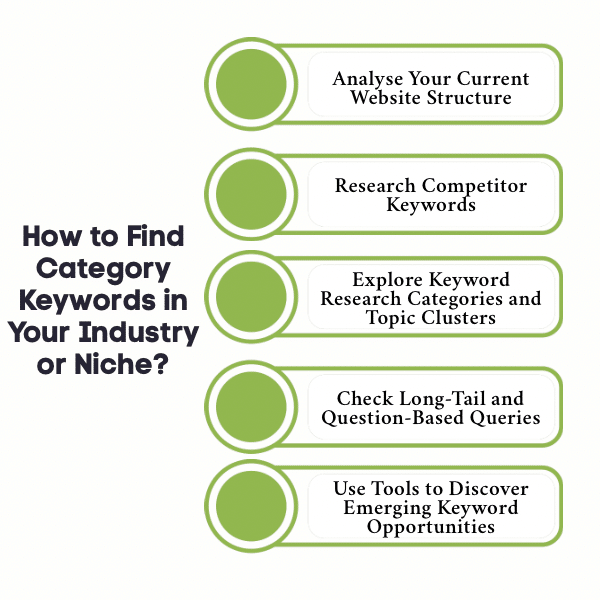
  • How to Find Category Keywords in Your Industry or Niche?
    • 1. Analyse Your Current Website Structure
    • 2. Research Competitor Keywords
    • 3. Explore Keyword Research Categories and Topic Clusters
    • 4. Check Long-Tail and Question-Based Queries
    • 5. Use Tools to Discover Emerging Keyword Opportunities
  • What Tools Can Help Identify and Analyze Category Keywords?
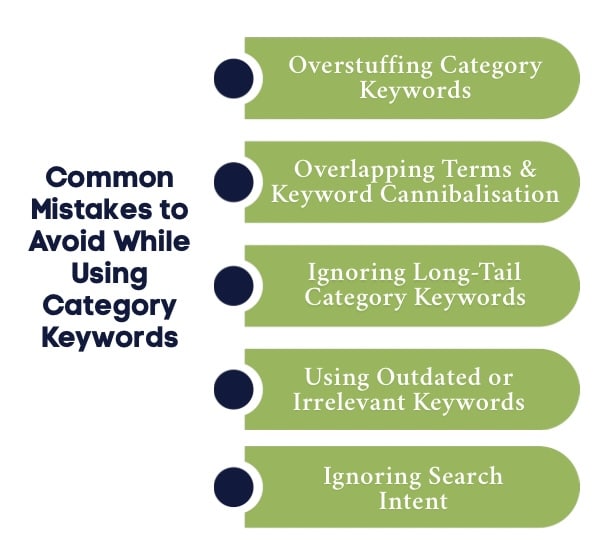
  • What are the Common Mistakes to Avoid While Using Category Keywords?
    • 1. Overstuffing Category Keywords
    • 2. Overlapping Terms and Keyword Cannibalisation
    • 3. Ignoring Long-Tail Category Keywords
    • 4. Using Outdated or Irrelevant Keywords
    • 5. Ignoring Search Intent
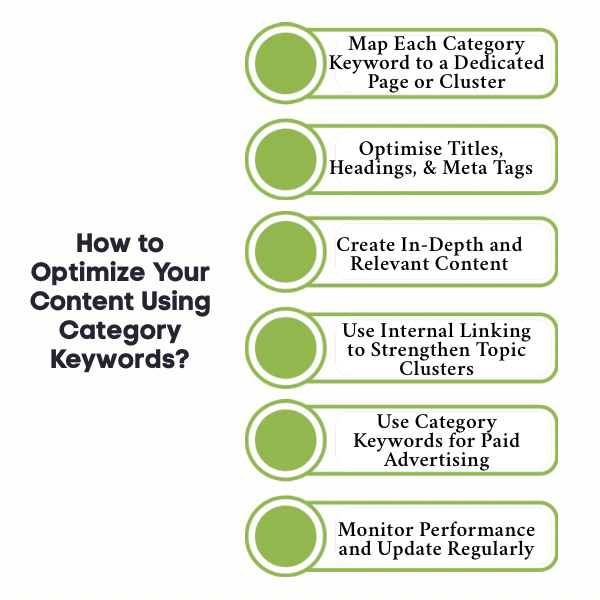
  • How Can You Optimize Your Content Using Category Keywords?
    • 1. Map Each Category Keyword to a Dedicated Page or Cluster
    • 2. Optimise Titles, Headings, and Meta Tags
    • 3. Create In-Depth and Relevant Content
    • 4. Use Internal Linking to Strengthen Topic Clusters
    • 5. Use Category Keywords for Paid Advertising
    • 6. Monitor Performance and Update Regularly
  • What Are the Key Difference Between Category Keywords and Informational Keywords?
  • Turn Your Website into a Traffic Magnet with Wild Creek Web Studio
  • Conclusion
  • Frequently Asked Questions
    • Can using too many category keywords be harmful to your SEO efforts?
    • How often should you update your category keywords strategy?
    • How do you effectively research category keywords for your website?
    • How do category keywords impact user experience on a website?
    • Which is the best free keyword search tool?
    • How do category keywords affect featured snippets?

TL;DR

  • Category keywords are broad terms that define your website’s main topics and improve search engine understanding.
  • Using them correctly boosts topical authority, organic traffic, and user experience.
  • Analyse your site structure and competitors to identify strong category keywords.
  • Build topic clusters and include long-tail or question-based variations to capture intent.
  • Use tools like Google Keyword Planner, Google Trends, and AnswerThePublic to discover and track keywords.
  • Avoid keyword stuffing, overlapping pages, outdated keywords, and ignoring search intent.
  • Optimise titles, meta tags, and internal linking while creating in-depth, relevant content.
  • Regularly monitor performance and refresh your keyword strategy to stay competitive.
  • Wild Creek Web Studio can help you dominate search results through effective SEO strategies.

Struggling to get your website noticed despite publishing quality content? The problem might not be your writing; it could be your keywords. Category keywords are the backbone of search engine optimisation, helping search engines understand your website’s core topics and connecting you with your target audience.

Whether you run a blog, an eCommerce store, or a service-based website, identifying and using the right category keywords can improve your rankings, attract potential customers, and unlock new organic traffic opportunities. In this guide, we’ll break down what category keywords are, why they matter, and how to use them effectively for better results.

What are Category Keywords and Why Are They Important for SEO?

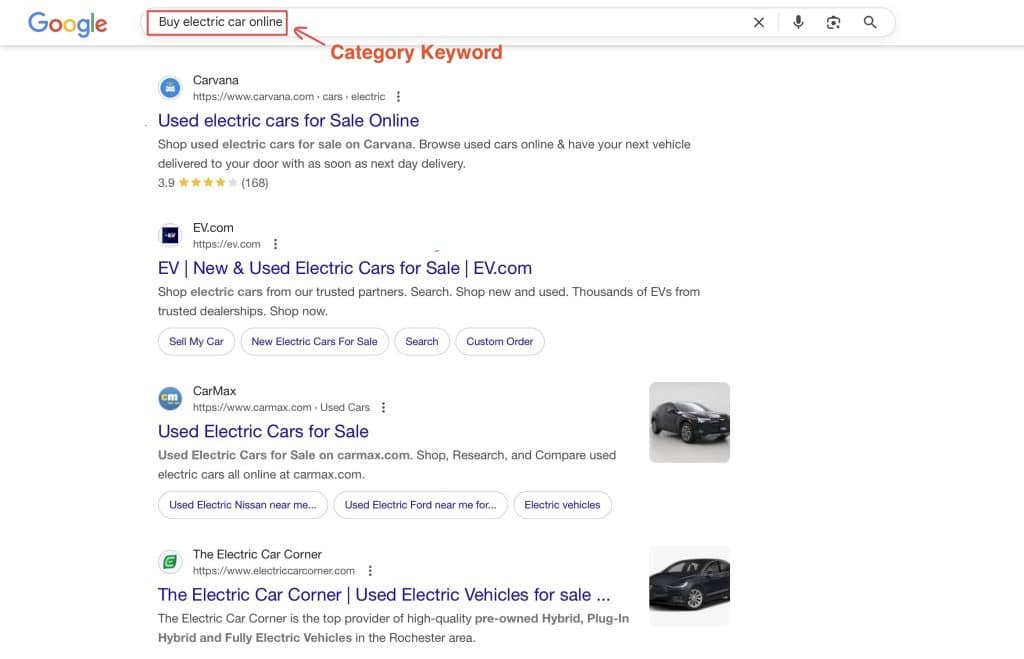
Category keyword example with SERP results

Category keyword example with SERP results

Category keywords are the main keywords that represent the primary topics or themes of your website. They are broader than long-tail keywords and usually cover a group of related keywords that fall under the same subject or category.

For example, in the travel industry, a website might focus on category keywords like “holiday packages,” “budget hotels,” or “family vacations,” which can then branch into multiple blog posts, guides, and landing pages targeting more specific search queries.

In SEO, category keywords are crucial because they help search engines understand your site structure and content focus. They also improve organic traffic, guide your content marketing efforts, and strengthen topical authority across search engine results.

How to Find Category Keywords in Your Industry or Niche?

An Infographic on How to Find Category Keywords in Your Industry or Niche

An Infographic on How to Find Category Keywords in Your Industry or Niche

Finding the right keywords is the first step towards building topical authority and attracting the right audience to your website. Category keywords, when chosen strategically, not only strengthen your content strategy but also improve organic search visibility. Here’s how you can identify and leverage the most effective category keywords in your niche.

1. Analyse Your Current Website Structure

Start by reviewing your site’s structure and mapping out your existing topics and subtopics. Identify where natural category groupings already exist and create a keyword list for each section. This approach helps you uncover gaps and generate new keywords to target. A clear structure also improves the way search engines interpret your website hierarchy.

2. Research Competitor Keywords

Your competitors can be an excellent source of keyword ideas. Use keyword research tools such as Ahrefs or Semrush to analyse the search terms and related keywords driving their traffic. Look at which SERP features they occupy, like featured snippets, FAQs, or site links, and spot opportunities to outperform them. Competitor insights help you refine your own target keyword strategy.

3. Explore Keyword Research Categories and Topic Clusters

Effective SEO keyword research involves grouping keyword suggestions into meaningful clusters. Begin with seed keywords relevant to your niche and organise them into logical categories based on search intent. By creating topic clusters, you improve internal linking, make your product pages easier to navigate, and build topical authority in the eyes of search engines.

4. Check Long-Tail and Question-Based Queries

Long-tail keywords and user questions from Google Search, People Also Ask (PAA), Quora, and Reddit provide highly specific content ideas. These queries often indicate strong user intent and can generate qualified traffic. Incorporating such queries into your relevant content ensures your site resonates with both traditional search users and AI-powered platforms.

5. Use Tools to Discover Emerging Keyword Opportunities

Stay ahead of trends by leveraging tools like Google Trends, Google Keyword Planner, and AnswerThePublic. These free tools help you track monthly search volume, keyword difficulty, and emerging popular keywords. Combining competitor insights with fresh keyword suggestions ensures your keyword list remains updated and aligned with user behaviour.

What Tools Can Help Identify and Analyze Category Keywords?

Finding category keywords is easier with the right tools. These tools help discover keyword ideas, assess search terms, and improve organic search visibility.

Here are some of the most effective tools you can use to identify and analyse category keywords:

  1. Google Keyword Planner: Google Keyword Planner is a free tool within Google Ads to uncover new keywords, check monthly search volume, and analyse keyword difficulty for your SEO strategy.
  2. Google Search Console: Google Search Console shows which search terms bring traffic to your website, helping you refine your keyword list and improve ongoing SEO keyword research.
  3. Google Trends: Google Trends helps track popular keywords, seasonal spikes, and search patterns so you can align your content strategy with current search engine results.
  4. AnswerThePublic: AnswerThePublic generates question-based keyword suggestions and related keywords, making it easier to create topic clusters and publish relevant content.
  5. Social Media and Forums: Social media platforms like Reddit and Quora reveal trending discussions and real user queries, offering valuable content ideas for your SEO content and marketing strategy.

Using these tools ensures your category keywords remain updated, relevant, and effective for long-term search engine optimisation.

What are the Common Mistakes to Avoid While Using Category Keywords?

An Infographic on Common Mistakes to Avoid While Using Category Keywords

An Infographic on Common Mistakes to Avoid While Using Category Keywords

Even the best category keywords can underperform if used incorrectly. To maintain visibility and credibility in Google Search Console, avoid these common mistakes that many websites make:

1. Overstuffing Category Keywords

Repeating your target keyword too frequently makes your content look forced and can trigger search engine penalties. Readers also find overstuffed content disengaging. Focus on natural usage and blend in related keywords to maintain flow.

2. Overlapping Terms and Keyword Cannibalisation

When multiple pages target the same or very similar category keywords, organic search visibility suffers. Each target keyword should have a distinct page or content cluster to avoid confusion and ensure maximum ranking potential.

3. Ignoring Long-Tail Category Keywords

Relying solely on broad popular keywords can be limiting. Long-tail variations usually have lower keyword difficulty, align with specific intent, and can drive highly qualified traffic. Integrating them strengthens your SEO keyword research efforts.

4. Using Outdated or Irrelevant Keywords

Search behaviour evolves quickly. Outdated keywords can reduce engagement and rankings. Regularly refresh your keyword list using keyword research tools to find new keywords that reflect current search terms and trends.

5. Ignoring Search Intent

Even a high monthly search volume keyword can fail if it doesn’t match user intent. Understand whether users are looking for information, comparisons, or ready to make a purchase, and align your content strategy accordingly for better engagement and conversions.

How Can You Optimize Your Content Using Category Keywords?

An Infographic on How to Optimize Your Content Using Category Keywords

An Infographic on How to Optimize Your Content Using Category Keywords

Finding category keywords is only the first step. Optimising your content around them is what drives visibility, organic traffic, and long-term success in search engine optimisation. A strong SEO strategy ensures your category keywords improve your search results while offering meaningful value to readers. Here’s how you can do it effectively:

1. Map Each Category Keyword to a Dedicated Page or Cluster

Assign each category keyword to a focused page or topic cluster rather than spreading it across multiple pages. This prevents confusion for search engines and users while ensuring your list of keywords is structured around clear topic hierarchies. It also improves your chances of ranking in search engine results features like sitelinks or People Also Ask.

2. Optimise Titles, Headings, and Meta Tags

Use your category keywords naturally in titles, meta descriptions, and headings to make your content discoverable. Pair your relevant keywords with secondary or long-tail terms to reach a broader audience. This approach works well for blog post optimisation, product pages, and landing pages, strengthening your seo content efforts.

3. Create In-Depth and Relevant Content

Search engines reward comprehensive, content-driven pages that address user intent fully. For each category keyword, create content that explores subtopics, FAQs, and comparisons. Combining this with Google Ads Insights or trending queries ensures your content remains competitive in high-intent search results.

4. Use Internal Linking to Strengthen Topic Clusters

Connect your category pages with related articles and supporting blogs. Strategic internal linking helps distribute page authority and improves user navigation, making it easier for readers and search engines to recognise your marketing strategy focus.

5. Use Category Keywords for Paid Advertising

Incorporate your category keywords into ads and social media campaigns to increase visibility among high-intent audiences. By aligning your SEO and PPC strategies, you can reinforce brand authority, improve click‑through rates, and gather keyword performance data that can also guide future content creation.

6. Monitor Performance and Update Regularly

Use a keyword tool like Ahrefs, SEMrush, or Google Keyword Planner to track performance and spot new opportunities. Analyse traffic in search engine results, refresh outdated sections, and align with social media trends to maintain relevance and attract qualified organic traffic over time.

What Are the Key Difference Between Category Keywords and Informational Keywords?

When planning an SEO strategy, it’s important to know the difference between category and informational keywords. The table below highlights their differences and why category keywords are more effective for driving conversions and building topical authority.

Aspect Category Keywords Informational Keywords
Search Intent Commercial; users are closer to making a purchase or enquiry. Informational; users are looking for answers, guides, or research.
Example Keywords “Buy electric car online,” “Men’s running shoes,” “Best CRM software for small business” “What is an electric car,” “Benefits of running,” “How does CRM work”
Target Pages Category pages, product listings, service pages, landing pages Blogs, FAQs, guides, and knowledge articles
Conversion Potential High; Users are ready to buy, enquire, or take the next step. Low to Medium; Users are mostly researching or exploring options.
SEO Impact Builds topical authority and drives qualified organic traffic faster. Builds traffic and awareness but may take longer to convert.
Use in Paid Ads Highly effective for Google Ads, Shopping Ads, and retargeting Less effective unless part of a content‑driven campaign
Why More Effective Category keywords capture high‑intent users and directly support revenue‑driving pages. Informational keywords mainly serve awareness and education, not immediate conversions.

While both keyword types are important for a balanced SEO strategy, category keywords are more effective for driving conversions and building topical authority faster. They reach high‑intent users, support revenue‑focused pages, and work seamlessly across SEO and paid advertising, making them vital for any growth‑oriented digital plan.

Turn Your Website into a Traffic Magnet with Wild Creek Web Studio

Want your website to dominate search results and become a traffic magnet? At Wild Creek Web Studio, we turn your content into a powerful growth engine. Our SEO strategies don’t just boost rankings; they build authority, attract the right audience, and drive real business results.

Whether it’s category keyword optimization, local search visibility, or advanced digital strategies, we help you stay ahead of the competition. Let us handle the complex SEO work so you can focus on growing your business.

Ready to boost your rankings? Contact us today to get started!

Conclusion

Mastering category keywords SEO is essential for building a strong search engine optimization strategy. By conducting thorough competitor analysis and monitoring performance with tools like Google Analytics, you can track what works. Optimising each title tag helps attract your target audience and convert potential customers.

Focusing on the right mix of category keywords, especially those with the highest search volume, improves your website’s ranking and drives relevant traffic. This approach also delivers a seamless experience for both users and search engines. Regularly updating your keyword strategy keeps your content competitive and visible.

Frequently Asked Questions

Can using too many category keywords be harmful to your SEO efforts?

Yes, overusing category keywords can harm your SEO. Keyword stuffing makes your content unnatural, reduces readability, and confuses search engines. Instead, use category keywords strategically, mix in long-tail variations, and focus on a natural flow to improve rankings and user experience.

How often should you update your category keywords strategy?

You should review and update your category keyword strategy every three to six months. Regular updates ensure your SEO content aligns with current search results, evolving marketing strategy, and user intent, helping maintain organic traffic and improve overall visibility.

How do you effectively research category keywords for your website?

To research category keywords effectively, start by analysing your website structure, studying competitor keywords, and using keyword research tools. Focus on related keywords, search intent, and organic search trends to create a targeted, high-performing keyword list.

How do category keywords impact user experience on a website?

Category keywords improve user experience by creating a clear website structure and guiding visitors to relevant contentquickly. When pages are organised around focused keywords, users can navigate easily, find what they need, and engage longer with your site.

Which is the best free keyword search tool?

Google Keyword Planner is the best free keyword search tool for beginners and businesses. It helps you discover new keywords, check monthly search volume, and analyse keyword difficulty, making it easier to plan an effective SEO strategy.

How do category keywords affect featured snippets?

Category keywords improve your chances of appearing in featured snippets by helping search engines understand your content’s relevance and structure. When your pages target clear search terms with organised SEO content, Google can extract concise answers for search engine results.

0 comments
An Illustration of two people analysing SEO performance with charts ratings and a magnifying glass

Topical Authority in SEO: What Is It and How to Build It?

In this Article

Toggle
  • TL;DR
  • What Is Topical Authority in SEO?
    • Why Is Topical Authority Important?
  • What Are the Key Factors That Influence Topical Authority, And How to Implement Them?
    • 1. Content Depth and Comprehensiveness
    • 2. Strategic Internal Linking
    • 3. Quality and Relevant Backlinks
    • 4. Implementing Semantic SEO
    • 5. Consistent and High-Quality Content Creation
  • What Are the Key Differences Between Topical and Domain Authority?
    • When to Focus on Topical Authority Over Domain Authority?
  • What Are the Signals Google Uses to Measure Topical Authority?
    • 1. Strong Presence in Search Engine Results
    • 2. Adherence to Quality Rater Guidelines
    • 3. Coverage of Related Keywords and Use Cases
    • 4. Well-Structured Pillar Pages and Content Clusters
    • 5. External Recognition Through Quality Backlinks
  • How to Build Topical Authority? Step-By-Step
    • Step 1: Conduct Keyword Research
    • Step 2: Identify Subtopics and Build Content Clusters
    • Step 3: Publish Comprehensive and Helpful Content
    • Step 4: Optimise Internal Linking
    • Step 5: Acquire Relevant Backlinks
    • Step 6: Update and Optimise Existing Content
    • Step 7: Monitor and Measure Progress
  • How to Measure and Track Your Topical Authority Progress?
    • 1. Analyse Search Engine Rankings
    • 2. Track Organic Traffic Growth
    • 3. Assess Content Quality Against Competitors
    • 4. Use SEO and Analytics Tools
  • What are the Best AI Tools for Boosting Topical Authority?
  • Ready to Build Strong Topical Authority With Wild Creek Web Studio?
  • Conclusion
  • Frequently Asked Questions
    • 1. Can building topical authority improve audience engagement?
    • 2. What strategies can be used to enhance topical authority over time?
    • 3. How does user experience relate to establishing topical authority?
    • 4. What role does content quality play in achieving topical authority?
    • 5. Does topical authority matter for ecommerce?
    • 6. Is building topical authority important for service-based sites without a lot of blogging?
    • 7. Is topical authority more important for local than backlinks in 2025?
    • 8. Is topical authority more important than keywords?
    • 9. How to gain topical authority on an ecommerce category page?
    • 10. Should I build local topical authority on content that may not see any traffic?
    • 11. What are the best ways to create topical authority?
    • 12. How to build topical authority for niche websites?
    • 13. What should I do to improve topical authority?

TL;DR

  • Topical authority shows search engines your website is a trusted source on a specific topic.
  • It improves search rankings and drives more organic traffic.
  • Build it with topic clusters, quality backlinks, and comprehensive content.
  • Internal linking and addressing search intent boost your authority faster.
  • Tracking progress ensures your SEO strategy stays on the right path.

Ever wondered why some smaller websites consistently outrank big, well-established competitors on Google? The secret often lies in topical authority. In today’s SEO landscape, it’s no longer enough to simply publish articles and hope for higher rankings. Search engines like Google prioritise websites that demonstrate deep expertise in a specific topic, rewarding them with better visibility in search engine results.

Whether you’re a growing site or a niche business, building topical authority helps you attract the target audience, dominate related keywords, and generate organic traffic without relying solely on domain authority. This blog will break down what topical authority is, why it matters, the signals Google uses to measure it, and actionable steps to build and track your topical authority SEO for long-term success.

What Is Topical Authority in SEO?

Topical authority is your website’s perceived expertise on a specific subject or particular topic in the eyes of search engines. When your site consistently publishes relevant content and authoritative content around a given topic, Google recognises it as a source of information that can be trusted to answer common questions from its target audience.

In short, if your site covers a particular niche in depth, creating comprehensive content that aligns with user intent, you are likely to gain high topical authority.

Why Is Topical Authority Important?

With Google’s algorithm becoming smarter, websites that demonstrate strong topical authority are more likely to appear in search results for related keywords and search queries. This directly impacts organic traffic, search engine rankings, and overall website authority.

Building a content marketing strategy around topic clusters instead of isolated content pieces ensures better topical relevance, improved user experience, and long-term SEO growth.

What Are the Key Factors That Influence Topical Authority, And How to Implement Them?

An Infographic on Key Factors That Influence Topical Authority

An Infographic on Key Factors That Influence Topical Authority

Building strong topical authority is not just about creating a few blog posts on a subject. It requires a structured approach to content creation, optimisation, and link building that signals to search engines that your website is a trusted expert on a given topic.

If you’re wondering how to improve your rankings with topical authority, it starts with understanding the elements that boost your site’s relevance and credibility. Below are the key factors that significantly influence topical authority:

1. Content Depth and Comprehensiveness

Search engines prioritise websites that provide comprehensive content covering a specific topic from multiple angles. A single shallow piece of content is rarely enough to build topic authority. Instead, aim to create content that:

  • Answers common questions your target audience might ask.
  • Covers related subtopics in detail, demonstrating a deep understanding.
  • Reflects content quality and user intent, helping users find actionable insights.

At Wild Creek Web Studio, we build topical authority by creating structured content clusters. For example, when we focus on digital marketing, we develop a pillar page on SEO Strategy and support it with detailed guides on semantic SEO, internal linking, and keyword research. This approach ensures stronger topical relevance and better search engine rankings.

2. Strategic Internal Linking

A strong internal linking structure helps both users and search engines navigate your content efficiently. It signals the relationships between related topics, reinforces topical authority, and allows important pages to pass website authority across your domain. Best practices include:

  • Linking new content pieces to existing pillar pages and clusters.
  • Using descriptive anchor text that reflects the specific topic.
  • Avoiding excessive or irrelevant linking that may dilute SEO impact.

3. Quality and Relevant Backlinks

While topical authority is primarily content-driven, quality backlinks from credible sources in your particular niche can strengthen your credibility. Google views these links as votes of confidence for your authoritative content. Key steps to secure backlinks include:

  • Guest posting on websites covering relevant topics.
  • Publishing helpful content that naturally earns links.
  • Using digital marketing campaigns to promote high-value content pieces.

4. Implementing Semantic SEO

Semantic SEO focuses on optimising for search intent rather than isolated keywords. It ensures that your content aligns with related keywords, use cases, and broad topic coverage. Enhance semantic SEO by:

  • Integrating related subtopics naturally throughout the content.
  • Including use cases and practical examples for better user experience.
  • Covering search queries that support the target topic comprehensively.

5. Consistent and High-Quality Content Creation

One of the most critical elements of building topical authority is consistent and high-quality content creation. A website that regularly publishes authoritative content and updates existing content signals Google’s algorithm that it is a reliable source of information. To maintain strong topical authority:

  • Develop a content marketing strategy with a clear publishing calendar.
  • Continuously expand content clusters to cover new related topics.
  • Update older articles to align with quality rater guidelines and best practices.

What Are the Key Differences Between Topical and Domain Authority?

Both topical authority and domain authority influence your search engine rankings, but they operate differently. Topical authority focuses on proving your expertise on a specific topic, while domain authority measures the overall trustworthiness of your entire website. Understanding these differences helps you refine your SEO strategy and prioritise efforts where they will have the most impact.

Let’s look at what is the difference between domain authority and topical authority in the table below:

Aspect Topical Authority Domain Authority
Focus Topic-specific expertise within a particular niche Overall website credibility across all relevant topics
Ranking Impact Can outrank high-domain sites if strong topical authority is achieved Generally supports site-wide higher rankings, but less topic-focused
Measurement Based on content quality, topic cluster, and search intent coverage Heavily relies on quality backlinks and overall SEO strategy
Content Approach Requires pillar pages, content clusters, and internal linking Benefits from a broad content marketing strategy across the site
Use Case Best for websites targeting a specific subject or niche Better for large sites aiming for wide website authority

When to Focus on Topical Authority Over Domain Authority?

If your website is new, growing, or entering a particular niche, prioritising topical authority is often the smarter approach. Building domain authority takes time, as it relies on earning quality backlinks and improving overall website authority, which established competitors already possess.

By focusing on topical authority, you can:

  • Capture higher rankings faster for specific topic clusters that align with user intent.
  • Attract organic traffic from search queries where large, general websites may not cover the specific subject in depth.
  • Establish your site as a source of information and subject matter expert in your particular topic, creating a foundation for long-term growth.

This approach allows smaller or niche websites to compete effectively in search engine results without needing massive domain authority from the start.

What Are the Signals Google Uses to Measure Topical Authority?

An Infographic on Signals Google Uses to Measure Topical Authority

An Infographic on Signals Google Uses to Measure Topical Authority

So, how does Google measure topical authority?

Google looks for multiple indicators to decide whether your website is a trusted source for a specific topic. These signals reflect your topical relevance, content quality, and overall subject matter expertise. This includes:

1. Strong Presence in Search Engine Results

When your website consistently appears for related keywords and search queries, it signals that Google recognises your topical authority. Sites with high topical authority dominate search engine results for both short and long-tail queries within their particular niche.

2. Adherence to Quality Rater Guidelines

Google’s quality rater guidelines reward sites that provide helpful content and a positive user experience. Content that is clear, accurate, and trustworthy from a subject matter expert aligns with these standards and improves visibility.

3. Coverage of Related Keywords and Use Cases

Comprehensive coverage of related subtopics, use cases, and relevant topics shows Google that your site is a reliable source of information. Using semantic SEO and addressing search intent signals strong topical authority for the target topic.

4. Well-Structured Pillar Pages and Content Clusters

A clear pillar page supported by content cluster pages helps search engines understand content hierarchy and topic authority. Smart internal linking and descriptive anchor text strengthen your topical relevance.

5. External Recognition Through Quality Backlinks

Google values quality backlinks from credible sites in your particular niche. These links act as endorsements of your authoritative content, helping establish more topical authority and better search engine rankings.

How to Build Topical Authority? Step-By-Step

An Infographic on How to Build Topical Authority Step By Step

An Infographic on How to Build Topical Authority Step By Step

Building topical authority takes time and a clear SEO strategy. If you are wondering how to achieve topical authority, your site must first show expertise, relevance, and trust to rank well for a specific topic. Follow these step-by-step actions to establish your site as a source of information and achieve higher rankings in your particular niche:

Step 1: Conduct Keyword Research

Start with thorough keyword research to identify related keywords and search queries within your particular niche. Focus on terms that reflect clear search intent and support your digital marketing strategy.

Step 2: Identify Subtopics and Build Content Clusters

Create a pillar page around the specific topic and support it with a content cluster covering related subtopics. This structure signals topical relevance and helps search engines understand your content depth.

Step 3: Publish Comprehensive and Helpful Content

Produce comprehensive content that addresses user intent and provides actionable insights. Ensure each piece of content is optimised to deliver a great user experience and position your site as a source of information.

Step 4: Optimise Internal Linking

Use internal linking with descriptive anchor text to connect content pieces within your cluster. This strengthens topic authority and makes it easier for search engines to crawl and understand your site hierarchy.

Step 5: Acquire Relevant Backlinks

Earn quality backlinks through guest posts, outreach, and content marketing strategy efforts. Links from credible sites in your particular subject act as endorsements of your authoritative content.

Step 6: Update and Optimise Existing Content

Regularly revisit and update existing content to align with best practices and quality rater guidelines. Keeping content fresh shows Google that your website is an active and reliable source of information.

Step 7: Monitor and Measure Progress

Track SEO performance, search rankings and visibility for your target topic to see if your topical authority is improving. Use analytics and performance data to refine your SEO strategy and expand content clusters where needed.

How to Measure and Track Your Topical Authority Progress?

An Infographic on How to Measure and Track Your Topical Authority Progress

An Infographic on How to Measure and Track Your Topical Authority Progress

Establishing topical authority is only half the journey; tracking it ensures your efforts deliver results. By monitoring rankings, traffic, and content performance, you can refine your SEO strategy and strengthen your position as a trusted source of information.

Here are the key ways to measure and track your topical authority effectively:

1. Analyse Search Engine Rankings

Regularly monitor your search engine rankings for both related topics and target topic queries. If your pages consistently appear for multiple search queries in your particular niche, it signals that Google recognises your topical authority and that your content pieces are gaining traction.

2. Track Organic Traffic Growth

Measure the increase in organic traffic from search engines to your relevant content. Growth in impressions and clicks for search engine results tied to your specific topic indicates that your SEO strategy is helping you build topic authority and reach your target audience effectively.

3. Assess Content Quality Against Competitors

Evaluate your content depth, content quality, and comprehensive content compared to competitors addressing the same specific subject. If your site provides helpful content that answers common questions better than others, you are likely establishing stronger authority and positioning yourself as a source of information.

4. Use SEO and Analytics Tools

Leverage tools like Google Search Console, Semrush, and Ahrefs to gain insights into search engine rankings, related keywords, and organic traffic trends. These tools help identify use cases for improving topical relevance, optimising existing content, and strengthening your content marketing strategy over time.

What are the Best AI Tools for Boosting Topical Authority?

With the growing complexity of search engines and user intent, leveraging AI tools can accelerate your journey to stronger topical authority. These tools help identify content gaps, optimise for semantic SEO, and improve overall content quality.

  1. Semrush Content Marketing Platform: Use Semrush to analyse keyword clusters, identify topic gaps, and track search engine rankings. Its Topic Research and Content Audit tools make it easier to structure pillar pages and content clusters.
  2. Surfer SEO: Surfer SEO uses AI-driven analysis to ensure each piece of content meets search intent and topical relevance. It evaluates competitor content, related keywords, and optimal word count for better search engine results.
  3. MarketMuse: MarketMuse leverages AI to improve content depth by recommending related subtopics and missing sections. It helps your content become more comprehensive, increasing topical authority over time.
  4. Frase.io: Frase.io assists in creating content that aligns with user queries and common questions. It provides AI-powered briefs, ensuring your content answers search intent effectively and is perceived as helpful by Google.
  5. Scalenut: Scalenut combines keyword research, AI-powered content creation, and SEO optimisation in one platform. It can generate pillar pages, suggest internal linking opportunities, and enhance topical authority through content clusters.

Combining these tools with a consistent content marketing strategy ensures you cover related topics thoroughly, meet Google’s quality rater guidelines, and strengthen your position as a subject matter expert.

Ready to Build Strong Topical Authority With Wild Creek Web Studio?

At Wild Creek Web Studio, we don’t just focus on rankings; we focus on building lasting digital visibility for your brand. Our SEO strategies are designed to help your business dominate specific topics, attract the right audience, and convert traffic into loyal customers.

From comprehensive keyword research and content cluster creation to SEO audits and authority building, we combine data-driven strategies with years of expertise to position your website as a trusted source of information in your niche.

If you want your brand to own its niche and attract the right audience, contact us today and let us build your authority the smart way.

Conclusion

Building topical authority is no longer optional; it is the foundation of modern content marketing and SEO strategy. By covering relevant topics in depth, connecting content pieces through internal linking, and earning quality backlinks, you position your site as a subject matter expert.

Focus on topical relevance, create authoritative content, and track your search rankings consistently. Over time, your topical authority will translate into better search engine results, improved user experience, and a loyal target audience.

Frequently Asked Questions

1. Can building topical authority improve audience engagement?

Yes, establishing topical authority helps attract a target audience genuinely interested in your specific subject. When your content pieces answer common questions thoroughly and match user intent, readers spend more time on your site, increasing user engagement and trust.

2. What strategies can be used to enhance topical authority over time?

Key strategies include creating pillar pages with content clusters, optimising internal linking with relevant anchor text, gaining quality backlinks, and consistently publishing helpful content that aligns with search intent and your overall content marketing strategy.

3. How does user experience relate to establishing topical authority?

A positive user experience signals search engines that your website is a reliable source of information. Fast-loading pages, intuitive navigation, and comprehensive content that meets user intent can strengthen your website authority and improve search engine results visibility.

4. What role does content quality play in achieving topical authority?

Content quality is crucial because search engine rankings favour authoritative content that covers a specific topic in depth. Quality content with clear structure, relevant keywords, and accurate insights positions your site as a subject matter expert, building more topical authority over time.

5. Does topical authority matter for ecommerce?

Yes, topical authority is crucial for ecommerce. When your category and product pages demonstrate strong topical relevance with clear descriptions, related subtopics, and internal linking, search engines are more likely to rank your store for buyer-focused queries. This can lead to better organic traffic and higher conversions.

6. Is building topical authority important for service-based sites without a lot of blogging?

Yes, even service-based websites can benefit. You can create pillar pages, case studies, FAQs, and landing pages that answer common questions in your industry. These content pieces establish subject matter expertise without needing a large blog.

7. Is topical authority more important for local than backlinks in 2025?

In 2025, for many local businesses, topical authority can often outweigh backlinks in driving local search visibility. Google increasingly prioritises sites that provide helpful, locally relevant content over those that rely solely on link building.

8. Is topical authority more important than keywords?

Keywords still matter, but topical authority carries more weight in modern SEO. Covering a topic comprehensively through related keywords, subtopics, and content clusters signals to search engines that your site is a trusted source, rather than just keyword-focused.

9. How to gain topical authority on an ecommerce category page?

Optimise category pages with detailed descriptions, related keywords, internal links to product guides, and buyer-focused FAQs. Adding comprehensive content like comparison charts or shopping guides helps search engines recognise the page as authoritative for that category.

10. Should I build local topical authority on content that may not see any traffic?

Yes, building local topical authority is valuable even if the content initially attracts little traffic. Search engines reward websites that consistently publish high-quality content in their niche, and this authority can help your pages rank when relevant queries arise over time.

11. What are the best ways to create topical authority?

The best strategies include creating comprehensive content clusters, aligning with user intent, and earning relevant backlinks. Incorporating Local Search Discussions Local Content can further strengthen your site’s authority if you are targeting local or geographic-specific audiences.

12. How to build topical authority for niche websites?

Focus on highly specific topics within your niche and cover them thoroughly with pillar pages and supporting content clusters. Niche websites benefit from depth over breadth, as search engines value expertise on a particular subject.

13. What should I do to improve topical authority?

Start by auditing your existing content and filling gaps with in-depth, helpful content that addresses common questions in your industry. Strengthen internal linking, gain quality backlinks, and keep your content updated to maintain relevance and credibility.

0 comments
Illustration comparing AEO vs SEO with graphs gears and people analyzing data

AEO vs SEO: Which One Should You Focus on in 2025?

In this Article

Toggle
  • TL;DR
  • What Are SEO and AEO in 2025?
    • Is AEO Better Than SEO?
  • What is the Difference Between AEO and Traditional SEO?
  • Why is Pairing AEO with SEO a Game-Changer?
    • 1. Broader Brand Visibility Across Search and AI Platforms
    • 2. Higher Chances of Ranking in Featured Snippets
    • 3. Better Performance in Voice Search and Social Platforms
    • 4. Stronger Online Presence Even with Lower Organic Traffic
  • Are There Any Industries Where AEO Is More Beneficial Than SEO?
    • Which Industries See the Highest Impact from AEO?
  • How Does Measuring Success Differ Between AEO KPIs and SEO Metrics?
    • What Are the Key Metrics SEO Focuses On?
    • What Are the Key KPIs Used to Measure AEO Success?
  • What Tools Can Help Analyze AEO Versus SEO Performance?
  • SEO vs AEO – Which Is More Important for the Future of Search?
    • Will AEO Replace SEO?
  • Stay Search-Ready in the Age of AI with Wild Creek Web Studio
  • Conclusion
  • Frequently Asked Questions
    • What is the difference between SEO and AEO?
    • What does AEO mean in SEO?
    • Why is AEO more important than SEO?
    • How do user experience and engagement affect AEO compared to SEO?
    • Is SEO still a profitable skill in 2025?

TL;DR

  • SEO focuses on search engines, while AEO targets AI platforms and direct answers.
  • AEO is driven by user intent, voice searches, and conversational queries.
  • Combining both can deliver maximum visibility across different platforms.
  • Schema markup, FAQ schema, and authoritative answers help boost AEO performance.
  • SEO remains critical for organic traffic and search engine rankings.
  • User experience and content quality are central to both strategies.
  • The future of search lies in blending traditional and AI-driven approaches.
  • Wild Creek Web Studio blends proven SEO with AI-powered AEO to keep your brand search-ready in the age of AI.

As AI platforms like Google Assistant and ChatGPT transform how people search, ranking on Google is no longer the only goal. A new form of visibility is taking center stage: Answer Engine Optimization (AEO).

But where does that leave Search Engine Optimization (SEO)? Is it becoming outdated, or simply evolving?

In this blog, we’ll unpack the real differences between SEO and AEO, explore why AEO is gaining momentum in 2025, and show how combining both can supercharge your search visibility, content reach, and user engagement.

Whether you’re a marketer, business owner, or content strategist, this guide will help you future-proof your approach in the age of AI search.

What Are SEO and AEO in 2025?

In 2025, search is no longer limited to traditional engines. With AI assistants and generative platforms becoming mainstream, how users discover information has evolved dramatically.

SEO (Search Engine Optimization) is the process of improving a website’s visibility in traditional search engine results like Google or Bing. It involves techniques such as keyword research, technical SEO, content creation, and link building to drive organic traffic and improve search rankings.

AEO (Answer Engine Optimization), on the other hand, is the practice of structuring content to provide direct, concise answers to user queries on platforms like Google Assistant, Siri, or AI tools like ChatGPT. It focuses on meeting user intent through structured data, natural language, and clear content formats.

In 2025, search is no longer limited to traditional engines. With AI assistants and generative platforms becoming mainstream, how users discover information has evolved dramatically.

Modern users expect fast, conversational, and contextually accurate responses. AEO addresses this by making content accessible and understandable for both humans and machines, especially on platforms powered by natural language processing.

Is AEO Better Than SEO?

Not necessarily. AEO and SEO serve different but complementary purposes.

SEO builds long-term visibility and authority in search engines. It drives organic traffic, improves keyword rankings, and supports comprehensive content strategies. AEO, on the other hand, is better suited for capturing immediate attention through concise responses in voice searches, featured snippets, and AI-generated summaries.

In essence, SEO brings users to your website, while AEO brings your answers to the user, wherever they are searching. The most effective digital strategies in 2025 combine both approaches for maximum visibility and user engagement.

Want to see how AI is reshaping search? Read our guide on How Generative Engine Optimization Impacts SEO.

What is the Difference Between AEO and Traditional SEO?

As businesses navigate the shift from traditional search to AI-powered responses, it’s essential to understand how SEO and AEO serve different purposes. While both aim to boost online visibility, their methods, platforms, and user expectations differ significantly. Here’s a comparative breakdown to make it clear:

Aspect Search Engine Optimization (SEO) Answer Engine Optimization (AEO)
Goal Improve website visibility in traditional search engine results Provide direct, concise answers to user queries
Platform Focus Traditional search engines like Google and Bing Answer engines like Google Assistant, Siri, ChatGPT, and AI-driven platforms
User Experience Guides users to click through to web pages Delivers instant answers without needing to visit a site
Key Techniques Keyword optimisation, technical SEO, backlinks, on-page SEO Structured data (FAQ schema), concise content, conversational tone
Content Type In-depth articles, blog posts, landing pages Snippets, FAQs, short summaries
Ranking Focus Appearing on top positions in search engine results pages (SERPs) Appearing in featured snippets or as direct voice/text-based answers
Measurement Metrics Click-through rate (CTR), page rankings, bounce rate Appearance in featured snippets, voice assistant responses, AI-generated answers
Search Behaviour Alignment Suited for traditional typed search Suited for conversational and voice-based queries

Why is Pairing AEO with SEO a Game-Changer?

An Infographic on the Benefits of Using AEO Alongside SEO

An Infographic on the Benefits of Using AEO Alongside SEO

Combining Answer Engine Optimization (AEO) with traditional SEO gives your brand a powerful advantage in today’s evolving search landscape. Instead of choosing one over the other, integrating both helps maximise your reach and improve how your content is discovered, understood, and ranked.

Here’s how using AEO and SEO together benefits your digital strategy:

1. Broader Brand Visibility Across Search and AI Platforms

By optimising for both search engines and answer engines, your content appears in traditional search results as well as AI-generated responses, featured snippets, and voice assistants, ensuring your brand is found across all user touchpoints.

2. Higher Chances of Ranking in Featured Snippets

AEO techniques such as structured data, concise answers, and FAQ schema significantly improve your chances of being selected for featured snippets. Featured snippets are prime digital real estate that capture high-intent traffic.

3. Better Performance in Voice Search and Social Platforms

Answer-optimised content aligns well with how people search via smart assistants and even on social platforms like Instagram and YouTube, where questions and conversational queries are common.

4. Stronger Online Presence Even with Lower Organic Traffic

Even if your website isn’t topping traditional search engine results, AEO can still help your content surface in AI overviews, voice responses, and answer boxes, driving meaningful engagement and conversions.

A dual strategy improves your brand’s discoverability, future-proofs your SEO strategies, and ensures you’re visible wherever users are asking questions.

Are There Any Industries Where AEO Is More Beneficial Than SEO?

Absolutely. Certain industries are uniquely positioned to benefit more from Answer Engine Optimization (AEO) due to the nature of their audience and the type of queries they receive.

AEO tends to be more effective in sectors that rely heavily on:

  • Quick decision-making and fast conversions
  • Mobile-first browsing and voice search adoption
  • Local SEO and location-specific queries
  • High-volume, question-based searches
  • Customer trust built on concise, authoritative answers

Which Industries See the Highest Impact from AEO?

Industry Why AEO Works Well
Healthcare Users often ask urgent, voice-based health questions and prefer instant, reliable answers.
E-commerce Shoppers use voice or AI search for product comparisons, deals, and quick buying decisions.
Legal Services Potential clients search for specific legal scenarios and want simplified, accurate advice.
Education Students and parents frequently search for course info, eligibility, and institution reviews.
Travel Travellers ask location-based, real-time questions that require fast, relevant responses.

In these industries, AEO helps businesses show up where it matters, and right at the moment the user is asking. By offering concise responses through answer engines and voice assistants, brands can significantly improve their visibility, trust, and ROI.

How Does Measuring Success Differ Between AEO KPIs and SEO Metrics?

When it comes to measuring success, SEO and AEO operate with distinct sets of metrics, reflecting their different goals. Traditional SEO focuses on driving traffic and improving search rankings, while AEO is all about delivering concise, accurate answers that appear in AI and voice search results.

Understanding the key performance indicators (KPIs) for both helps you build a more balanced strategy.

What Are the Key Metrics SEO Focuses On?

Traditional SEO performance is tracked and measured through well-established metrics that reflect visibility, user behaviour, and technical health. These indicators help assess how effectively your website ranks and engages users through search engines.

  • Organic Traffic: Volume of users landing on your site via search engines.
  • Keyword Rankings: How well your site ranks for specific target keywords.
  • Backlink Profile: Number and quality of inbound links to your pages.
  • Bounce Rate & Dwell Time: Signals of user engagement and relevance.
  • Core Web Vitals: Page speed, interactivity, and visual stability.

What Are the Key KPIs Used to Measure AEO Success?

Answer Engine Optimization focuses on how well your content performs within AI-driven and conversational environments. These KPIs reflect your ability to meet user intent with direct, structured, and relevant answers.

  • Featured Snippet Appearances: How often your content is used in answer boxes.
  • Answer Box CTR: Click-through rate from direct answers.
  • Voice Search Visibility: How frequently your content is surfaced in voice responses.
  • Structured Data Usage: Presence and accuracy of schema markup like FAQ, HowTo, etc.
  • Concise Answer Rate: Effectiveness of your content in providing clear, direct responses.

In 2025, measuring success requires looking beyond just traffic and rankings. AEO introduces a new layer of visibility where the quality, structure, and clarity of your content matter more than just keyword volume.

What Tools Can Help Analyze AEO Versus SEO Performance?

To succeed in both traditional and AI-driven search, you need the right tools to monitor and measure your efforts. While SEO tools track rankings and traffic, AEO requires insights into how your content performs in voice results, featured snippets, and AI summaries.

Here are the best tools to analyse both SEO and AEO performance:

Tool Use Case
Wild Creek Web Studio SEO Audit Get a detailed, expert-led evaluation of your website’s SEO and AEO readiness, from technical health to content structure and schema implementation.
Google Search Console Track search impressions, keyword rankings, and technical SEO performance.
SEMrush Analyze keyword trends, backlinks, site audits, and content gaps.
Ahrefs Monitor search visibility, keyword rankings, and competitor performance.
AlsoAsked Discover related questions and conversational queries for AEO content.
Schema Markup Validator Validate structured data like FAQ and HowTo schema to support answer visibility.

Pro Tip: Pair SEO metrics like keyword rankings and backlinks with AEO signals like featured snippet performance and voice search visibility for a holistic strategy.

SEO vs AEO – Which Is More Important for the Future of Search?

As search evolves, the debate isn’t just about ranking higher; it’s about showing up where your audience is searching. Both SEO and AEO have critical roles to play in the digital landscape of 2025 and beyond.

SEO ensures your web pages rank in traditional search engine results, driving long-term organic traffic and improving your site’s authority.
AEO positions your content in voice assistants, featured snippets, and AI-generated answers, where more users are seeking fast, contextually relevant information.

The future isn’t about choosing one, but it’s about leveraging both.

To succeed, brands need to align their SEO strategies with AEO principles by creating structured, intent-focused content that works across search engines and answer engines alike.

Will AEO Replace SEO?

Not entirely. AEO will not replace SEO but rather complement it.

SEO remains essential for building a strong digital foundation, boosting visibility, driving traffic, and supporting in-depth content. AEO enhances this by making content accessible in AI-driven environments where users expect immediate answers.

Think of it this way:

  • SEO gets people to your website.
  • AEO gets your answers to people, wherever they’re asking.

For future-ready visibility, the winning approach is a blended strategy that combines the depth of SEO with the responsiveness of AEO.

Stay Search-Ready in the Age of AI with Wild Creek Web Studio

At Wild Creek Web Studio, we don’t just do SEO; we prepare your brand for the future of search.

Through our Digital Visibility service, we combine time-tested SEO practices with AI-powered strategies such as voice search optimisation, featured snippet targeting, and smarter content using AI tools like GPT.

Whether it’s Google Search or answer engines like ChatGPT, your brand stays visible, relevant, and competitive.

Ready to future-proof your digital visibility? Get started with Wild Creek Web Studio today!

Conclusion

The future of search isn’t about choosing between SEO and AEO; it’s about using both strategically. While SEO builds long-term visibility through structured content and authority, AEO ensures your content answers user questions clearly across AI-driven platforms.

As search engines continue to evolve with AI, voice, and zero-click results, blending these approaches will be key to staying relevant, discoverable, and competitive in 2025 and beyond.

Frequently Asked Questions

What is the difference between SEO and AEO?

SEO focuses on improving website rankings in traditional search engine results, using keywords and backlinks. AEO, on the other hand, targets answer engines by providing direct, structured responses to user queries, especially for voice and AI-driven searches.

What does AEO mean in SEO?

AEO stands for Answer Engine Optimization. In the context of SEO, it refers to the practice of optimising content to deliver direct, structured answers for AI-powered platforms like voice assistants and generative search tools.

Why is AEO more important than SEO?

AEO is gaining importance because users increasingly rely on voice searches and AI tools for quick answers. While SEO drives traffic through rankings, AEO ensures your content is visible where users expect instant, relevant responses-especially in featured snippets and AI summaries.

How do user experience and engagement affect AEO compared to SEO?

In SEO, user experience influences metrics like bounce rate and dwell time, which affect rankings. In AEO, it’s even more crucial-clear structure, fast load times, and concise answers directly impact whether AI tools surface your content in response to voice or conversational queries.

Is SEO still a profitable skill in 2025?

Absolutely. SEO remains a highly valuable skill in 2025. As businesses compete for online visibility, expertise in keyword research, technical SEO, and content strategy is crucial. While AEO is rising, SEO continues to drive long-term organic traffic and ROI across industries.

0 comments
Illustration of images on a search engine

Is Your Site Losing Traffic to Poor Image Optimization SEO?

In this Article

Toggle
  • TL;DR
  • Why Does Image SEO Matter?
    • 1. Visuals Impact User Experience (UX)
    • 2. Google Loves Optimised Images
    • 3. The Data Speaks for Itself
  • How Do You Optimise Images for SEO the Right Way?
    • 1. How to Use Unique, Relevant Images?
    • 2. How to Choose the Right File Format?
    • 3. How To Resize Images Correctly for Web and Mobile?
    • 4. How To Compress Images Without Losing Visual Quality?
    • 5. Why Are Descriptive File Names Important for Image SEO?
    • 6. What Makes Alt Text Useful for Both SEO and Accessibility?
    • 7. Should You Add Captions and Descriptions to Images?
    • 8. How Does Lazy Loading Improve Image SEO?
    • 9. What Is Responsive Image Scaling and Why Should You Use It?
    • 10. How Can Structured Data Improve Image SEO?
    • 11. Why Should You Create an Image Sitemap?
    • 12. What Is a CDN and How Does It Help Image Delivery?
    • 13. Why Should You Enable Browser Caching for Images?
  • Want More Than Just Fast-Loading Images? Here’s How Wild Creek Web Studio Does It
  • Conclusion
  • Frequently Asked Questions
    • 1. What is the best image format for faster page load speed?
    • 2. Should I always compress my product images?
    • 3. Is keyword stuffing in alt tags a good idea?
    • 4. Can image SEO affect how I appear on Google Discover or social media?
    • 5. Are stock images bad for SEO?

TL;DR

  • Slow site? Large images might be the culprit
  • Use WebP or JPEG, not bulky PNGs, for everything
  • Add alt text that’s clear, not stuffed with keywords
  • Resize images to fit containers, not your desktop
  • Compress smartly, TinyPNG and Squoosh work great
  • Lazy load below-the-fold visuals to save load time
  • Structured data helps images show up in rich results
  • Follow proven image optimization SEO best practices to boost speed, rankings, and UX
  • Bonus tip: avoid overused stock images, go original if you can

Looking to make your website faster and rank higher on Google? Start with your images.

Image optimization for SEO isn’t just about reducing file sizes; it’s about helping search engines understand your visuals and delivering a faster, better experience for users.

If you’re serious about squeezing more value from your content, this is a smart place to start.

In this guide, we’ll explore why image SEO matters, the best practices to follow, and actionable ways to make every image on your site more discoverable, accessible, and search-friendly.

Why Does Image SEO Matter?

Infographic of Why Does Image SEO Matter

Infographic of Why Does Image SEO Matter

Images aren’t just there to make your website look good; they play a powerful role in how users engage with your content and how search engines rank your pages.

1. Visuals Impact User Experience (UX)

People process visuals 60,000x faster than text (Source). Clear, relevant images help break up long content, explain complex ideas, and guide users through your site. But if those images are unoptimised (slow to load or poorly labelled), they frustrate users, and search engines notice.

2. Google Loves Optimised Images

Search engines can’t “see” images; they rely on metadata like file names, alt text, and structured data to understand them. That’s why image optimization SEO plays a direct role in how your content is ranked.

Optimised images also help your content appear in:

  • Google Images– a major discovery channel
  • Google SERPs with image packs boosting visibility
  • Google Lens results, especially for products and visual topics

3. The Data Speaks for Itself

  • Over 55% of Google search results (Source) now include an image pack
  • Pages that load in under 2 seconds tend to have lower bounce rates and higher rankings

Simply put: if you’re not optimising your images, you’re leaving SEO and potential traffic on the table.

How Do You Optimise Images for SEO the Right Way?

Infographic of How Do You Optimise Images for SEO the Right Way

Infographic of How Do You Optimise Images for SEO the Right Way

Most websites use images, but very few use them strategically. Unoptimised visuals can slow down your site, confuse search engines, and hurt your rankings.

If you’re serious about improving your visibility and user experience, image SEO is not just a design task, it’s a technical opportunity. This section outlines the most effective and up-to-date image optimisation best practices for improved SEO results to follow, especially if you want your content to rank on Google and stand out in image search.

Let’s start with the most overlooked but powerful techniques.

1. How to Use Unique, Relevant Images?

Stock photos may be easy to find but they are rarely effective. They do little to improve search rankings and often make your content look generic.

Here’s how to do it right:

  • Use original visuals wherever possible such as product shots, screenshots, infographics or illustrations
  • Ensure images directly support the page topic or explain a specific point
  • Avoid decorative images, especially above the fold, unless they serve a clear purpose
  • If using AI-generated visuals, always verify accuracy and add meaningful alt text

Why it matters: Google rewards content that is original and clearly serves the user’s intent. Purposeful, context-rich visuals add to your page’s authority and help improve search discoverability.

2. How to Choose the Right File Format?

Choosing the correct image format plays a major role in how quickly your page loads and how well it performs in search.

When to use what:

Format Use Case SEO Benefit
WebP Most general images Smaller file size than JPEG and PNG with good quality
JPEG Photographs or detailed visuals Balanced size and quality at 75 to 85 percent compression
PNG Images with text, transparency or sharp lines Higher quality, but larger file size
SVG Icons, logos, vector-based graphics Scales well, ideal for UI and branding elements
AVIF High-quality images with smallest size Great performance but not yet supported by all browsers

Tip: Tools like ImageMagick, Squoosh or the Next.js Image component can automate image conversion based on user device and browser.

Why it matters: Using lighter, modern formats like WebP or AVIF improves load speed, which directly impacts SEO efforts and Core Web Vitals scores.

3. How To Resize Images Correctly for Web and Mobile?

Uploading large, high-resolution images straight from a camera or design file may seem harmless, but oversized visuals can drag down your site speed.

What you should do:

  • Resize images to match the maximum width of their container (for most websites, this is between 1200 to 2500 pixels)
  • Create separate versions for desktop, tablet and mobile when needed
  • Use tools like Photoshop, GIMP or online resizers to maintain clarity at smaller sizes
  • If your CMS allows it, install plugins that automatically adjust image size during upload (e.g., WordPress’s Resize Image After Upload)

Why it matters: Properly sized images improve page speed and help meet Core Web Vitals targets, which are now a confirmed ranking factor.

4. How To Compress Images Without Losing Visual Quality?

Even if an image is the right size, it can still be too heavy. Compression reduces file weight while keeping the image looking sharp.

Recommended tools:

  • TinyPNG – Best for quick web-based compression
  • Squoosh – Browser tool with advanced control
  • ShortPixel – Plugin for WordPress sites

Tips for best results:

  • Use lossy compression for most website images (quality factor around 75 to 85 percent)
  • Avoid double-compressing the same file, which may degrade quality
  • Always keep an uncompressed backup for future edits

5. Why Are Descriptive File Names Important for Image SEO?

Search engines read image file names to understand what the image represents. Generic names like IMG_1234.jpg do not help your rankings.

Best practices:

  • Rename files to include relevant keywords, like wild-creek-digital-audit.png.
  • Use hyphens to separate words; avoid underscores or spaces
  • Keep names concise but meaningful (3 to 6 words is ideal)

This small step improves crawlability and supports your overall SEO structure.

6. What Makes Alt Text Useful for Both SEO and Accessibility?

Alt text is essential for both search engines and users who rely on screen readers. It tells Google what the image is about and improves accessibility for visually impaired users.

How to write good alt text:

  • Describe what the image shows in context of the page
  • Include relevant keywords naturally, without stuffing
  • Avoid generic phrases like “image of” or “photo showing”
  • Limit to around 125 characters for maximum compatibility

7. Should You Add Captions and Descriptions to Images?

Captions and descriptions are often ignored, but they play an important role in user engagement and content clarity.

Why they matter:

  • Captions draw attention, users often scan them before reading full content
  • They help contextualise the image, especially in how-to guides, blog posts or data-driven content marketing
  • They provide an opportunity to reinforce your keywords in a natural way
  • Descriptions can improve accessibility and support screen readers

If the image adds value to the content, a caption can make that value immediately clear to both readers and search engines.

8. How Does Lazy Loading Improve Image SEO?

Lazy loading means that images are loaded only when they enter the user’s viewport. This reduces the initial page load time and saves bandwidth.

How to implement:

  • Add the attribute loading=”lazy” to your image tag:
    <img src=”example.jpg” alt=”description” loading=”lazy”>
  • Apply this especially to images below the fold (not immediately visible when the page loads)

Why it helps:
Lazy loading improves Core Web Vitals, especially Largest Contentful Paint (LCP), which directly impacts rankings. It also enhances the mobile experience, where load time is critical.

9. What Is Responsive Image Scaling and Why Should You Use It?

Responsive image scaling ensures that images adjust based on the screen size, so they look sharp on all devices without slowing things down.

How to implement it: Use the srcset and sizes attributes in your image tag to define multiple versions

10. How Can Structured Data Improve Image SEO?

Structured data helps search engines understand what your images represent, especially when they’re part of a product, recipe, article, or review.

Using the ImageObject schema, you can provide additional details such as the image caption, author, license and content type.

11. Why Should You Create an Image Sitemap?

If your website has many images, especially in galleries, blogs, or ecommerce product pages, search engines may miss indexing them all.

An image sitemap helps search engines discover and crawl every important image, even if they are loaded via JavaScript or appear in hidden sections.

Why it helps:
Improves the crawl coverage of all your images, which is essential for large websites or platforms with dynamically loaded visuals.

12. What Is a CDN and How Does It Help Image Delivery?

A Content Delivery Network (CDN) stores copies of your image files on servers across the world. Instead of loading every image from your main server, it delivers them from the nearest available location.

Benefits:

  • Reduces image load time globally
  • Improves site performance for international users
  • Reduces pressure on your origin server

When to use it:
CDNs are especially useful if your audience is spread across geographies or your site includes high-resolution visuals and large media assets.

Providers like Cloudflare, Amazon CloudFront or BunnyCDN offer easy integration with most CMS and hosting platforms.

13. Why Should You Enable Browser Caching for Images?

Browser caching allows repeat visitors to load images faster by storing them locally on their devices for a set period of time.

Why it matters:
For static assets like logos, banners, and icons, caching can significantly reduce page load time, especially on return visits. This supports both user experience and technical SEO.

Want More Than Just Fast-Loading Images? Here’s How Wild Creek Web Studio Does It

Optimising your images is a smart first step, but it’s rarely enough on its own.

At Wild Creek Web Studio, we help businesses fix the bigger picture:

  • Content that doesn’t convert
  • Websites that look good but load slowly
  • SEO strategies that aren’t aligned with actual user behaviour

Whether it’s uncovering crawl issues, optimising Core Web Vitals, or mapping content to search intent, we focus on making your entire digital presence work harder, not just your visuals.

If you’re wondering why your site isn’t ranking better or converting faster, we’ll help you find out why.

Let’s take a look under the hood.

[Explore Our SEO and Strategy Services →]

Conclusion

Image SEO is no longer just a design consideration; it is a key part of technical and on-page search engine optimization. By choosing the right image format, compressing files smartly, and writing meaningful alternative text, you can improve both user experience and your website’s visibility across Google, Google Discover, and even social media platforms.

Remember, image quality and loading times go hand in hand. Using modern formats like WebP images, applying lossless compression where needed, and avoiding large images that slow down your web page are all essential.

Tools like Yoast SEO, image optimization tools, and structured data can help you enhance visibility, reduce bounce rates, and even unlock rich results.

In short, optimised images do more than just look good, they perform better, rank better, and deliver useful information across different devices.

Frequently Asked Questions

1. What is the best image format for faster page load speed?

WebP is currently one of the best formats for most websites. It offers high image quality with much smaller file sizes, making it ideal for improving page load speed without sacrificing visual clarity.

2. Should I always compress my product images?

Yes, but do it carefully. If you want to know how to make images seo friendly, use lossless compression for product images that need to retain detail. Tools like TinyPNG and Squoosh can reduce file size without noticeably affecting image quality.

3. Is keyword stuffing in alt tags a good idea?

No. Alt tags (or alt attributes) should describe the image accurately and naturally. Keyword stuffing may harm your SEO. If you want to know how to optimize images for seo, Focus on clarity, context, and accessibility.

4. Can image SEO affect how I appear on Google Discover or social media?

Yes. Well-optimised images with the right dimensions and metadata are more likely to appear in rich results, Google Discover, and previews on social media shares. These are some of the SEO image optimization tips.

5. Are stock images bad for SEO?

Not always, but original visuals are better. Stock images don’t add unique value and are often reused across many sites. Creating the right image tailored to your content gives you an edge in both engagement and best SEO images.

0 comments
Illustration of a woman using local seo

How To Grow Foot Traffic with Local SEO for Small Business?

In this Article

Toggle
    • TL;DR
  • What Is Local SEO and How Does It Actually Work Differently?
    • 1. Proximity > Authority (In Local Results)
    • 2. Your Website Isn’t Always the Entry Point
    • 3. Local Links > High-DR Links
  • How to Optimise Local SEO for Small Business?
    • 1. Claim and Optimise Your Google Business Profile
    • 2. Use Location-Based Keywords Strategically
    • 3. Set Up Your Website for Local SEO
    • 4. List Your Business on Online Directories
    • 5. Encourage and Respond to Customer Reviews
    • 6. Build Quality Backlinks and Internal Links
    • 7. Track Your SEO Performance
    • 8. Be Patient With SEO Results
    • 9. Don’t Limit Yourself to SEO Alone
  • Can AEO Help You Win More Local Customers Without Ranking #1?
    • 1. Turn Local Questions Into Content
    • 2. Add Structured Data (FAQ + LocalBusiness Schema)
    • 3. Write to Match Voice Search Intent
    • 4. Track What People Are Asking, Then Build Content Around It
    • 5. Use GBP Posts & Q&A as Answer Hooks
  • Want Local SEO That’s Built to Convert, Not Just Rank?
  • Conclusion
  • Frequently Asked Questions
    • What is local SEO for small business and why does it matter?
    • How does Google Business Profile help in local SEO?
    • What are the best ways to improve local search rankings?
    • How is local SEO different from traditional search engine optimisation?
    • How long does it take to see results from a local SEO strategy?

TL;DR

  • Local SEO for small businesses helps you get discovered by nearby customers
  • Optimise your Google Business Profile with accurate info and fresh updates
  • Use local keywords in titles, content, and meta descriptions
  • Keep your business information consistent across all online directories
  • Get and respond to positive reviews to boost trust and visibility
  • Track calls, clicks, and direction requests to measure local performance
  • Focus on becoming the best local answer, not just another search result
  • Local search engine optimisation drives foot traffic, calls, and real growth

If your customers are local, your SEO should be too.

Nearly half of all Google searches have local intent (Source). That means every time someone nearby searches “coffee shop near me” or “plumber in [your city],” they’re looking for a business like yours, and you either show up or you don’t.

Local SEO helps small businesses get discovered in their neighbourhood, on Google Maps, in search results, and on mobile devices when it matters most. It’s not about out-ranking the big brands; it’s about owning your local footprint.

In this guide, we’ll break down simple, actionable strategies to help you show up, stand out, and stay ahead in your local market.

Let’s dive in.

What Is Local SEO and How Does It Actually Work Differently?

Local SEO isn’t just SEO with a city name thrown in. It’s built on entirely different ranking systems.

When you run a standard SEO campaign, you’re optimising for Google’s organic algorithm, content quality, backlinks, site structure, and topical authority.

But when you’re optimising for local SEO, you’re working with two algorithms at once:

  1. Google’s traditional organic algorithm
  2. Google’s local algorithm, the one that powers the Map Pack (Local 3-Pack)

Here’s where it gets strategic:

1. Proximity > Authority (In Local Results)

In traditional SEO, authority dominates, high-quality backlinks, domain trust, etc.

In local SEO, proximity can beat authority.
That means a lesser-known shop 500 meters away can outrank a high-authority site 5 kilometres away, just because it’s closer to the searcher.

This also means that:

  • Google customises search results per user location.
  • You must track rankings by geo-grid tools, not global tools like SEMrush

2. Your Website Isn’t Always the Entry Point

In local SEO, many users never visit your website.
They call, message, or navigate straight from your Google Business Profile (GBP).

That flips your strategy:

  • Your GBP listing becomes a mini-landing page.
  • CTR factors: photos, reviews, Q&A, response time, posting frequency.
  • Behavioural signals on GBP (clicks, directions, calls) feed into rankings.

3. Local Links > High-DR Links

In local SEO, one backlink from a local newspaper, chamber of commerce, or community blog can often do more than 10 generic DR70 links.

Google uses this to assess local prominence, not just link equity.

Bonus tip: Add schema markup (LocalBusiness + geo coordinates) to make these local signals more machine-readable.

How to Optimise Local SEO for Small Business?

Infographic of How to Optimise Local SEO for Small Business

Infographic of How to Optimise Local SEO for Small Business

Local SEO isn’t about checking a few boxes; it’s about building a local entity Google trusts and serves at the right moment. Below are the levers that actually move the needle, with niche-level tactics that most small business owners miss.

1. Claim and Optimise Your Google Business Profile

Your Google Business Profile (GBP) is not just a listing; it’s an intent-driven entry point. Here’s how to make it conversion-ready and algorithm-friendly:

  • Category stacking: Your primary category heavily impacts your local rankings (e.g., “Italian restaurant” vs. “Pizza delivery”). Use tools to check competitors’ categories and add secondary categories accordingly.
  • Geo-tag your images (with caution):
    Upload original photos and geo-tag them using EXIF metadata, but compress and clean metadata before uploading to avoid bloating.
  • Enable all features:
    Activate messaging, bookings, Q&A, services, and products, even if underused. Google rewards “fully built” profiles.
  • Post weekly updates:
    Treat GBP posts like micro-landing pages. Add event promos, updates, or service spotlights. Each post = a new indexing signal.
  • Track GBP insights and CTAs:
    Monitor not just views, but click-to-call, direction requests, and website clicks. These behavioural signals influence visibility over time.

2. Use Location-Based Keywords Strategically

Location keywords are only half the game; it’s about matching query intent to local context.

  • Use “near me” variants in natural language:
    Google rewrites “near me” queries with semantic understanding. Add context in content like:

    • “Our bakery, just 5 mins from downtown Austin…”
    • “Popular choice for families in Koramangala.”
  • Embed location in page structure:
    • Title: “Vegan Cafe in Indiranagar | [Brand Name]”
    • H1: “Vegan Food in the Heart of Bangalore”
    • URL: /indiranagar-vegan-cafe/
    • Meta description: Include business name + service + location + CTA
  • Leverage service + city pairing:
    Don’t just optimise for “dentist in NYC”, also go for modifiers:

    • “Emergency dentist NYC”
    • “Affordable dentist in Manhattan”
  • Don’t ignore internal linking:
    Link location-based service pages contextually with keywords:
    “Looking for affordable home cleaning in Andheri? [Check our Andheri page].”

3. Set Up Your Website for Local SEO

Local visibility starts with site structure, not just content. Here’s what most SMBs miss:

  • One location = one page. Avoid listing all cities on one generic “Locations” page. Instead, create different pages, dedicated and indexable, per location, with unique copy, testimonials, photos, and embedded Google Maps.
  • NAP in schema + visible form:
    Place your Name, Address, and Phone in both HTML (footer, contact page) and LocalBusiness schema (use JSON-LD format).
  • Use Google’s Rich Results Test to validate.
  • Site speed + mobile user experience (UX) = local trust signal. A slow or clunky mobile experience reduces local pack performance.
  • Add LocalBusiness schema with geoCoordinates and openingHours.
    These help Google tie your physical presence to maps + search. Don’t over-optimise, just match real-world data.
  • Add driving directions in the content.
    E.g., “Located just off the MG Road metro station, with free parking nearby.” Google understands this as local proximity context.

4. List Your Business on Online Directories

Contrary to outdated advice, local citations and local directories don’t directly boost rankings, but they stabilise your entity data across the web, which is critical for Google’s trust.

Here’s how to make directories work for you:

  • Prioritise trusted platforms:
    Start with core sites like Yelp, Justdial, Yellow Pages, and niche directories (e.g., Practo for healthcare, TripAdvisor for hospitality).
  • Maintain perfect NAP consistency:
    Use an exact match format of your Name, Address, and Phone across all platforms. Even punctuation differences (Street vs. St.) can trigger confusion in Google’s entity graph.
  • Use structured citations + unstructured mentions:
    • Structured: Business listings with NAP
    • Unstructured: Local press mentions, interviews, and blog features send strong location relevance signals

5. Encourage and Respond to Customer Reviews

Reviews aren’t just social proof; they are ranking signals, especially in Google’s Map Pack algorithm.

  • Make reviews part of your operational process
  • Ask at the right moment:
    Request a review after a successful delivery or service interaction. Use automated follow-ups via email or SMS to make it frictionless.
  • Use review velocity & diversity:
    Google values a steady flow of recent reviews across multiple platforms. Avoid review spikes; they look unnatural.
  • Respond with relevance:
    Use keywords and service mentions in responses:
    Example: “Thanks for your feedback on our emergency AC repair in Bandra!”
    This creates contextual signals that Google can parse.
  • Build a review funnel:
    Create a simple landing page or QR code for review collection.

6. Build Quality Backlinks and Internal Links

Backlinks remain a cornerstone of Domain Authority, but local backlinks from community sources punch above their weight.

Build relevance, not just DA:

  • Local > National:
    Get featured in:

    • Local news outlets
    • Event sponsorships (with a backlink)
    • College directories
    • Local influencers’ blogs
  • Create linkable local assets, example:
    • “Top 10 brunch spots in Whitefield”
    • “Free fitness events in Andheri this weekend”
  • These give local publishers a reason to link to you, and Google a reason to trust your relevance.
  • Optimise internal links with anchor context:
    Don’t just link with “read more.” Instead, use descriptive anchor text like:
    “See our services for HVAC installation in Pune.”

7. Track Your SEO Performance

Local SEO success comes from iteration, and that means knowing what to measure.

Here’s your local performance tracking stack:

  • Google Business Profile Insights:
    • Search impressions
    • Click-to-call
    • Direction requests
    • Photo views
  • Google Search Console monitors indexing issues and performance of location-specific queries.

Bonus tip: Create a custom UTM-tagged link for your GBP website button. This helps separate GBP traffic from organic traffic in GA4.

8. Be Patient With SEO Results

Local SEO isn’t a switch; it’s a system that builds over time.

Most changes take 4–8 weeks to reflect in rankings, especially if:

  • Your Google Business Profile was newly created
  • You’re in a competitive metro area
  • Your citations and backlinks are still propagating across the web

What to do during this waiting period:

  • Keep updating your GBP with posts, photos, and Q&As
  • Monitor behavioural signals: direction requests, website clicks, calls
  • Watch for crawling/indexing in Search Console, not just rankings

Avoid making frequent, back-to-back changes. SEO is cumulative. Let Google crawl, digest, and evaluate.

Also: Don’t measure your progress with broad national tools. Use geo-specific rank trackers to see how you’re performing in your target neighbourhood or zip code.

9. Don’t Limit Yourself to SEO Alone

Local SEO works best when paired with offline activity and local visibility.

Think beyond the algorithm, think about building an actual community presence. Google notices it, and so do your customers.

Here’s how to support SEO with local presence:

  • Run location-specific social media campaigns on various social media platforms: spotlight your team, local events, or customer stories with a focus on local content.
  • Get covered in local press or blogs: even a mention in a small local news outlet can boost authority
  • Encourage check-ins and tags on Instagram or Facebook: these act as social citations, especially when linked to location

Google’s local algorithm factors in brand mentions, behavioural data, and real-world relevance. The more connected your business is to your local ecosystem, online and offline, the stronger your overall local SEO performance.

Also Read- eCommerce SEO Audit: Find and Fix What’s Costing You Sales

Can AEO Help You Win More Local Customers Without Ranking #1?

Screenshot of a location specific search

Screenshot of a location specific search

Today’s local search engine optimisation isn’t just about showing up, it’s about showing up with the right answer at the right time.

When someone says,

  • “Best Thai. food near me,”
  • “Is the salon on MG Road open now?”
  • “Pet-friendly cafe in Koramangala?”

They’re not looking to scroll. They want direct, useful answers.

That’s where AEO (Answer Engine Optimisation) meets local SEO for small business. By helping search engines understand and surface your content as answers, not just listings, you increase your chances of getting featured in People Also Ask boxes, voice search, and zero-click results.

Here’s how to optimise for it:

1. Turn Local Questions Into Content

Start with your most asked questions, either from customers, chat support, or GBP Q&A. Then:

  • Add them as FAQ sections on location or service pages.
  • Use natural, conversational phrasing.
  • Keep answers under 50 words to match Google’s featured snippet format.

Example:
Q: “Do you offer same-day laundry pickup in Indiranagar?”
A: “Yes, we offer same-day pickup and next-day delivery across Indiranagar and nearby areas.”

2. Add Structured Data (FAQ + LocalBusiness Schema)

Use schema markup to help Google see your content as answer-ready with Google’s Structured Data Markup Helper.

  • Add FAQ schema for question-answer sections
  • Include LocalBusiness schema with fields like:
  • openingHours
    geoCoordinates
    telephone
    address
    aggregateRating

3. Write to Match Voice Search Intent

Over 50% of local searches are now voice-based, meaning your content needs to sound like spoken language (Source).

Instead of:

“Our clinic operates on weekdays.”

Say:

“We’re open Monday to Friday from 10am to 8pm, and Saturdays till 6pm.”

Answer “who,” “where,” “when,” “how much”, these trigger featured responses in local search results.

4. Track What People Are Asking, Then Build Content Around It

Use tools like:

  • AlsoAsked.com
  • AnswerThePublic

These help you identify relevant keywords shaped as questions. You can turn these into content blocks or optimise your GBP Q&A section.

5. Use GBP Posts & Q&A as Answer Hooks

Don’t sleep on Google Business Profile features. Regularly update:

  • The Q&A section with pre-loaded questions
  • GBP posts with concise, timely info (“Now offering 24-hour delivery!”)

This makes your online presence more indexable by answer engines like Google, Siri, or Alexa.

Want Local SEO That’s Built to Convert, Not Just Rank?

Most small businesses stop at keywords and citations. But real local SEO impact comes from what happens after you show up in search:

  • Are users clicking your listing?
  • Are they calling?
  • Are they converting?

At Wild Creek Web Studio, we focus on building local SEO systems that drive measurable outcomes, not just better rankings, but better results. From entity optimisation and Google Business Profile strategy to advanced analytics and conversion tracking, we help you move the needle where it counts.

If you’re tired of generic advice and want a partner who understands the real levers behind local growth, let’s talk.

Conclusion

If you’re a local business serving a defined local area, investing in local search engine optimization for small business is no longer a nice-to-have; it’s a necessity.

Whether you’re aiming to increase foot traffic, get more calls to your phone number, or build online visibility in your local community, a strong local SEO strategy is how you connect with potential customers exactly when they need you.

From optimising your Google Business Profile, building citations, earning online reviews, or refining your keyword research, it’s about building trust and showing up across local search results, maps, and organic search results.

The best ways to win in local search engine optimisation aren’t hacks; they’re consistent actions, taken with the right tools, data, and intent. Focus on complete business information, relevant local keywords, and positive reviews that reflect real customer experience.

If you’ve ever wondered why local SEO is important for your business, here’s the answer: because your local customers are already searching. The only question is, will they find you?

Frequently Asked Questions

What is local SEO for small business and why does it matter?

It’s the process of optimising your online presence for nearby searches. It matters because it helps local customers find you on search engines when they need your product or service.

How does Google Business Profile help in local SEO?

Your Google Business Profile is central to local SEO Google My Business. It boosts your business’s visibility in maps and local packs, helping you attract more new customers.

What are the best ways to improve local search rankings?

Focus on relevant keywords, optimised business information, online reviews, mobile-friendly design, and link building from local sources to improve your search rankings.

How is local SEO different from traditional search engine optimisation?

Local SEO targets local search intent using location-specific keywords, maps, and directories. Traditional search engine optimisation targets broader, national or global queries in organic search results.

How long does it take to see results from a local SEO strategy?

Most local SEO small business efforts take 4–8 weeks to show measurable improvement in local search results, especially if you’re consistent with digital marketing updates and Google reviews.

0 comments
Illustration of linked devices

Why Are Backlinks Important in SEO & How to Use Them Right

In this Article

Toggle
    • TL;DR
  • What are Backlinks?
  • Why are Backlinks Important in SEO?
  • What Are the Disadvantages of Backlinks?
    • 1. Toxic Backlinks Can Trigger Penalties
    • 2. Unnatural Link Building Can Backfire
    • 3. Reputation Risk
    • 4. Constant Monitoring Is Required
    • 5. Short-Term Tactics Can Dilute Long-Term Gains
  • What are the Types Of Backlinks?
  • What are Internal vs. external Links?
  • How to Create Quality Links?
  • How to Evaluate the Quality of Backlinks?
  • How To Monitor and Manage Links?
  • How to Perform Competitor Analysis & Link Reclamation?
  • Let’s Build Your Authority with Strategic, High-Value Backlinks
  • Conclusion
  • Frequently Asked Questions
    • 1. Why do backlinks matter in search engine optimization?
    • 2. What makes a backlink valuable?
    • 3. What is broken link building?
    • 4. How many backlinks do I need to rank?
    • 5. Can backlinks hurt my website?

TL;DR

  • Backlinks are links from other websites that point to your site. They act as trust signals that improve search rankings and visibility.
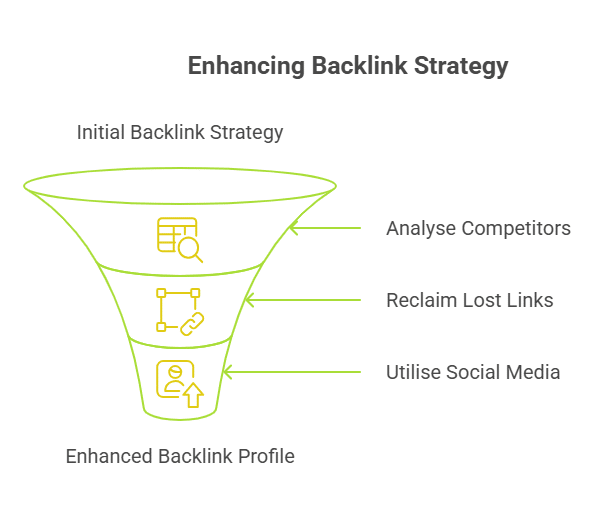
  • Not all backlinks are equal. Focus on quality, relevance, and authority - not just the number.
  • Dofollow links pass SEO value. Nofollow links don’t. Natural backlinks are great. Spammy ones can hurt.
  • Internal links improve site structure. External links from credible domains build authority and drive traffic.
  • Build backlinks through guest posting, influencer outreach, social media promotion, and broken link building.
  • Use tools like Ahrefs and Google Search Console to monitor, disavow toxic links, and manage your backlink profile.
  • Backlink strategies like competitor analysis and link reclamation help you gain high-impact links with less effort.
  • At Wild Creek Web Studio, we create high-value backlinks with manual outreach, editorial placements, and full audits.

If your website isn’t ranking where it should, there’s a good chance it’s not just about keywords or content; it’s about backlinks.

Backlinks are one of the most powerful (and misunderstood) elements of search engine optimization. They tell Google that your site is trusted, relevant, and worth showing in top search results. But not all backlinks are created equal, and chasing the wrong ones can do more harm than good.

In this guide, you’ll learn exactly why backlinks matter in SEO, how they influence your ranking and visibility, and what separates high-quality, value-adding backlinks from spammy or toxic ones.

What are Backlinks?

Backlinks are essential for SEO success. They’re links from other websites that point to your website, and they act as a vote of confidence in the eyes of search engines like Google.

A backlink is essentially an endorsement. When another site adds a link to yours, it’s telling readers and search engine bots alike that there’s something worth checking out on your page. Backlinks aren’t just about being seen by search engine crawlers; they serve multiple purposes. With every new backlink you get, you also gain social proof with potential customers who may not be familiar with your brand yet.

So, how do these links work? Incoming links (or “inbound links”) tell the search engine what pages have linked to or referenced information on their website. This helps them determine which sites are more authoritative than others so they can prioritise higher-quality content in the SERPs (search engine results pages). It also increases business visibility since searchers will find their content more easily if it has been linked to other sources.

As such, backlinks give companies an edge over competitors who don’t have any incoming links pointing to their web pages, and this could lead to increased traffic, better rankings, and more conversions.

Why are Backlinks Important in SEO?

Infographic of Why are Backlinks Important in SEO

Infographic of Why are Backlinks Important in SEO

Backlinks are a vital part of SEO, and understanding their benefits can help any website owner or digital marketer increase the visibility of their site. Firstly, backlinks allow for improved search engine rankings. Search engines like Google use links to determine the popularity and authority of websites. When other sites link to yours, it tells search engines that your content is valuable enough to be shared with others, thus making it more likely to appear higher in SERPs (search engine result pages).

Key Benefits of Backlinks:

  1. Boost website visibility in search results
    Backlinks signal to search engines that your content is valuable, helping your pages rank higher in SERPs.
  2. Direct visitors from other websites
    They drive referral traffic, often resulting in higher engagement and conversions.
  3. Increase familiarity with company name
    The more your brand appears across the web, the more recognisable and trusted it becomes, increasing brand awareness.
  4. Build trust among readers and influencers
    Backlinks from credible sites enhance your authority and trustworthiness in the eyes of both users and search engines.

What Are the Disadvantages of Backlinks?

While backlinks are powerful SEO assets, not all links are created equal, and some can actually hurt your site more than help it. Here’s what you need to watch out for:

1. Toxic Backlinks Can Trigger Penalties

Links from spammy, irrelevant, or low-quality websites can violate Google’s guidelines. If your backlink profile looks manipulative, you risk receiving manual penalties or algorithmic downgrades in rankings.

2. Unnatural Link Building Can Backfire

Buying links, participating in link schemes, or using automated link generation tools may seem like shortcuts, but they often result in unnatural links that are easy for search engines to detect and penalise.

3. Reputation Risk

Being linked from questionable or controversial websites can damage your brand’s credibility. Users may associate your content with the quality of the referring site, especially if it appears spammy or misleading.

4. Constant Monitoring Is Required

Unlike content on your own site, backlinks are outside your control. You’ll need to regularly audit your backlink profile to identify and disavow harmful links, which takes time and expertise.

5. Short-Term Tactics Can Dilute Long-Term Gains

Chasing quick wins with low-quality backlinks might give you a temporary boost, but it can jeopardise your long-term SEO performance. Sustainable growth depends on relevance, authority, and ethical practices.

What are the Types Of Backlinks?

Infographic of What are the Types Of Backlinks

Infographic of What are the Types Of Backlinks

Believe it or not, there are over 200 types of backlinks. Just one in ten links is identified as having a significant impact on SEO rankings. So, when you’re looking to build your link profile, understanding the different types of backlinks and their value is essential.

From editorials and no-follows to sponsored links and affiliate promotions – building quality links should always remain high on your priority list if you’re serious about improving search engine rankings and driving more organic traffic to your site.

  1. Nofollow vs. dofollow: Nofollow and dofollow are two types of link attributes. Nofollow links don’t pass on link juice or authority to the linked page, while dofollow links do. Dofollow links are preferred for SEO, as they boost search rankings.
  2. Internal vs. external backlinks: Internal backlinks point from one page on a website to another page on the same website, while external backlinks are links from other websites. Both types are essential for SEO. Internal links help with website navigation and distribute authority, while external links from reputable websites can increase credibility and improve search rankings.
  3. Natural vs. unnatural backlinks: Natural backlinks are earned organically, without any manipulation or incentivization. They’re the most valuable for SEO as they indicate that other websites find your content helpful. Unnatural backlinks, however, are acquired through manipulative tactics and can lead to penalties from search engines.

What are Internal vs. external Links?

Internal and external links are like two sides of a coin: they have much in common, yet each is distinct. Internal links connect pages within a website, while external links connect to web pages on other websites. Both links can be beneficial for SEO by helping search engines understand the context and relevancy of content, thus improving rankings.

It’s essential to pay attention to internal linking structure; this helps visitors navigate through your site quickly and easily, as well as informing search engine crawlers about page relationships. Creating interlinked silos with relevant anchor text also helps create effective hierarchies that help boost organic traffic. External backlinks from authoritative sites will build trustworthiness for any domain, increasing its ranking potential.

Link building requires strategic planning and careful execution – it’s not just about getting more links but ensuring those you do get to make sense in terms of quality and relevance. It takes research and effort to acquire good-quality backlinks that won’t harm your website or reputation in any way. This means understanding what kind of link exchanges are considered black hat SEO tactics that should be avoided at all costs. With these considerations out of the way, it’s time to start looking into how to monitor and manage links effectively.

How to Create Quality Links?

Infographic of How to Create Quality Links

Infographic of How to Create Quality Links

Without high-quality sources, your efforts to drive traffic and rank higher in search engine results will be fruitless. To create effective backlinks, you need to focus on building relationships with influential websites and blogs related to your niche. This means contacting them directly or through social media platforms like Twitter and Instagram. You should also look for opportunities to guest post on relevant sites.

To build backlinks that actually move the needle in search rankings, follow this step-by-step funnel:

  1. Identify Influential Sites
    Start by finding websites and blogs that are relevant to your niche and trusted by their audience. Use tools like Ahrefs, Moz, or SEMrush to check SEO strategy and topical relevance.
  2. Build Relationships
    Engage with site owners or content creators via email, social platforms, or thoughtful comments. Relationship-first outreach often leads to natural link opportunities over time.
  3. Guest Post Opportunities
    Pitch valuable, original content to relevant websites. Offer topic ideas that align with their audience while giving you a chance to link back to your own content.
  4. Craft Anchor Text
    Use descriptive and relevant anchor text that clearly signals what the linked page is about. Avoid generic or keyword-stuffed phrases to keep the link natural.
  5. Verify URLs
    Double-check that the destination link works properly, isn’t broken, and goes to a live, crawlable page on your site.
  6. Evaluate Domain Authority
    Before securing a backlink, assess the linking site’s domain authority, traffic, and spam score. High-authority sites pass more link equity and credibility.

How to Evaluate the Quality of Backlinks?

When evaluating the quality of backlinks, you’ll want to focus on factors such as authority, relevance, and trustworthiness. Considering these metrics, you can ensure that the backlinks you acquire are valuable and beneficial for your website’s SEO.

Here are four key aspects to assess when evaluating the quality of backlinks:

  1. Link Authority: It’s crucial to determine the authority of the website that’s linking to you. High-quality backlinks come from reputable and authoritative sources, which can positively impact your website’s authority and search engine rankings.
  2. Spam Detection: It’s essential to assess the backlinks for any signs of spam or low-quality content. Links from spammy websites can harm your SEO efforts and even result in penalties from search engines. Utilise tools like Google’s Disavow Links tool to identify and remove any harmful backlinks.
  3. Link Relevance: The relevance of the linking website to your content is another essential factor. Backlinks from websites related to your industry or topic are considered more valuable. They can help establish your website as an authoritative source.
  4. Domain Authority: Evaluating the domain authority of the linking website can provide insight into its overall quality and trustworthiness. Websites with high domain authority are more likely to pass on valuable link juice to your site.
  5. Anchor Text Variation: Anchor text should be natural, diverse, and relevant to the content it’s linking to. Overuse of exact-match keywords may trigger search engine penalties.
  6. Link Placement Within Content: Links placed in the main body of an article are more valuable than those in headers, footers, or sidebars. Editorial links are preferred.
  7. Indexability of the Linking Page: If the linking page isn’t indexed by Google, it won’t transfer any SEO value. Use tools or a simple “site:” search to verify.
  8. Website Traffic and Engagement: A backlink from a site with real traffic and user engagement brings both SEO benefits and high-quality referral visitors.
  9. Follow vs. Nofollow Links: Follow links pass authority; nofollow links don’t. Aim for a mix of both, with a preference for follow links from authoritative sources.
  10. Content Quality on Linking Page: Ensure the page your link appears on is valuable and well-written. Avoid links from thin, irrelevant, or ad-stuffed content.

How To Monitor and Manage Links?

Infographic of How To Monitor and Manage Links

Infographic of How To Monitor and Manage Links

Monitoring and managing your backlinks is key to protecting and improving your SEO performance. Here’s how to stay in control of your link profile:

  1. Track Link Quality Regularly
    The quality of your backlinks directly affects how search engines evaluate your site’s authority and rankings.
  2. Use Reliable SEO Tools
    Platforms like Google Search Console, Ahrefs, Majestic SEO, and Moz Pro help you:
    • See who’s linking to your site
    • Identify toxic or irrelevant backlinks
    • Monitor link growth over time
  1. Check Metrics Like DA and PR
    Evaluate backlinks using link-building metrics like Domain Authority (DA) or PageRank (PR) to understand how much value each link is contributing.
  2. Identify Harmful Backlinks
    Look for:
    • Links from spammy or unrelated domains
    • Sites with high spam scores
    • Sudden spikes in links that may look unnatural
  1. Remove or Disavow Bad Links
    • Try contacting webmasters directly to remove unwanted links
    • If that fails, use Google’s Disavow Tool to prevent those links from affecting your rankings
  1. Maintain a Clean Backlink Profile
    Regularly audit your link profile to keep it aligned with Google’s guidelines and ensure that only high-quality backlinks are associated with your site.

How to Perform Competitor Analysis & Link Reclamation?

Infographic of Enhancing Backlink Strategy

Infographic of Enhancing Backlink Strategy

Now that you know the basics of guest posting and blogging, it’s time to take your backlink strategy further. Competitor analysis and link reclamation are two powerful tactics for building quality links:

  1. Analyse Your Competition: Identifying who is linking to your competitors allows you to contact those websites as well. By doing so, you can acquire similar backlinks with minimal effort.
  2. Reclaim Lost Links: If some of your pages were previously linked from another website but aren’t any longer, find out why and try to get them relinked. It could be due to URL changes or simply outdated information on their side – in either case, this provides an excellent chance for further link-building opportunities.
  3. Utilise Social Media & Directories: Leverage social media platforms like Twitter, Facebook, Instagram, YouTube, etc., as well as local directories such as Yelp and Google My Business to increase visibility and create more chances for people to link back to your site organically.

Let’s Build Your Authority with Strategic, High-Value Backlinks

At Wild Creek Web Studio, we don’t just build backlinks, we build credibility, visibility, and long-term SEO success. With over a decade of experience in technical SEO and digital strategy, our approach goes beyond basic link acquisition.

We focus on:

  • Relevance and authority, not just the number of links
  • Manual outreach and editorial placements that align with your industry
  • Broken link building and link reclamation strategies that deliver lasting value
  • Full backlink audits to remove toxic backlinks and strengthen your domain
  • Custom link-building campaigns tailored to your niche and business goals

Every link we build serves a purpose, whether it’s passing link equity to your target pages, improving your search rankings, or boosting referral traffic from credible sources. And we back everything with transparent reporting and measurable KPIs, so you always know what’s driving results.

If you’re serious about SEO and want a partner who delivers sustainable, algorithm-safe growth, Wild Creek Web Studio is ready to help.

Get in touch for a strategy consultation.

Conclusion

Backlinks are more than just hyperlinks-they’re one of the most powerful ranking factors in search engine optimization. A strong backlink profile filled with relevant backlinks, follow links, and authority-rich references tells Google your own content deserves to rank higher in search results.

But it’s not just about the number of links. It’s about building the best backlinks that offer real SEO value, connect to your target page, and follow Google’s guidelines. Whether through guest posting, broken link building, or digital outreach, a well-planned link-building strategy plays a crucial role in your overall digital marketing success.

Stay away from toxic backlinks, monitor your performance, and focus on link equity that strengthens your domain over time. Remember-backlink building isn’t a one-time task; it’s a continuous investment in your online credibility and visibility.

Frequently Asked Questions

1. Why do backlinks matter in search engine optimization?

When we discuss in short about seo Backlinks, they signal to search engines that your own content is trustworthy and relevant to a particular topic, making them a major ranking factor in SEO.

2. What makes a backlink valuable?

The best SEO backlink techniques come from authoritative websites, are contextually placed near your target page, and are follow links that pass link equity to your site.

3. What is broken link building?

Broken link building is an SEO tactic where you find dead links on other websites and offer your own content as a replacement, earning a relevant backlink in return.

4. How many backlinks do I need to rank?

There’s no magic number of links, but a diverse backlink profile with high-quality, relevant backlinks will always outperform a large volume of toxic backlinks and that is how backlinks help seo.

5. Can backlinks hurt my website?

If you are wondering, are backlinks important for seo and can they hurt your ranking, then, Yes. If your site receives spammy or toxic backlinks that violate Google’s guidelines, it can harm your rankings. Always focus on ethical backlink building practices.

0 comments
Illustration of two people working on SMM

Turn Engagement into Traffic with Social Media and SEO

In this Article

Toggle
    • TL;DR
  • What Is SEO & How Does It Drive Visibility?
  • What Is Social Media Marketing & What Makes It Powerful?
  • The See–Think–Do Framework: Where SEO and Social Media Fit
    • See Stage: Awareness
    • Think Stage: Consideration
    • Do Stage: Purchase
  • SEO vs. Social Media in See–Think–Do
    • Why This Matters
  • SEO vs Social Media: Not a Competition, But a Strategy Divide
  • How Does Social Media Support Your SEO Efforts?
    • 1. Shareable Content Generates Backlinks
    • 2. Branded Search Volume Increases Through Awareness
    • 3. YouTube + SEO = Think-Stage Powerhouse
    • 4. Content Amplification Extends Reach (and Indexation)
  • How to Integrate Social Media and SEO?
    • 1. Create Content Optimised for Both Channels
    • 2. Repurpose Blog Posts Into Social Media-Friendly Formats
    • 3. Use Social Sharing Plugins on Your Website
    • 4. Let Social Insights Guide Keyword Strategy
    • 5. Encourage Social Bookmarking and Link Outreach
  • What Stage Are You Missing? Let’s Find Out at Wild Creek Web Studio
  • Conclusion
  • Frequently Asked Questions
    • What is social SEO and how does it help my business?
    • Do social media posts impact Google search results?
    • How can I use social media to improve my website’s SEO?
    • Should I optimise my social profiles for SEO?
    • How do I align target keywords across SEO and social content?
    • What role does quality content play in social media SEO?

TL;DR

  • SEO drives long-term visibility by capturing high-intent searchers. Social media sparks discovery and trust through real-time engagement.
  • Users move between Google, Instagram, YouTube, and TikTok seamlessly. Your strategy should reflect that journey.
  • Use the See–Think–Do framework to align SEO and social content with user intent at each stage of the funnel.
  • Boost SEO with social by earning backlinks, increasing branded search volume, and using YouTube for mid-funnel content.
  • Repurpose blog posts into carousels, threads, and videos. Let social engagement guide keyword strategy.
  • Smart brands integrate both SEO and social to support full-funnel growth and drive real ROI.
  • Wild Creek Web Studio can help you connect the dots across platforms for a more unified digital presence.

Clicks. Shares. Searches. Tags.

We live in a digital world where attention is currency, and if your brand isn’t showing up in both search results and social feeds, you’re already behind.

For years, SEO and social media were treated as separate strategies: SEO to bring traffic, and social media to build buzz. But today’s users move fluidly between Google, Instagram, YouTube, and back again. That means your marketing strategy can’t afford to treat them as silos.

The truth? SEO and social media need each other.

When used together, they amplify reach, reinforce messaging, and help your brand dominate across platforms, whether it’s a long-tail search on Google or a trending post on Instagram.

In this guide, we’ll break down:

  • How social media and SEO differ (and where they overlap)
  • How to use the See–Think–Do framework to align both channels with user intent
  • And most importantly, how to integrate your SEO and social media strategy to drive better traffic, visibility, and ROI

Let’s get into it.

What Is SEO & How Does It Drive Visibility?

Search Engine Optimisation (SEO) is the structured practice of improving your website’s visibility in search engine results pages (SERPs) by aligning your content and technical foundation with user intent and search engine algorithms.

In 2025, SEO isn’t just about keywords; it’s about expertise, relevance, trustworthiness, and how well your site serves users. Google’s EEAT framework (Expertise, Experience, Authoritativeness, Trustworthiness) now plays a significant role in determining which pages rank for competitive queries.

A strong SEO strategy combines technical precision with strategic content planning. This includes:

  • Keyword Intent Alignment: Choosing not just high-volume keywords, but the right ones, those that match where your user is in the funnel (informational vs. transactional).
  • Search-Optimised Content Architecture: Creating long-form, structured pages (with headers, schema, internal links) that help search engines crawl and understand your content.
  • Link Building & Internal Navigation: Building backlinks from trusted sources and using internal links to guide authority across your website.
  • Core Web Vitals: Speed, responsiveness, and stability, technical health is non-negotiable in modern SEO.

SEO drives visibility by placing your content in front of people actively searching for what you offer. Unlike social feeds, where users may or may not be ready to engage, SEO attracts users with clear, buyer-aligned intent.

And when done right, SEO offers long-term ROI. A single high-ranking page, built on strong keyword research and optimised content, can deliver steady, compounding organic traffic for years, with zero ad spend.

How to improve SEO with social media?
By leveraging high-engagement social posts to build awareness and backlinks, encouraging branded search through storytelling, and using social listening tools to discover emerging keyword opportunities. Social buzz and search demand go hand-in-hand when planned strategically.

What Is Social Media Marketing & What Makes It Powerful?

Social Media Marketing (SMM) refers to the use of social platforms like Facebook, Instagram, Twitter/X, LinkedIn, YouTube, and TikTok to promote your brand, connect with audiences, and drive traffic to your website.

Unlike SEO, which meets users based on intent, social media meets users based on interest, curiosity, or emotion. It’s a storytelling-first environment, which is why engagement matters more than search ranking.

But make no mistake: social media is a performance channel when used right.

Here’s why it’s powerful:

  • Audience Discovery & Community Building
    With smart targeting and trend participation, you don’t just advertise, you cultivate a community. You build brand affinity before a user even searches for you.
  • Influencer & Creator Amplification
    Collaborations with influencers, especially micro-influencers, can boost credibility, generate user-generated content (UGC), and drive meaningful traffic to your product or service pages.
  • Real-Time Engagement & Brand Voice
    Platforms like Instagram and Twitter allow brands to respond to trends in real time. It’s where your brand can show its human side, memes, behind-the-scenes, polls, Q&As, all of which feed audience trust and recognition.
  • Content Experimentation & Data Looping
    Social gives you instant feedback on what resonates. This insight can then fuel content ideation, landing page optimisation, and even keyword targeting, making it a direct support system for SEO.

Why does this matter for SEO & social media marketing integration?
Because the best-performing SEO pages often begin with social testing. Your content doesn’t live in a vacuum. By sharing and amplifying it on social platforms, you increase visibility, improve engagement metrics, and sometimes earn backlinks from journalists, creators, and other publishers.

In short, SEO builds findability; social media builds familiarity. Together, they fuel demand and conversion.

The See–Think–Do Framework: Where SEO and Social Media Fit

Infographic of the The See Think Do Framework

Infographic of the The See Think Do Framework

To truly understand social media and SEO integration, we need to move beyond comparing them and start mapping them to audience search intent.

That’s where the See–Think–Do framework by marketing strategist Avinash Kaushik comes in. This model helps marketers align content and platforms with the buyer journey.

Let’s break it down:

See Stage: Awareness

  • This is your largest possible qualified audience: people who don’t yet know they need your solution.
  • They aren’t searching with intent. They’re scrolling. Discovering. Browsing.
  • Social media excels here, especially platforms like Instagram, Facebook, and TikTok, where brand stories, behind-the-scenes content, or emotionally resonant posts catch attention.

Think Stage: Consideration

  • The audience is now aware of a need and is exploring options.
  • They may compare brands, consume educational content, and look for trust signals.
  • SEO and YouTube dominate here. Search queries become longer, more specific (e.g., “best CRM for solopreneurs”), and audience members seek credibility and answers.

Do Stage: Purchase

  • This is where the user is ready to take action, request a demo, buy a product, or contact a service provider.
  • SEO leads the charge, especially with commercial-intent keywords (“buy”, “near me”, “price”, “top 5”).
  • Well-optimised landing pages, product/service pages, and comparison content convert the searcher into a customer.

SEO vs. Social Media in See–Think–Do

By mapping your content and distribution to each stage, you can guide potential customers more effectively from discovery to decision, without wasting time or budget.

Here’s how they stack up in terms of audience targeting:

Stage Audience Intent Best Fit Channels Role of SEO Role of Social Media
See Awareness & Discovery Facebook, Instagram, TikTok Limited visibility unless branded High reach & visual engagement
Think Research & Consideration Google, YouTube, LinkedIn Strong with educational content Moderate, supportive content needed
Do High Purchase Intent Google Search, Product Pages Dominant, keywords & landing pages Retargeting & social proof ads

Why This Matters

Understanding this framework helps you build a channel-intent strategy. It’s not about SEO vs social media. It’s about using both where they matter most and weaving them together at key points.

For example:

  • Promote long-form SEO blog posts via Instagram Stories or LinkedIn
  • Use social content performance to guide SEO keyword decisions
  • Retarget social users with SEO landing pages to drive conversions

When you align content creation with the See–Think–Do model, your SEO and social media efforts become mutually reinforcing, not competitive.

SEO vs Social Media: Not a Competition, But a Strategy Divide

It’s tempting to pit SEO against social media, but doing so misses the point entirely.

These aren’t opposing forces. They’re complementary strategies that serve different user behaviours, timelines, and goals. One captures high-intent searchers; the other amplifies brand discovery and emotional engagement.

To build a successful digital presence, you need both, and you need them to work together.

Element SEO Social Media
User Behavior Search-driven, intent-focused Scroll-driven, interest-based
Traffic Pattern Long-term, compounding Real-time, surge-based
Content Shelf Life Evergreen Time-sensitive
Discovery Model Algorithmic (search engines) Algorithmic + social sharing
Conversion Role Direct (Do stage) Assistive (See + Think stages)
ROI Timeline Slower build, higher retention Faster exposure, shorter lifespan
Optimisation Levers Keywords, structure, authority Creative, timing, engagement

The smartest brands don’t choose, they integrate. They let SEO pull in intent-rich traffic while using social media to spark curiosity, test narratives, and build loyalty.

Whether your audience is searching or scrolling, we help your brand stay visible, relevant, and engaging across every channel.
Talk to us about building your unified SEO + social media strategy →

How Does Social Media Support Your SEO Efforts?

Infographic of How Social Media Support Your SEO Efforts

Infographic of How Social Media Support Your SEO Efforts

While likes, shares, and retweets don’t directly boost rankings in Google’s algorithm, social media has a strong indirect impact on SEO, especially when it’s used to build authority, generate demand, and support discoverability.

Here’s how to improve SEO with social media in ways that go beyond link sharing:

1. Shareable Content Generates Backlinks

Backlinks remain one of the strongest SEO ranking factors. But earning them requires visibility, and social media provides that at scale.

  • A well-timed LinkedIn post or a viral tweet can expose your blog to journalists, bloggers, and niche creators.
  • Add embedded stats, visuals, or quotes in your SEO blog posts to make them more shareable.
  • Format content for “social-ready snippets”, small, high-value takeaways that others can easily reference and link back to.

Pro Tip: Use platforms like X (Twitter) and Reddit to share expert insights from your blog; then reach out to industry newsletters and roundup curators who regularly link to helpful resources.

2. Branded Search Volume Increases Through Awareness

Every impression you earn on social media increases the chance that someone will Google your brand later. These “branded searches” are a strong trust signal to search engines, indicating that people actively seek out your content.

  • Post consistently using your brand name in visuals and captions (e.g., “New from Wild Creek Web Studio…”).
  • Run short, focused awareness campaigns on Instagram or LinkedIn and monitor spikes in branded traffic via Google Search Console.

Bonus: Increased branded search improves click-through rates (CTR) on search results because users recognise and trust the name they’ve already seen on social platforms.

3. YouTube + SEO = Think-Stage Powerhouse

YouTube isn’t just a social platform; it’s a video-based search engine, and it ranks incredibly well on Google SERPs.

  • Create videos that target the same keywords as your SEO blog posts (e.g., “How to improve SEO with social media”).
  • Optimise your video titles, descriptions, and tags.
  • Embed these videos into your blog pages; this improves both time on page and multimedia relevance, which are SEO-quality signals.

Practical Workflow:
Create a blog → Film a 3-minute explainer → Share clips on Instagram → Link back to the blog from your YouTube description.

4. Content Amplification Extends Reach (and Indexation)

Your SEO blog is only as valuable as the number of people who see it.

  • Promote new posts through carousel posts on LinkedIn, Pinterest pins, or Twitter/X threads.
  • Use targeted paid promotion for high-value SEO content (like ultimate guides) to increase traffic, shares, and link opportunities.
  • Leverage relevant hashtags and influencer mentions to extend your content’s reach into micro-communities that are likely to engage or link back.

Why it works: The more your content is seen, saved, and discussed, the higher the chance of it being crawled and re-indexed by Google, especially when promoted shortly after publishing.

How to Integrate Social Media and SEO?

Infographic of How to Integrate Social Media and SEO

Infographic of How to Integrate Social Media and SEO

SEO and social media don’t operate in isolation. When fully integrated, they create a self-sustaining loop: social media fuels visibility and brand signals, while SEO anchors long-term discoverability and credibility.

Here’s how to make the two work together, strategically and sustainably:

1. Create Content Optimised for Both Channels

Most brands write blog posts for SEO, then try to retrofit them for social media. Flip that.

Design content that performs across both search and social by:

  • Crafting dual-purpose headlines: Use SEO-rich phrases and emotional hooks that stop scrolling thumbs.
    E.g., “5 Low-Cost CRM Tools for Solopreneurs” works well on Google and Instagram alike.
  • Using excerpt-style pull quotes: Pull compelling phrases into featured visuals or carousel slides, while maintaining keyword alignment in your meta descriptions and titles.
  • Embedding social metadata (Open Graph/Twitter Cards): Ensure blog pages have proper social markup so platforms render rich previews when shared.
  • Compressing and tagging images: Use descriptive file names and alt text to support image SEO and social discoverability (especially on Pinterest and LinkedIn).

Tool Tip: Use tools like Yoast or Rank Math to manage both SEO metadata and social card tags in WordPress.

2. Repurpose Blog Posts Into Social Media-Friendly Formats

A single SEO blog post should generate at least 4–5 pieces of social content. This approach increases reach and reinforces messaging across platforms.

Repurposing ideas:

  • LinkedIn Carousels: Turn blog subheadings into slides with key stats and tips.
  • Instagram Reels or Stories: Use snippets or “Did you know?” facts to humanise expert content.
  • Twitter/X Threads: Break down blog takeaways into tweet-sized insights, linking back to the full piece.
  • YouTube Explainers: Record a 3-minute video summarising the article for mid-funnel audiences.
  • Pinterest Infographics: Convert how-to guides into tall visuals linking back to the post.

Repurposing not only improves content ROI but also strengthens your topical authority across platforms.

3. Use Social Sharing Plugins on Your Website

Make your content frictionless to share.

  • Add floating social share buttons to all blog posts and cornerstone pages.
  • Use pre-populated tweet CTAs (“Click to Tweet”) within blog content to prompt reader engagement.
  • Enable native share previews on mobile devices for a better user experience.

Pro Tip: Monitor which posts get shared most to spot evergreen or trend-reactive topics worth expanding through SEO.

4. Let Social Insights Guide Keyword Strategy

Think of your social platforms as real-time keyword labs.

  • Monitor which content gets saved, comments, and shares.
  • Use polls, DMs, and question stickers to collect audience phrasing; this language can inspire blog titles and FAQs that align better with long-tail keyword intent.

Tools like:

  • BuzzSumo– to track viral content by keyword/topic
  • SparkToro– for audience behaviour insights
  • Instagram/LinkedIn Insights– for real-time engagement metrics

can directly inform what to target next in your SEO content calendar.

5. Encourage Social Bookmarking and Link Outreach

Don’t just broadcast content, embed it into the places your audience already trusts.

  • Share your best-performing content in relevant subreddits, Quora answers, Slack communities, and Facebook groups (authentically).
  • Partner with micro-creators or community leaders who can share or backlink to your guides.
  • Use UTM parameters to track how traffic flows from niche platforms and which threads/forums send the most link equity or conversions.

Bonus Tip: Submit evergreen blog posts to content aggregators like Zest, GrowthHackers, or Hacker News for additional visibility and indirect SEO benefits.

What Stage Are You Missing? Let’s Find Out at Wild Creek Web Studio

You might be investing heavily in SEO, targeting users in the Do stage, but missing out on brand discovery through the See-stage content on social media. Or, you may be consistently posting on Instagram but have no visibility when users search for solutions on Google.

That’s where we come in.

At Wild Creek Web Studio, we specialise in building full-funnel digital strategies that connect organic visibility with social engagement. With over 18 years of experience and a focus on SEO, content strategy, and digital consulting, we help businesses:

  • Audit their existing SEO and SMM alignment
  • Identify funnel stage gaps (especially under-leveraged Think-stage content)
  • Integrate blog, social, and ad content into a single cohesive roadmap
  • Optimise content for intent, not just channels

If you’re unsure whether your SEO and social efforts are working together or pulling in different directions, we can help you realign.

👉 Let’s audit your funnel and find your missed opportunities →

Conclusion

Whether someone discovers you through a well-optimised blog on Google or a fast-moving Reel on Instagram, their journey to becoming a customer starts with one thing: valuable content delivered at the right time on the right platform.

When you combine traditional SEO best practices with the power of social media content, you unlock new levels of content visibility, brand awareness, and website traffic. From optimising your social profiles and YouTube videos to creating keyword-aligned social media posts, the synergy between SEO and social is what builds long-term digital momentum.

It’s no longer about choosing between search and scroll.
It’s about aligning both to speak to your target audience, whether they’re typing a query into Google or reacting to your latest post.

Frequently Asked Questions

What is social SEO and how does it help my business?

Social SEO involves optimising your social media profiles and content to support search engine rankings. While social signals aren’t direct ranking factors, they boost visibility, engagement, and branded search traffic.

Do social media posts impact Google search results?

Not directly. But if your social content earns backlinks, increases brand awareness, or drives people to search for you on Google, it can improve your content visibility over time.

How can I use social media to improve my website’s SEO?

Use social media engagement to amplify your website content, drive traffic, and build relationships that result in backlinks. Share posts with relevant keywords, add social sharing buttons, and track performance with UTM parameters.

Should I optimise my social profiles for SEO?

Yes. Optimised social accounts with consistent branding, bios, and links to your website help build authority and trust. They can also rank on their own in Google search results, especially for local or branded queries.

How do I align target keywords across SEO and social content?

Start with keyword research focused on both social media trends and search intent. Use those target keywords in your blogs, social media posts, YouTube videos, and even hashtags to create a consistent experience across social networks and your website.

What role does quality content play in social media SEO?

Quality content is the foundation of effective social media SEO. It boosts engagement, increases visibility in social search, and supports your brand’s authority. Consistent social media management ensures this content reaches the right audience and aligns with your broader SEO goals.

0 comments
Illustration of a woman performing keyword research

Stop Cannibalization in SEO Before It Kills Your Rankings

You are doing everything right, publishing content consistently, targeting the right keywords, and even seeing some traction. But your rankings won’t budge. Traffic plateaus. And your top pages keep bouncing between positions.

The culprit?
Your own content is competing against itself.

This silent SEO killer is called keyword cannibalisation, and it’s more common than you think, especially on growing websites. Whether you’re unintentionally optimising multiple pages for the same keyword or publishing overlapping content around the same topic, the result is the same: Google gets confused, your authority gets split, and your rankings take a hit.

In this guide, we’ll break down exactly what keyword and content cannibalisation in SEO are, how to identify them using tools like Search Console and Semrush, and most importantly, how to fix them the right way.

In this Article

Toggle
  • What Is Keyword Cannibalization in SEO?
  • What Is Content Cannibalization?
  • Why Cannibalization Is Bad for SEO?
    • 1. Drops in Rankings
    • 2. Lower CTR (Click-Through Rate)
    • 3. Diluted Backlinks
    • 4. Poor User Experience & Redundant Content
  • How to Identify Cannibalization Issues?
    • A. Identifying Keyword Cannibalization
    • B. Identifying Content Cannibalization
  • How to Fix Cannibalization in SEO?
    • 1. Audit Your Content
    • 2. Merge or Consolidate
    • 3. Use 301 Redirects
    • 4. Update Internal Links
    • 5. Create a Pillar + Subcontent Structure
    • 6. Restructure and Reassign Topics
    • 7. Avoid Thin or Redundant Pages
    • 8. Use Canonical Tags with Caution
  • Are Your Pages Competing Against Each Other? Let’s Find Out.
  • Conclusion
  • Frequently Asked Questions
    • How do I know if I have keyword cannibalization issues without SEO tools?
    • Can anchor text cause SEO cannibalization?
    • Should I noindex tag duplicate pages or delete them?
    • Does keyword cannibalization affect crawl budget or average position?
    • What’s the best way to prioritise cannibal pages during cleanup?

What Is Keyword Cannibalization in SEO?

Keyword cannibalisation happens when multiple pages on your website target the same or very similar keywords, often unintentionally. Instead of strengthening your chances to rank, these pages compete against one another, confusing search engines and splitting the ranking potential.

Google doesn’t always know which page to prioritise. As a result, both pages may rank poorly, even if the content is solid. Worse, they can swap positions in the SERP constantly, hurting your traffic stability.

Take this scenario: Imagine Wild Creek Web Studio published two blogs titled:

  • “Top B2B Lead Generation Strategies for 2024”
  • “Best Lead Gen Techniques for B2B Startups”

Both are optimised around “B2B lead generation strategies.” Without clear differentiation in content or intent, Google sees them as rivals, and neither may perform well.

Also Read- How To Choose the Right Keywords for Your SEO Campaign?

What Is Content Cannibalization?

While keyword cannibalisation focuses on targeting the same keyword, content cannibalisation is a broader issue; it happens when multiple pages cover the same topic, even if they use different keywords.

Example: Two blogs, one on “white hat link building” and another on “safe backlink strategies”, might target different phrases but essentially offer the same insights and tactics. When content overlaps this way, it becomes redundant, bloats your site, and weakens topical clarity.

This kind of overlap can:

  • Fragment your domain authority across several weaker pages
  • Dilute internal linking power
  • Confuse users who land on similar articles with no clear value difference

Over time, content cannibalisation leads to an underperforming content library, even if each post looks “fine” in isolation.

Why Cannibalization Is Bad for SEO?

Infographic of Why Cannibalization Is Bad for SEO

Infographic of Why Cannibalization Is Bad for SEO

Cannibalisation isn’t just a technical problem; it has a real business impact. Left unchecked, it can quietly erode your organic performance. Here’s why it’s harmful:

1. Drops in Rankings

Search engines struggle to determine which page is the most relevant and end up splitting visibility across several URLs. Neither page gets the boost it deserves.

2. Lower CTR (Click-Through Rate)

When multiple similar titles appear in search results, users are less likely to click. Even worse, outdated or weaker pages might rank above better ones, reducing engagement.

3. Diluted Backlinks

Instead of one strong page earning backlinks, several weaker ones compete. This fragmentation lowers the authority of each page, and none gains enough link equity to rank strongly.

4. Poor User Experience & Redundant Content

Users searching your blog may encounter similar posts that don’t add unique value. This erodes trust and makes your content feel repetitive or bloated.

If your content isn’t structured clearly, you’re not just losing rankings, you’re losing local visibility too.

Next: Learn how to show up where it matters with our guide on Local SEO Strategy to Dominate ‘Near Me’ Searches →

How to Identify Cannibalization Issues?

As your website grows, it’s easy to lose track of how content overlaps. What starts as well-planned becomes chaotic, especially when multiple writers, campaigns, or updates target similar topics over time. Identifying cannibalisation early is crucial for preserving your site’s authority and ranking potential.

A. Identifying Keyword Cannibalization

  1. Google Site Search
    Use this quick method to surface all URLs related to a specific keyword:
    site:yourdomain.com “target keyword”

If multiple pages show up for the same search term, and they aren’t intentionally part of a topic cluster, it’s a red flag.

  1. Google Search Console – Query Filter
    Under the Performance tab, filter by a specific query. GSC will show all pages receiving impressions and clicks for that keyword. If more than one URL is appearing for the same query, especially outside the top five positions, it may indicate keyword cannibalization.
  2. Semrush / Ahrefs – Keyword Overlap
    These tools allow you to track how many pages are ranking for the same keyword. Use the Top Pages or Organic Keywords reports to see overlaps. Pages that rank for the same keyword in similar positions are likely competing rather than supporting each other.

B. Identifying Content Cannibalization

  1. Review Page Themes, Not Just Keywords
    Even if pages are targeting different keywords, they might still be covering the same topic. Read through headings, intros, and value propositions. If two articles feel interchangeable, that’s a content overlap.
  2. Create a Keyword and Topic Map
    Maintain a spreadsheet or use content strategy tools to map each page to a unique primary keyword and theme. This gives you a bird’s-eye view of what’s covered and helps avoid accidental duplication.
  3. Use Google Search Console – Page Filter
    Filter by Page to assess how individual URLs perform. If multiple URLs attract traffic from closely related search terms, it might indicate thematic cannibalization. It’s especially important for content with overlapping intent (e.g., “how to get backlinks” vs. “link building strategies”).
  4. Check URL Structures and Tags
    Duplicate or similar URL slugs can be a subtle sign of cannibalization, especially if they follow similar folder paths or are grouped under the same tag. For example:
  • /blog/b2b-lead-generation
  • /blog/top-b2b-lead-gen-tactics

While the titles differ, the SEO intent may not.

How to Fix Cannibalization in SEO?

Infographic of How to Fix Cannibalization in SEO

Infographic of How to Fix Cannibalization in SEO

Once you’ve identified cannibalization SEO, fixing it requires more than deleting or merging pages. Each action should be backed by data, traffic, link-building strategy, keyword rankings, and search intent.

1. Audit Your Content

Start by identifying all content targeting the same or similar keywords. Use tools like Google Search Console and Semrush to list URLs that are competing. Don’t just look at exact matches, include keyword variations and synonyms.

Ask:

  • Which pages are ranking?
  • Which pages have strong backlinks or high CTR?
  • Are any pages outdated or redundant?

2. Merge or Consolidate

When two or more pages serve the same intent, choose the one with the best performance (traffic, engagement, links) as the primary. Then, consolidate useful sections from the others into it. This creates one authoritative, high-value page that Google can confidently rank.

3. Use 301 Redirects

Redirect the old or merged URLs to the newly consolidated page. A 301 redirect passes SEO equity and preserves any external links pointing to the retired content. This ensures users and search engines don’t land on dead or conflicting pages.

4. Update Internal Links

Revisit all pages linking to the old URLs and update them to point to the new primary content. This strengthens the internal link structure and signals to Google which page should be prioritised for ranking.

5. Create a Pillar + Subcontent Structure

If several pages cover a broad topic, organise them into a topic cluster. Develop one comprehensive cornerstone page (pillar content) and link out to more specific, detailed support articles. This structure clarifies hierarchy for both users and search engines.

Example:
Pillar – “Complete Guide to Link Building”
Subtopics – “White Hat Link Building”, “Outreach Strategies”, “Guest Blogging Tips”

6. Restructure and Reassign Topics

Avoid having multiple pages serve the same purpose. Reassign keywords and intent to existing pages wherever possible. This ensures each piece of content has a distinct role in your content strategy.

Pro tip: Keep a keyword ownership map that clearly defines which URL is responsible for ranking for which term.

7. Avoid Thin or Redundant Pages

Thin content often arises from trying to stretch a narrow topic into a full post. Combine overlapping or weak pages to create more complete, authoritative content. Google rewards depth and usefulness, not quantity.

8. Use Canonical Tags with Caution

Canonical tags can signal your preferred version of a page to search engines, but they don’t merge content or solve ranking competition. Use them only when two pages need to co-exist but share minor content similarities, such as a product page and a variant with the same description.

Are Your Pages Competing Against Each Other? Let’s Find Out.

At Wild Creek Web Studio, we’ve worked with 100+ growth-focused brands across India and beyond, auditing their content, fixing crawl inefficiencies, and helping them regain lost visibility. One of the most common issues we uncover?
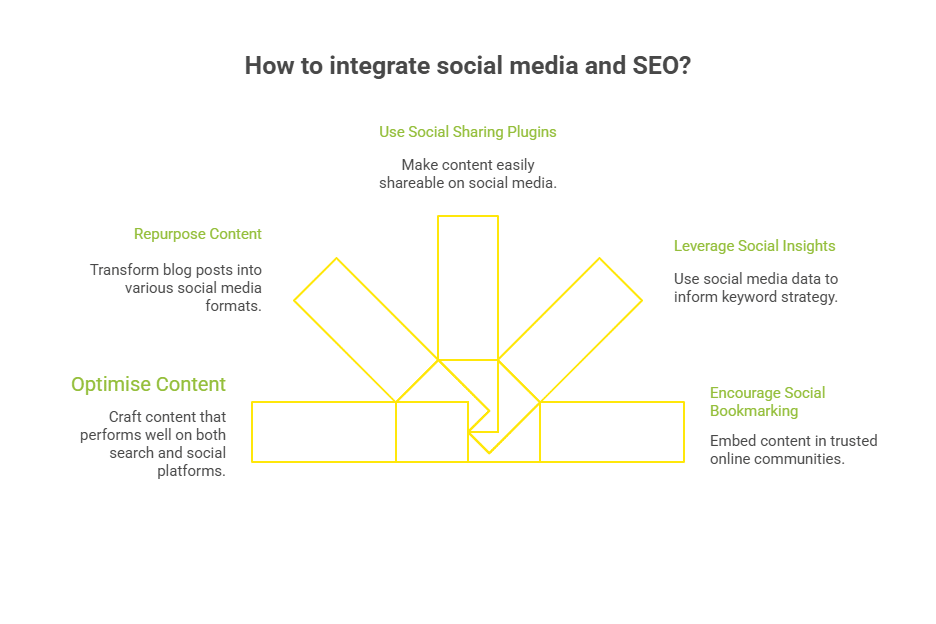
SEO Keyword cannibalization.

When multiple blog posts or landing pages target similar search queries, Google splits ranking signals between them. The result?

  • Lower average positions
  • Wasted crawl budget
  • Confused internal linking
  • Diminished SEO performance across your content

And here’s the tricky part: most site owners don’t even realise it’s happening.

That’s where we come in.
We’ll analyse your site’s content structure, internal anchor text, duplicate pages, and keyword overlap using a combination of Search Console, analytics data, and our in-house content mapping framework.

All backed by Wild Creek’s 18+ years of SEO expertise.

👉 Claim Your Free Audit Now →

Conclusion

Keyword cannibalization isn’t just a minor SEO issue; it’s a silent threat that can weaken your entire SEO strategy. When multiple blog posts or landing pages target the same or similar search queries, you dilute your page authority, confuse search engines, and compromise organic traffic.

Whether it’s through poorly assigned anchor text, a lack of keyword research discipline, or outdated content structure, cannibalised pages compete instead of complementing each other.

Addressing these issues means more than merging similar pages; it requires strategic content mapping, thoughtful internal linking, and regular audits through tools like Google Analytics, Search Console’s Pages tab, and a detailed cannibalization report.

Frequently Asked Questions

How do I know if I have keyword cannibalization issues without SEO tools?

Use search operators like site:yourdomain.com “keyword” to spot different pages ranking for the same query. If multiple similar pages show up, you likely have potential keyword cannibalization.

Can anchor text cause SEO cannibalization?

Yes. If internal links repeatedly use the same anchor text for different pages, it can confuse search engines about the preferred page, impacting search engine rankings and content clarity.

Should I noindex tag duplicate pages or delete them?

If duplicate content adds no unique value and targets similar search intent, a noindex tag may be used. But merging or redirecting to an authoritative page is usually better for long-term SEO performance.

Does keyword cannibalization affect crawl budget or average position?

Yes. Similar pages can waste crawl budget and result in lower average positions, especially if Google can’t determine which individual pages are the most authoritative or aligned with the user’s informational intent.

What’s the best way to prioritise cannibal pages during cleanup?

Start with a cannibalization report. Identify important pages with high traffic or links and consolidate related pages into a main page that matches user intent and strengthens overall performance.

0 comments
Illustration of SEO analysis

Forget the Myths: These 26 SEO Best Practices Work

Still relying on keyword density and meta tags to drive traffic? In 2025, that’s just not enough.

Search engines and users expect more. Smarter algorithms, stricter quality signals, and AI-driven SERPs mean the old tricks don’t cut it. What matters now are real SEO best practices: strategies rooted in user intent, site performance, and content relevance.

In this guide, we’ll walk you through 26 updated SEO techniques that actually move the needle, from technical fundamentals to content tweaks your competitors probably missed.

In this Article

Toggle
  • 26 SEO Best Practices That Actually Deserve Your Attention
    • 1. Prioritise Search Intent Over Keywords
    • 2. Optimise for Core Web Vitals (Including INP)
    • 3. Use Semantic HTML and Structured Data
    • 4. Strengthen E-E-A-T with Real Author Signals
    • 5. Keep URLs Short, Clean, and Keyword-Aligned
    • 6. Use Descriptive, Unique Title Tags
    • 7. Refresh High-Performing Content Quarterly
    • 8. Integrate AI Tools for Keyword Mapping (Cautiously)
    • 9. Target Featured Snippets by Design
    • 10. Optimise for Visual Search (Image + Video SEO)
    • 11. Use Internal Links Strategically
    • 12. Avoid Thin, AI-Spammy Content
    • 13. Group Content by Topical Relevance (Topic Clusters)
    • 14. Build Contextual, High-Authority Backlinks
    • 15. Optimise for Multi-Device UX
    • 16. Use Descriptive Anchor Text
    • 17. Compress & Optimise Images for Speed
    • 18. Implement Canonical Tags Correctly
    • 19. Local SEO Optimisation for Each Location
    • 20. Secure Your Site with HTTPS
    • 21. Monitor with GA4 and Google Search Console
    • 22. Create “Skyscraper” Content
    • 23. Target Long-Tail Keywords Strategically
    • 24. Analyse Competitor Keyword Gaps
    • 25. Use Rich Media to Increase Engagement
    • 26. Benchmark After Algorithm Updates
  • Ranking Stalled? It’s Not Just Your Content.
  • Conclusion
  • Frequently Asked Questions
    • What should an SEO-friendly page title include?
    • How does the Skyscraper Technique improve search rankings?
    • Why is alt text important for SEO and screen readers?
    • How does Google Analytics help a site owner improve SEO?
    • Is mobile optimisation still a best SEO practice?

26 SEO Best Practices That Actually Deserve Your Attention

illustration of 26 seo moves title

illustration of 26 seo moves title

Use this list as your benchmark. Whether you’re auditing a site, launching a new content campaign, or refining your technical stack, these are the 26 SEO strategy principles that still get results in 2025.

1. Prioritise Search Intent Over Keywords

Modern SEO isn’t just about what people search, it’s about why they search. By mapping content to intent (informational, transactional, navigational), you serve content that satisfies both the user and the algorithm.
Pro tip: Use SERP analysis to reverse-engineer Google’s intent model before writing a single word.

2. Optimise for Core Web Vitals (Including INP)

With Interaction to Next Paint (INP) now part of Google’s page experience signals, performance isn’t optional; it’s a ranking factor. Fast-loading, stable, responsive pages not only rank better but also retain users.
Quick action: Audit INP and CLS using Lighthouse or PageSpeed Insights, especially on mobile-heavy pages.

3. Use Semantic HTML and Structured Data

Semantic markup clarifies your content hierarchy for search engines, while schema enhances visibility in AI-driven SERPs. It’s foundational for rich snippets and voice search compatibility.
Example: Adding “HowTo” or “FAQ” schema to tutorials increases your chances of winning SERP features.

4. Strengthen E-E-A-T with Real Author Signals

Google now evaluates content quality based on Experience, Expertise, Authoritativeness, and Trust. Real authorship, bios, credentials, and links to authoritative platforms boost credibility and topical authority.
Best practice: Link each article to a verified author profile with relevant industry experience.

We discuss more strategies like EEAT, GEO, and others in our growth template. Download the free SEO audit checklist here.

5. Keep URLs Short, Clean, and Keyword-Aligned

A well-structured URL improves crawl efficiency, increases shareability, and reinforces topical relevance. It’s also easier to manage long-term, especially for content updates.
Example:
✅ yourdomain.com/seo-checklist
Clear, keyword-rich, and easy to read. Boosts SEO relevance, CTR, and crawlability.
❌ yourdomain.com/blog/post?id=234&ut
Unclear and cluttered. Hurts SEO, confuses users, and risks duplicate content issues.

6. Use Descriptive, Unique Title Tags

Title tags still heavily influence both rankings and clicks. Use modifiers like “2025,” “guide,” or “review” to boost CTR and distinguish similar content.
Tip: Every title should promise value and match user intent, no clickbait, just clarity.

Example:
✅ SEO Checklist for 2025: A Complete Guide
❌ SEO Tips

Why it works:
Descriptive, unique titles improve relevance, drive clicks, and help search engines differentiate pages. Modifiers like “2025” or “guide” signal freshness and intent.

7. Refresh High-Performing Content Quarterly

Even evergreen content loses traction over time. Quarterly updates help maintain your spot in search results and adapt to algorithm shifts.

What to do:
Update outdated stats, refine intros for clarity, check internal links for relevance, rerun keyword research, and reoptimize for featured snippets or new SERP features.

Bonus Tip: Use Google Search Console to identify declining pages and prioritize them for refresh.

8. Integrate AI Tools for Keyword Mapping (Cautiously)

AI tools like Surfer, Frase, or Clearscope help surface semantically related keywords using NLP, but they lack content nuance.
Approach: Use them to spot keyword gaps or missed opportunities, then refine manually to align with search intent, brand voice, and topical authority.
Pro tip: Don’t chase term frequency, chase clarity and comprehensiveness.

9. Target Featured Snippets by Design

Featured snippets drive high SERP visibility and voice search results. They favor content that’s direct, well-formatted, and answers questions fast.
Format for win:

  • Use a concise definition in <100 words.
  • Use step-by-step lists or tables.
  • Add question-based H2s and schema markup.
    Tools: Use GSC to track queries that trigger snippets and reformat accordingly.

10. Optimise for Visual Search (Image + Video SEO)

Visual SERPs like Google Images, Lens, and YouTube influence discovery, especially for how-to and product content.
Checklist:

  • Name files descriptively (e.g., seo-audit-example.png)
  • Use alt text with primary keywords
  • Implement structured data (e.g., VideoObject, ImageObject)
  • Bonus: Embed YouTube videos with schema to improve video carousel presence and get rich results.

11. Use Internal Links Strategically

Internal links guide both users and search engines, enhancing your SEO performance. Prioritise connections to cornerstone pages and semantically related posts using natural, non-repetitive anchor text. Power tip: Use tools like Screaming Frog or Sitebulb to spot missed internal linking opportunities.

12. Avoid Thin, AI-Spammy Content

Google’s Helpful Content Update (HCU) continues to devalue pages that read like auto-generated filler. Human insight, data interpretation, and originality are non-negotiable.
Audit tip: If your content can’t answer “why you?” in under 10 seconds, it’s not unique enough.

13. Group Content by Topical Relevance (Topic Clusters)

Topical niche authority beats isolated keyword wins. Use hub-and-spoke models where a primary page is supported by interlinked, intent-focused subpages.
SEO gain: Builds relevance, improves crawl depth, and future-proofs your site architecture.

14. Build Contextual, High-Authority Backlinks

A few links from niche-relevant, editorial sites outweigh dozens of generic ones. Focus on co-branded content, industry guest posts, and digital PR.
Avoid: Mass directory submissions and irrelevant guest posts, they signal manipulation, not authority.

15. Optimise for Multi-Device UX

With Google’s mobile-first indexing, your site must perform flawlessly across all screen sizes, not just desktop.

UX checklist:

  • Responsive website design, CSS grid or flexbox
  • Font size 16px or larger
  • Tap targets at least 48px
  • Collapsible menus for mobile navigation
  • Support for dark/light modes

Tip: Use tools like BrowserStack to test across breakpoints, and check for mobile usability issues in Google Search Console.

16. Use Descriptive Anchor Text

Anchor text should clearly indicate what the destination page covers.

Best practices:

  • Avoid generic CTAs like click here
  • Use keyword-rich, relevant phrases like local SEO checklist
  • Maintain natural flow, don’t force keywords

SEO benefit: Enhances internal linking, improves crawl context, and distributes authority more effectively.

17. Compress & Optimise Images for Speed

Unoptimised images harm page speed, especially Largest Contentful Paint (LCP), a key Core Web Vital.

What to do:

  • Use next-gen formats like WebP or AVIF
  • Implement lazy loading with loading=”lazy”
  • Serve scaled images with srcset or through CDNs

Advanced tip: Automate compression with tools like ShortPixel, ImageKit, TinyPNG, or Cloudflare image optimisation.

18. Implement Canonical Tags Correctly

Canonical tags signal to search engines which version of a page is the master, helping consolidate duplicate content signals.

Use cases:

  • Product pages with multiple filters
  • Blog archives and paginated content
  • Campaign URLs with UTM parameters

Implementation tip: Add the canonical URL in the <head> and test with Google Search Console’s URL inspection to avoid misconfigurations.

19. Local SEO Optimisation for Each Location

For location-based visibility, optimise individual city or branch pages. Include consistent NAP, Google Business Profile integration, and region-specific keywords.
Extra win: Embed Google Maps and use LocalBusiness schema for richer SERP listings.

20. Secure Your Site with HTTPS

HTTPS is no longer optional; it’s a trust signal and a ranking factor. Unsecured sites show warnings, reduce user trust, and hurt conversions.
Fix it: Install an SSL certificate and redirect all HTTP URLs to HTTPS versions via 301s.

21. Monitor with GA4 and Google Search Console

SEO doesn’t end at implementation; monitor everything. Use GA4 for traffic insights and engagement metrics, and Google Search Console to fix crawl issues, validate indexing, and spot ranking drops. Utilise various SEO tools to enhance your monitoring efforts.

Power tip: Set up custom explorations in GA4 to isolate organic traffic by landing page, device, or region.

22. Create “Skyscraper” Content

Instead of just improving old posts, create the most comprehensive resource on the topic in your niche.

Execution:

  • Analyse top-ranking pages for gaps
  • Add expert insights, proprietary data, and high-quality visuals
  • Structure content for scannability (TOC, anchor links, rich headers)

SEO impact:
Increases dwell time, earns editorial backlinks, and signals content depth, boosting your authority for competitive terms.

23. Target Long-Tail Keywords Strategically

Long-tail keywords reflect high-intent, specific searches, ideal for driving qualified traffic with lower competition.

Where to implement:

  • Use in blog post subheadings, FAQs, schema, and product filters
  • Tailor CTAs and content offers to match precise user needs

Example:
Instead of targeting “running shoes,” use “best trail running shoes for women over 40.”

SEO gain:
Improves topical coverage, supports semantic indexing, and increases chances of ranking for voice or conversational search queries.

24. Analyse Competitor Keyword Gaps

Don’t just chase what you rank for, look for keywords that you’re missing.

How to do it:

  • Use tools like Ahrefs or Semrush’s Content Gap or Keyword Gap reports
  • Cross-check with Google Search Console’s low-impression or non-ranking URLs
  • Prioritise keywords your competitors rank for that align with your business intent

SEO value:
Fills topical blind spots, expands keyword coverage, and helps you compete where it matters.

25. Use Rich Media to Increase Engagement

Visual content isn’t just decoration, it boosts user engagement and signals content quality.

Tactics:

  • Add custom infographics, charts, carousels, and schema-marked videos
  • Use descriptive alt text and captions for every media element
  • Embed YouTube or self-hosted videos with VideoObject schema

SEO impact:
Reduces bounce rate, improves time on page, and increases visibility in Google Images and video-rich SERPs.

26. Benchmark After Algorithm Updates

Google’s core updates can subtly shift how your site performs, even if rankings don’t visibly tank.

Pro move:

  • Track keyword rankings across content types and categories pre- and post-update
  • Monitor affected URLs and adjust content depth, page speed, or structured data based on insights
  • Compare performance by intent (TOFU/MOFU/BOFU) across different SERP types

Why it matters:
Gives you data-driven clarity to recover fast or double down where you’re winning.

Ranking Stalled? It’s Not Just Your Content.

You’ve implemented the basics, but your SEO still stalls?

  • You’re ranking, but not for the right keywords.
  • Your pages load fast, but Googlebot skips half your site.
  • Your content is great, but duplicate parameters and missing schema are dragging you down.

That’s where Wild Creek  Web Studio goes deeper.

With over 18 years of experience in advanced technical SEO, we go beyond checklists to:

✅ Fix crawl inefficiencies and index bloat using log file analysis
✅ Restructure URLs and folder hierarchies for scalable site architecture
✅ Map keyword intent to content using NLP-based clustering
✅ Deploy schema markup, canonical logic, and hreflang at scale
✅ Prioritise fixes by ROI using data from GA4, GSC, and custom crawls
✅ Handle migrations, audits, and penalty recovery with zero guesswork

We combine engineering-grade audits with search-savvy execution, tailored to your stack, WordPress, Shopify, headless CMSs, you name it.

👉 Start your custom SEO plan

Conclusion

Strong search engine optimisation is about delivering a seamless user experience that earns trust and clicks. From smart keyword research to publishing quality content that matches intent, every step of your successful SEO strategy should lead users (and Google) to the right answers fast.

When your URLs, content, and architecture align, your site climbs the search engine results, not by luck, but by clarity and precision. Remember, great SEO is never accidental. It’s engineered to win search results and built to serve.

Frequently Asked Questions

What should an SEO-friendly page title include?

A strong page title, which is also known as a title tag, includes your target keyword, target audience, matches search intent, and encourages clicks. It’s one of the most important search engine ranking signals and helps both users and screen readers understand the page.

How does the Skyscraper Technique improve search rankings?

The Skyscraper Technique is seo principles and best practices involves finding top-performing content, creating better, more unique content. Additionally, search terms, broken links, and using link building to promote it. It boosts search rankings by offering more value than what already exists.

Why is alt text important for SEO and screen readers?

Alt tags describe images for visually impaired users using screen readers, and also help search engines index visual content. Search engines use alt text to gain more context about the images. Optimised alt text improves user experience and contributes to relevant content signals for ranking and social media, and best way to practice seo.

How does Google Analytics help a site owner improve SEO?

Google Analytics helps a site owner track traffic sources, identify web pages with poor performance, and measure which new pages or great content are driving engagement. This is vital for refining your SEO best practices checklist strategy.

Is mobile optimisation still a best SEO practice?

Absolutely. Most users access websites via mobile devices, and Google uses mobile-first indexing. Mobile-friendly design, fast load times, and responsive layouts are now part of the SEO best practices or techniques for every site.

0 comments
Newer Posts
Older Posts

Recent Posts

  • Free SEO Audit Tools: Which Ones Actually Help You Grow?

  • Bing vs Google: Which Search Engine Delivers Better Results Today?

  • What Is SaaS SEO and How Can It Grow Your Software Business?

  • What Is AEO and How It Influences AI Search Results?

Recent Case Studies

  • [Case Study] How We Helped a Website Get Back 90% of Lost Traffic by Removing Half Its Content

  • [SEO Case Study] How Wild Creek Web Studio Transformed a Banking Client’s Online Presence

  • [SEO Case Study] How We Drove Growth for a B2B Industrial Client

  • SEO Case Study: How We Boosted Organic Traffic by 49.92% for a Leading Metal Fabrication Manufacturer

Wild Creek Web Studio

Wild Creek Web Studio

With over 18+ years of industry expertise and a roster of 100+ satisfied clients, we specialize in providing top-notch SEO services, SEO consulting, and PPC services.

More About Us
  • Services
    • SEO Services
    • Paid Marketing
    • Social Media Marketing
    • Consulting & Strategy
  • Human Algorithm
  • Free SEO Tools
    • Word and Character Counter
    • Case Converter Tool
    • Color Converter Tool
    • JavaScript Compress Tool
More Web Tools

Latest Blogs

Free SEO Audit Tools: Which Ones Actually Help You Grow?
Bing vs Google: Which Search Engine Delivers Better Results Today?
What Is SaaS SEO and How Can It Grow Your Software Business?
What Is AEO and How It Influences AI Search Results?

© 2025 – All Right Reserved. Wild Creek Web Studio.

Facebook Twitter Linkedin
  • Privacy Policy
  • GDPR Policy
  • Cookie Policy
  • Disclaimer
  • SCAM Alert
  • About Wild Creek
    • Awards
    • Case Studies
    • Portfolio
    • Testimonials
  • Services
    • SEO Services
    • Paid Marketing Services
    • Social Media Marketing
    • Consulting and Strategy
  • Resources
    • Blogs
    • Free SEO Tools
    • Digital Marketing Glossary
  • Contact