
Key Highlights
- Free SEO audit tools reveal hidden issues like indexing errors, broken links, and slow pages affecting rankings
- Different tools solve different problems, so combining them gives a more complete SEO view
- Free tools show issues but lack depth, prioritisation, and competitor insights that Google Analytics can provide.
- AI tools help interpret audit data and turn insights into actionable steps
- Free tools show issues but lack depth, prioritisation, and competitor insights
- Effective use comes from focusing on high-impact fixes, not fixing everything
- Wild Creek Web Studio delivers structured audits with clear priorities and growth-focused SEO strategies
Most websites don’t struggle to rank because of content. They struggle because of hidden SEO issues. Things like slow speed, broken links, or indexing problems quietly hold rankings back, even when everything looks fine on the surface.
The tricky part is that these issues are not always obvious. Many businesses fix a few basic errors using free tools and assume their SEO is sorted, while deeper technical gaps continue to limit growth.
In this guide, you will discover the best free SEO audit tools, including AI options, and how to use them effectively. You will also understand where these tools fall short and when a deeper, expert-led audit makes a real difference.
What Is an SEO Audit Tool?
An SEO audit tool scans your website and shows what is holding back your rankings, such as indexing issues, slow pages, weak structure, or missing optimisation signals.
If you are exploring the best free SEO analysis tools, the goal is simple. You want to quickly see what is wrong and where to focus.
Why Should You Use Free SEO Audit Tools?
Free SEO audit tools are useful when something feels off, and you need quick answers. They help you identify issues, but they do not always tell you what actually matters or what to fix first.
If you are checking the best free tools for SEO audit, here is where they actually help:
- Find what is quietly breaking your SEO: They reveal issues like pages not getting indexed, broken links, or faulty redirects, which can affect your search results, but often without explaining the real impact
- Understand why pages are not ranking: They highlight missing meta tags, weak structure, or thin content, but do not always connect this to ranking potential
- Catch performance issues early: They surface slow pages and Core Web Vitals problems, but lack deeper diagnostics
- Validate fixes quickly: You can re-run audits to check changes, but tracking long-term improvements is limited
- Get initial direction: They show what is wrong, but prioritisation is often basic or unclear
Free tools are a strong starting point. They help you catch and fix obvious issues before they impact growth, but they stop short of giving you full clarity, prioritisation, and strategy.
Want to rank beyond keywords and build real topical authority? See how we approach entity SEO and content relationships.
Which Are the Best Free SEO Audit Tools You Can Use Today?
No single tool covers everything. Each one focuses on a different part of SEO, so using a mix works best. If you are searching for the best free online SEO audit tool, you will find many options. What matters is choosing the right tool for the right problem.
Here are the most effective free SEO audit tools, including AI options, based on what they do best:
1. Google Search Console
Google Search Console is a free tool from Google that shows how your site performs in search. It gives you direct data on indexing, traffic, and technical issues, straight from Google.
When to Use Google Search Console:
Use it when you want to understand what is actually happening in Google search:
- When pages are not ranking or traffic drops
- When you suspect indexing or crawling issues
- When you need real keyword data, not estimates
- When validating technical fixes such as redirects, mobile usability, or coverage
- As the first step in any SEO audit
What You Can Do With It:
- Track clicks, impressions, CTR, and keywords
- Identify indexed vs non-indexed pages
- Inspect URLs and request reindexing
- Find crawl and coverage errors
- Submit sitemaps
- View backlinks and internal links
- Get alerts for critical issues
Decision Takeaway: Use Google Search Console when you need accurate performance and indexing data from Google itself.
2. Google PageSpeed Insights
Google PageSpeed Insights helps you identify performance issues that impact rankings and user experience.
When to Use Google PageSpeed Insights:
Use it when speed and performance may be affecting your SEO:
- When your site is slow, or users are dropping off
- When Core Web Vitals need improvement
- When optimising mobile performance
- When validating speed fixes after changes
What You Can Do With It:
- Audit page speed for SEO
- Check Core Web Vitals like LCP, CLS, and INP
- Find performance bottlenecks
- Get prioritised fix recommendations
- Compare mobile vs desktop performance
Decision Takeaway: Use it when you need to improve page speed and Core Web Vitals.
3. Ubersuggest
Ubersuggest is a beginner-friendly tool that gives a quick overview of SEO health, keywords, and backlinks.
When to Use Ubersuggest:
Use it when you want a simple, quick SEO overview:
- When starting SEO with limited experience
- When you need a basic site audit
- When exploring keyword ideas
- When checking backlinks at a surface level
What You Can Do With It:
- Run a full site audit with an SEO score
- Identify critical issues
- Analyse on-page SEO
- Review basic backlink data
- Get keyword suggestions
Decision Takeaway: Use it when you need a quick, beginner-friendly SEO snapshot.
4. Screaming Frog SEO Spider
Screaming Frog is a technical SEO crawler that shows how search engines see your site.
When to Use Screaming Frog:
- When auditing large or complex websites
- When diagnosing crawl issues
- When analysing site structure
- When finding duplicate or missing metadata
What You Can Do With It:
- Crawl your entire site
- Find broken links and redirects
- Audit metadata and headings
- Detect duplicate content
- Analyse internal linking
- Export detailed reports
Decision Takeaway: Use it when you need a deep technical SEO audit and full site crawl.
5. Ahrefs Webmaster Tools
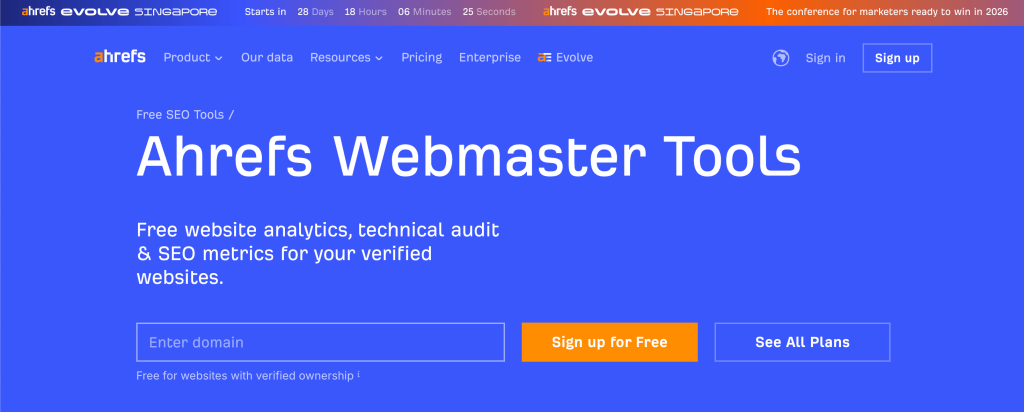
Ahrefs Webmaster Tools combines technical audits with strong backlink analysis.
When to Use Ahrefs Webmaster Tools:
- When monitoring backlinks regularly
- When improving domain authority
- When tracking SEO health over time
- When identifying link gaps
What You Can Do With It:
- Run a site audit
- Monitor backlinks and link quality
- Check SEO health score
- Find internal linking issues
- Discover keyword opportunities
- Track new and lost links
Decision Takeaway: Use it when you need SEO health tracking plus backlink analysis.
6. SEOptimer
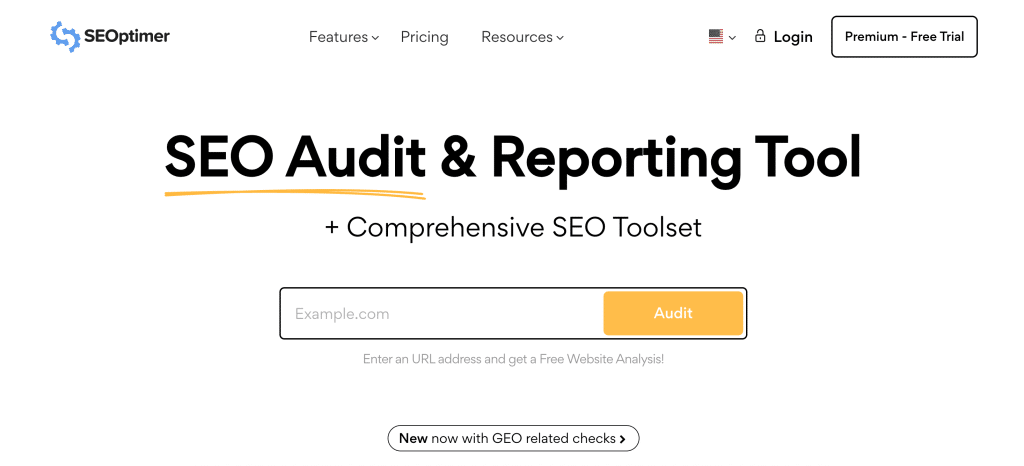
SEOptimer gives a fast, easy-to-read SEO report with simple scoring.
When to Use SEOptimer:
- When presenting SEO reports to clients
- When doing quick website checks
- When you want clear, non-technical insights
- When validating basic SEO health
What You Can Do With It:
- Generate instant audit reports
- Check on-page SEO
- Identify technical issues
- Review usability factors
- Get actionable recommendations
Decision Takeaway: Use it when you need a fast, simplified SEO report.
7. GTmetrix
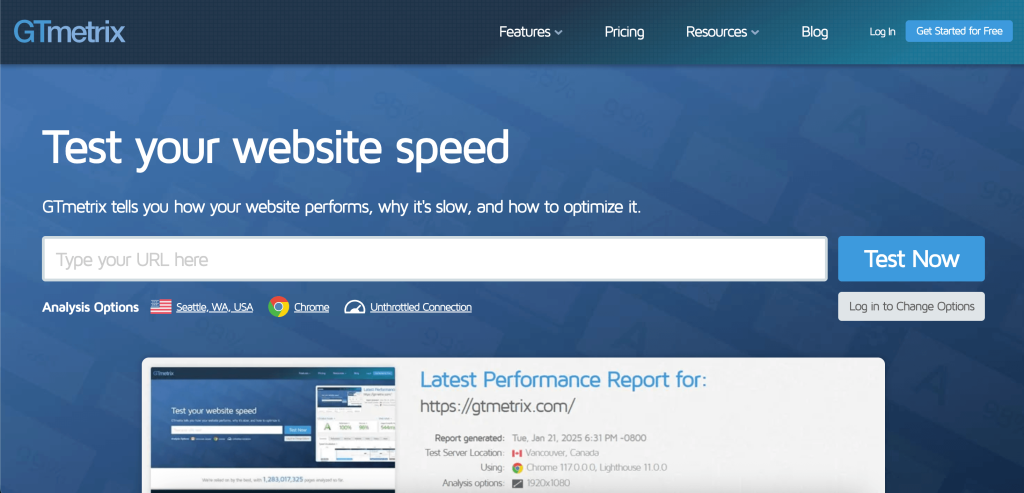
GTmetrix provides deep performance analysis beyond basic speed scores.
When to Use GTmetrix:
- When PageSpeed Insights is not enough
- When debugging slow load times
- When analysing resource-level delays
- When testing performance across regions
What You Can Do With It:
- Run detailed speed audits
- View waterfall reports
- Identify bottlenecks
- Track Core Web Vitals
- Test from different locations
Decision Takeaway: Use it when you need advanced performance debugging and load analysis.
8. Claude
Claude helps you understand SEO audit data and decide what to do next.
When to Use Claude:
- When audit reports feel complex
- When you need prioritisation
- When translating data into actions
- When simplifying technical insights
What You Can Do With It:
- Break down audit reports
- Explain the issue’s impact
- Prioritise fixes
- Suggest next steps
Decision Takeaway: Use it when you need clarity and prioritisation from SEO data.
9. ChatGPT
ChatGPT helps you analyse and act on SEO audit findings by turning raw data into structured recommendations. Like Claude, it does not perform audits directly but supports decision-making. It is especially useful for combining technical insights with content improvements.
What you can actually do with it:
- Interpret SEO issues: Understand technical and on-page problems clearly
- Refine content strategy: Improve structure, keywords, and relevance
- Generate fixes: Create actionable solutions from audit findings
- Support ongoing optimisation: Use it to continuously improve SEO efforts
10. OpenClaw
OpenClaw focuses on automating SEO analysis and reducing manual effort.
When to Use OpenClaw:
- When handling large volumes of SEO data
- When reducing manual analysis time
- When scaling SEO processes
- When using AI-driven insights
What You Can Do With It:
- Analyse SEO data automatically
- Identify key issues
- Get optimisation suggestions
- Improve workflow efficiency
Decision Takeaway: Use it when you want automated SEO insights and faster workflows.
Want to move from audit reports to real results? See how our AI-driven SEO approach helps businesses scale faster.
Free vs Paid SEO Audit Tools: What Is the Difference?
Choosing between free and paid SEO audit tools depends on how deep you want to go and how fast you want to see results. Here is a clear comparison to help you decide what fits your needs:
| Aspect | Free SEO Audit Tools | Paid SEO Audit Tools |
| Cost | No cost, easy to start | Monthly or annual subscription |
| Setup & Access | Instant use, minimal setup | Requires setup, integrations, learning curve |
| Depth of Analysis | Basic checks across key areas | Deep audits with granular issue breakdown |
| Technical SEO | Detects common issues (broken links, indexing errors) | Advanced audits (crawl budget, structured data, JS rendering) |
| Keyword Insights | Limited keyword visibility | Full keyword tracking, gaps, and opportunities |
| Backlink Analysis | Partial backlink data | Complete link profiles with quality analysis |
| Competitor Insights | Rare or very limited | Detailed competitor benchmarking |
| Data Volume | Restricted data and crawl limits | Large datasets with higher crawl limits |
| Actionable Insights | Lists issues without priority | Prioritised fixes based on impact |
| Reporting | Simple summaries or scores | Custom reports and dashboards |
| Automation | Mostly manual checks | Automated tracking and alerts |
| Best Use Case | Quick audits, early-stage SEO | Scaling SEO and competitive growth |
If you are early-stage, free tools are usually enough to get started and fix basic issues. If you are scaling, you will need deeper analysis, automation, and competitive insights to grow effectively.
Most tools show data, but not impact. See how we turn rankings, traffic, and conversions into measurable growth with our SEO performance metrics approach.
What Are the Limitations of Free SEO Audit Tools?
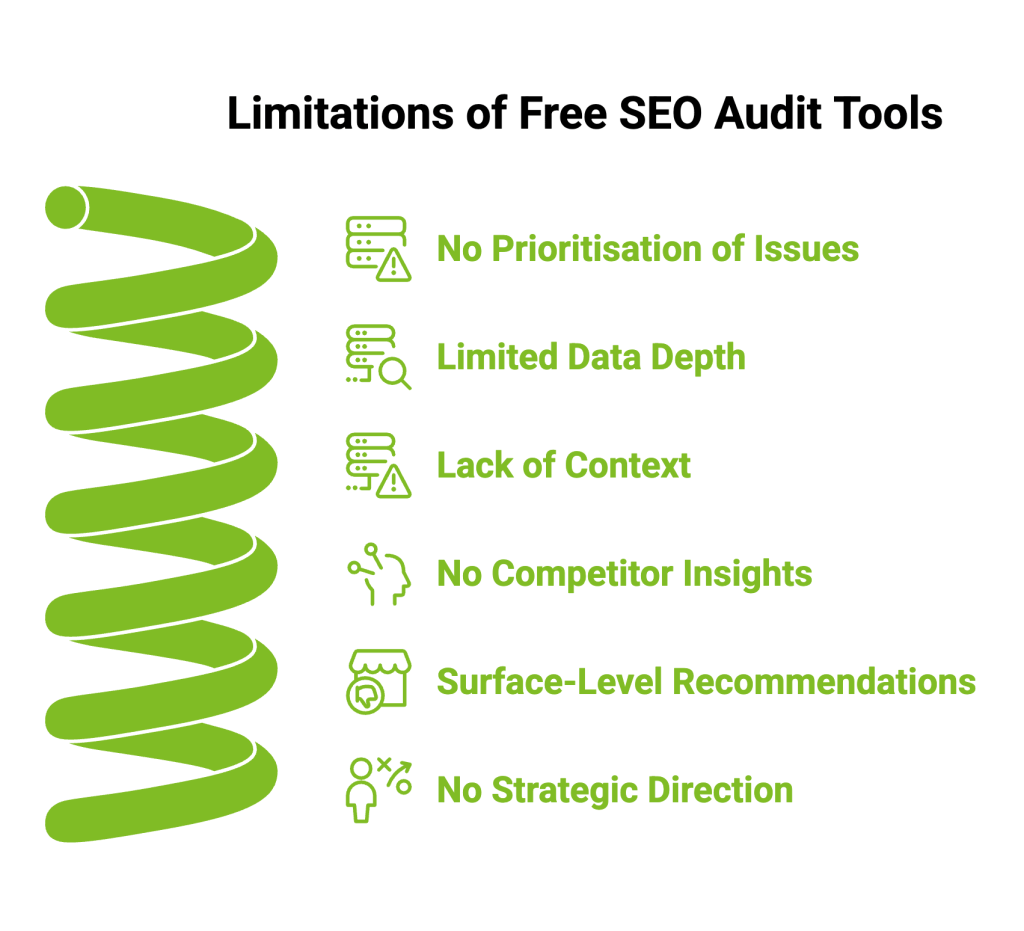
Free tools are useful, but they have clear limitations once you move beyond basic checks.
If you are relying on the best SEO analyser tool free, here is where things start to fall short:
- No prioritisation of issues: You get a list of problems, but no clarity on what to fix first or what will impact rankings the most
- Limited data depth: Crawl limits, partial backlink data, and restricted keyword insights can hide bigger issues
- Lack of context: Tools show errors, but do not explain why they matter or how they affect your specific site
- No competitor insights: You cannot see what competitors are doing differently or where you are losing ground
- Surface-level recommendations: Most suggestions are generic and not tailored to your business or goals
- No strategic direction: You are left connecting the dots between issues, fixes, and outcomes
This is where many businesses get stuck. They know something is wrong, but not what will actually drive results.
When Do You Need a Professional SEO Audit?
Free tools work well for quick checks, but there comes a point where they stop being enough.
You likely need a professional audit when:
- Your traffic is not growing despite fixes: You have resolved basic issues, but rankings are still stuck
- Your site is getting bigger: More pages mean more complexity that free tools cannot fully analyse
- You are in a competitive niche: You need deeper insights to outperform competitors, not just fix basics
- Issues keep repeating: Technical problems resurface because the root cause is not identified
- You need clear priorities: Instead of a long list of issues, you need to know what will drive the most impact
A professional audit goes beyond reports. It connects technical issues, content gaps, and search intent into a clear action plan. Instead of just showing what is wrong, it tells you what to fix first, why it matters, and how it will improve your rankings and traffic.
How to Use Free SEO Audit Tools Effectively?
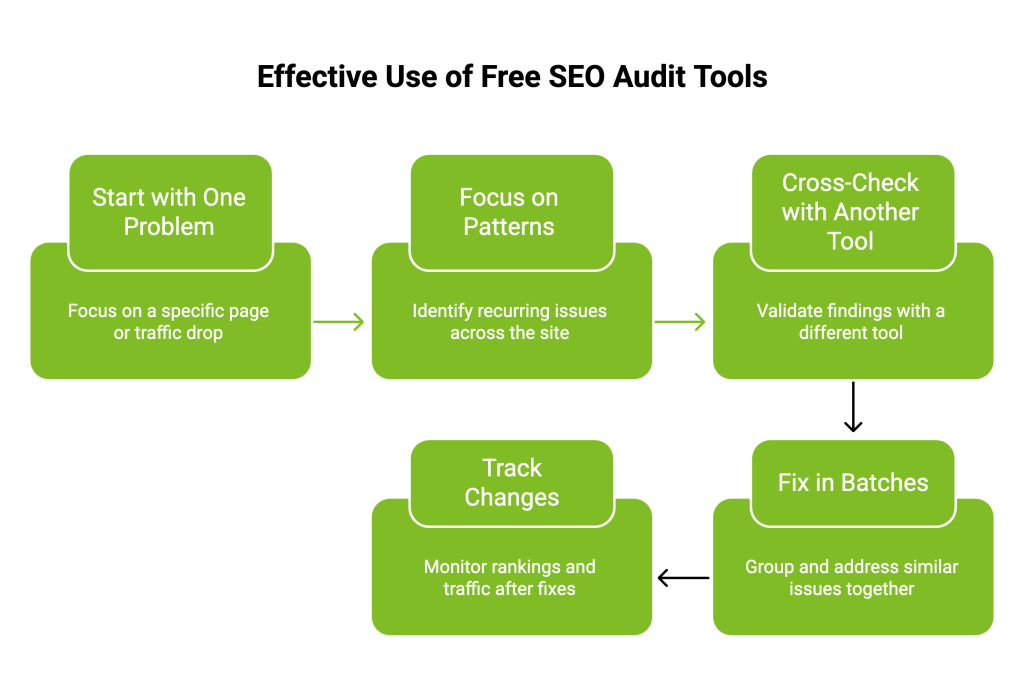
Most people run an audit, look at the report, and stop there. That is why free tools often do not lead to real results.
The real value comes from how you use them:
- Start with one problem, not the whole site: Check why a specific page is not ranking or why traffic dropped, instead of auditing everything at once
- Focus on patterns, not single errors: One broken link does not matter much, but dozens of similar issues usually point to a bigger problem
- Cross-check with another tool: If one tool flags something, validate it. Different tools often show different parts of the picture
- Fix in batches, not randomly: Group similar issues like missing tags or slow pages and fix them together for better impact
- Track what actually changes: After fixes, watch rankings or traffic, not just audit scores
If you are using the best SEO audit report free tool, think of it as a guide, not a final answer. The goal is not to fix everything. It is to fix what actually moves your rankings.
Why Businesses Choose Wild Creek Web Studio for SEO Audits?
Free tools can show you what is wrong. But turning that into real growth requires clarity, prioritisation, and experience.
That is where Wild Creek Web Studio come in.
With 18+ years of experience and 100+ brands served, we focus on building SEO strategies that are not just technical but aligned with business outcomes like traffic, leads, and revenue.
Instead of relying only on tools, we combine data, strategy, and real-world execution.
What makes our SEO audits different:
- Clarity over complexity: We do not just list issues. We explain what matters and why
- Prioritised action plans: We focus on fixes that actually move rankings and traffic
- Deep technical analysis: We go beyond surface-level audits to uncover root causes
- Competitor and market insights: We help you understand where you stand and where to win
- ROI-focused strategy: Every recommendation ties back to measurable business growth
Our process includes a complete digital audit, competitor analysis, and a structured growth plan, ensuring your SEO efforts are aligned with your business goals.
Final Words
SEO audits are easy to run but hard to use well.
You can have multiple reports, dozens of issues, and still see no real movement if everything is treated with the same priority. That is where most efforts fall apart. Not because of a lack of tools, but because of a lack of direction.
The real advantage comes when you stop chasing every issue and start focusing on the few that actually impact rankings, traffic, and conversions.
Use free tools to uncover what is happening. Use AI to understand it faster. But focus your effort on what truly moves the needle.
Frequently Asked Questions
What is the best free SEO check-up tool?
The best free SEO check-up tool depends on your needs, but tools like Google Search Console and SEOptimer are a great option. If you want the best free tool for SEO audit, choose one providing actionable data.
Is SEMrush’s free SEO checker effective for small businesses?
SEMrush’s free version is a great option for small businesses. It provides actionable data on technical errors, keyword research, and a website’s SEO, helping website owners improve organic traffic and overall SEO performance with limited access.
Can ChatGPT do an SEO audit?
ChatGPT can support SEO audits by analysing audit results, suggesting content optimisation, and improving keyword density. While not a full SEO audit software, it helps digital marketers interpret data and enhance a website’s performance with actionable insights.
What are the best free website audit tools?
The best free SEO tools include Google Search Console, SEOptimer, and Ubersuggest. These tools act as a reliable SEO checker tool, helping website owners identify technical errors, improve site performance, and strengthen online presence effectively.
What are the best tools for conducting an SEO audit on my website?
Top tools include Screaming Frog, Ahrefs, and Google Search Console. These SEO audit software options help analyse site speed, anchor text, page titles, and technical errors, giving SEO professionals detailed audit results to improve search engine results through regular audits.
Which LLM & AI tool gives the best SEO audits & recommendations?
AI tools like ChatGPT and Claude are a great option for interpreting audit results and improving content optimisation. They help digital marketers refine relevant keywords, improve blog posts, and enhance SEO performance with actionable data and insights.
How does SEOptimer compare to other free SEO audit tools?
SEOptimer is a great option among free SEO tools, offering a simple SEO report with key features like mobile friendliness, responsive design, and site speed analysis. It helps website owners follow best practices and improve the website’s performance.
Do any free SEO audit tools support audits for multiple websites?
Yes, some free SEO audit tools support multiple websites, but with limits. Tools like Screaming Frog or Ahrefs Webmaster Tools allow audits across sites, though crawl limits, project caps, or verification requirements restrict full scalability.