
Find Better Internal Linking Opportunities Without Leaving WordPress
WC Internal Links is a free WordPress internal linking plugin from Wild Creek Web Studio. It helps you find relevant internal link opportunities, fix orphaned content, choose natural anchor text and maintain the links already on your site.
Find existing content that can link to an important page, or find relevant pages that the post you are editing can link to. Review every suggestion before it is added.
Free. No subscription. No external AI service.
Manage Internal Linking as Your Site Grows
As a WordPress site grows, finding the right internal-link opportunities becomes harder to do manually. Older articles may contain useful places to link to new content, while existing posts may be missing links to relevant pages elsewhere on the site.
WC Internal Links indexes your content and turns these jobs into reviewable workflows inside WordPress. It recommends opportunities, shows the surrounding context and lets you decide which links to add.
Find Links to a Post
Choose the destination content you want to strengthen. WC Internal Links searches your indexed content for relevant places that could link to it naturally.
Each recommendation shows the source content, sentence context and suggested anchor. You can edit the anchor, select the opportunities you want and add the approved links together.
This is useful for newly published content, important pages that need stronger internal connectivity and older content that has been overlooked.
Find Links from a Post
From the WordPress editor, choose a source post and ask WC Internal Links to find relevant destinations it can link to.
The plugin uses its local relevance index, the content of the source and destination, saved anchor phrases and supported SEO focus keywords to identify likely matches. You review the destination and anchor before inserting a link.
You can also restrict these suggestions to orphaned destinations when you specifically want to strengthen content with no detected inbound internal links.
Find and Fix Orphaned Content
The Fix Orphaned Posts workflow identifies indexed published content with no detected inbound internal links.
Choose an item, review suitable source content and add the links you approve. When no orphaned content remains, the screen confirms that all indexed content currently has at least one inbound internal link.
Find Weakly Linked Content
WC Internal Links also identifies content with a low number of inbound internal links. You control the weak-link threshold in Settings, so the report reflects the level you consider worth reviewing.
Review Natural Anchor Suggestions in Context
WC Internal Links looks for suitable anchor phrases inside the source content and shows the surrounding sentence before you approve a suggestion.
You can edit a suggested anchor before insertion. The plugin also avoids unsuitable locations such as existing links and other protected content areas.
For additional control, Settings lets you maintain a list of words and phrases that should never be used as an exact suggested anchor.
Control How Many Links and Suggestions You See
WC Internal Links is designed to help you review opportunities rather than produce an unlimited list of links.
Settings lets you define:
- The maximum number of internal links per post
- The maximum number of suggestions returned
- The inbound-link threshold used to identify weak content
- Anchor words and phrases to avoid
- The post types included in analysis
Posts and Pages are enabled by default. Other public WordPress post types can be enabled in Settings.
See Internal-Link Counts in WordPress
WC Internal Links adds inbound and outgoing internal-link counts to supported WordPress content-list screens.
You can identify content with no inbound links and launch Find links to this post or Find links from this post directly from the WordPress list.
Use Focus Keywords You Already Entered
When you have not saved your own WC Internal Links phrases, the plugin can use keyword information already stored by supported SEO plugins:
- Rank Math focus keywords
- Yoast SEO focus keyphrase
- Yoast SEO Premium related keyphrases
- SEOPress target keywords
If you save your own internal-link phrases for a post, those take priority.
Local Relevance Analysis
WC Internal Links builds a local index of your WordPress content and uses the words and phrases in your pages to identify related content. It then looks for suitable anchor text in the source article.
The recommendation analysis runs on your own WordPress site. Your content is not sent to an external AI service to generate link suggestions, and no AI API key is required.
Maintain Existing Links
Broken Links
WC Internal Links can check indexed internal links and, when enabled, external links. You can start a link check from the Broken Links screen.
The report distinguishes working links, redirects, blocked responses, broken responses and request errors so you can review links that need attention.
Remove a Link Without Removing the Anchor Text
A reported link can be removed while leaving its anchor text in the article.
URL Changer
When an internal URL changes, enter the old and new URLs, preview the affected content and update the selected links.
The URL Changer updates links inside WordPress content. It does not create the server-side redirect required when a public URL changes.
WordPress Revisions and Change History
WC Internal Links creates a WordPress revision before supported server-side content changes such as approved link insertion, unlinking and URL replacement.
The Change History screen records supported changes made through WC Internal Links, including the date, action, source, destination where applicable, details and WordPress user.
Ignore Content That Should Not Participate
Utility pages, temporary content and other items that should not be part of your internal-linking workflow can be ignored from reports and recommendations. Ignored content can be restored later.
How WC Internal Links Works
Build the local index
The plugin indexes the content and existing links in the post types you have enabled.
Choose the task
Find links to a post, find links from a post, fix orphaned content or review weakly linked content.
Review the suggestions
Check the source, destination, sentence context and proposed anchor.
Edit the anchor when needed
Add the links you approve
Maintain the site
Review broken links, changed URLs and Change History as your content changes.
Screenshots
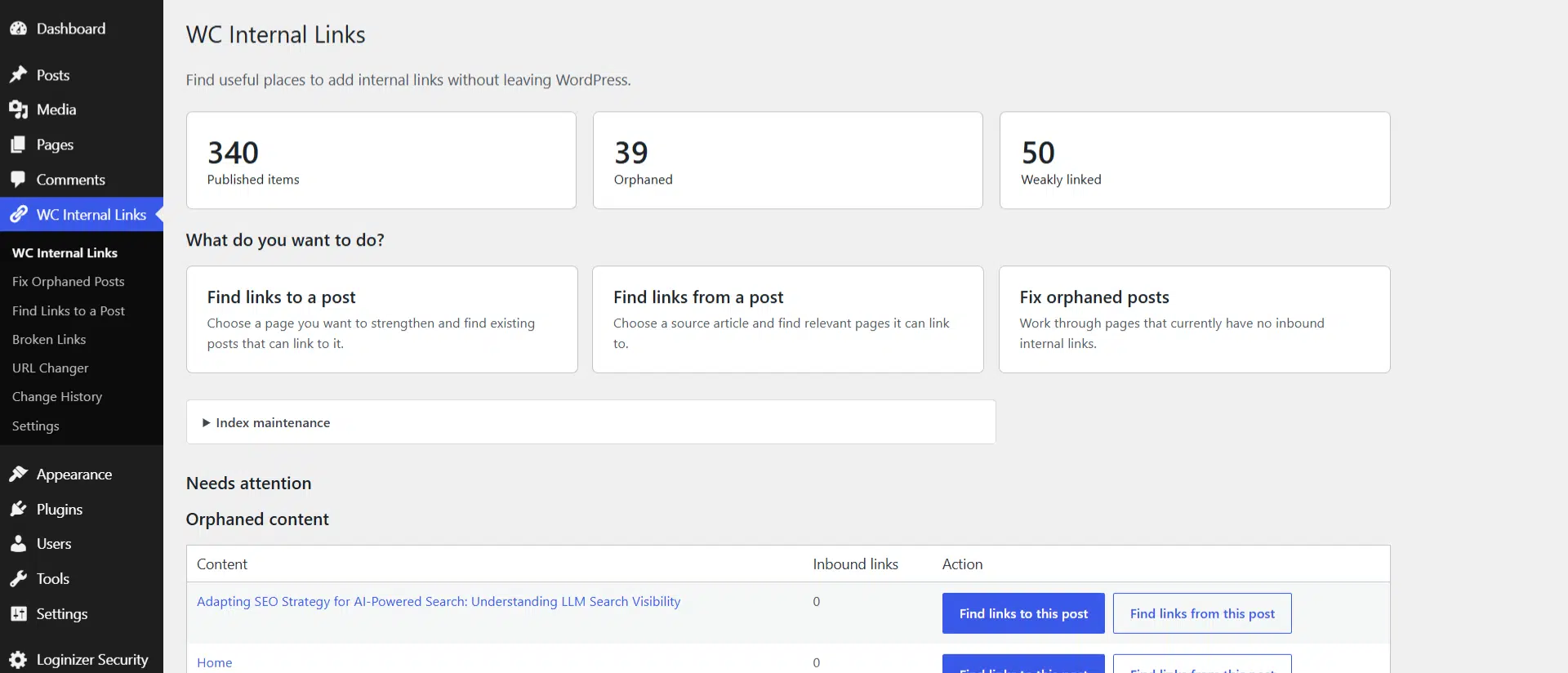
Dashboard
See published-content totals, orphaned content, weakly linked content and the main internal-linking actions in one place.
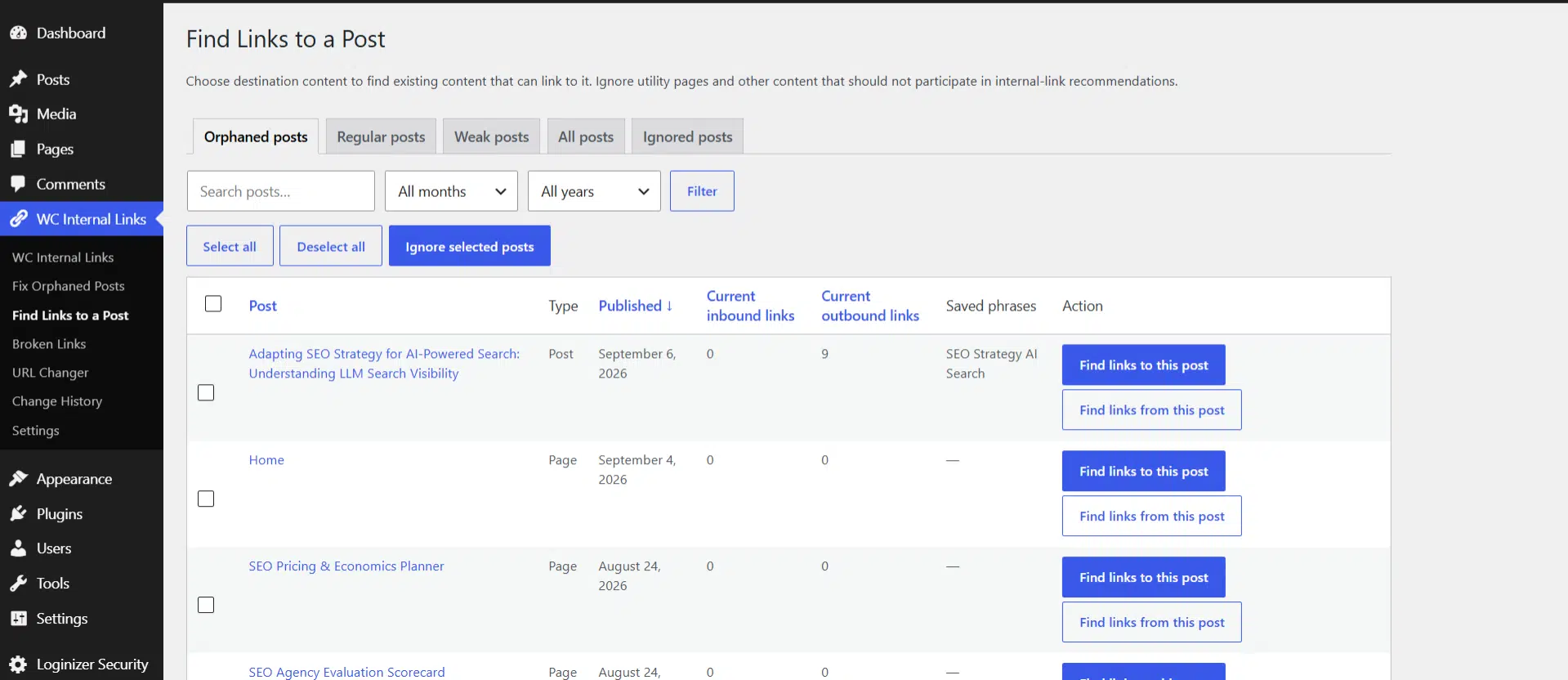
Find Links to a Post
Filter destination content by link status, publication date and search terms, then choose the page you want to strengthen.
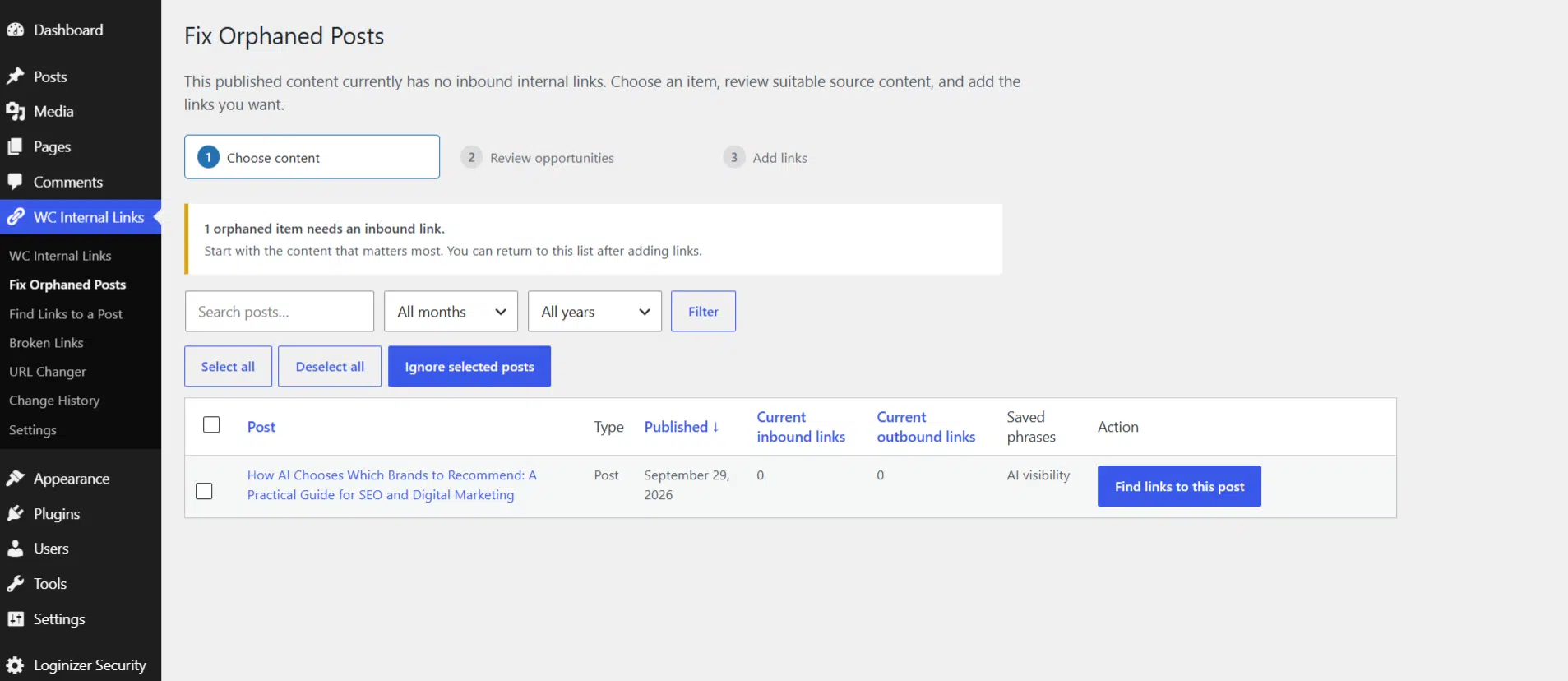
Fix Orphaned Posts
Work through indexed content with no detected inbound internal links.
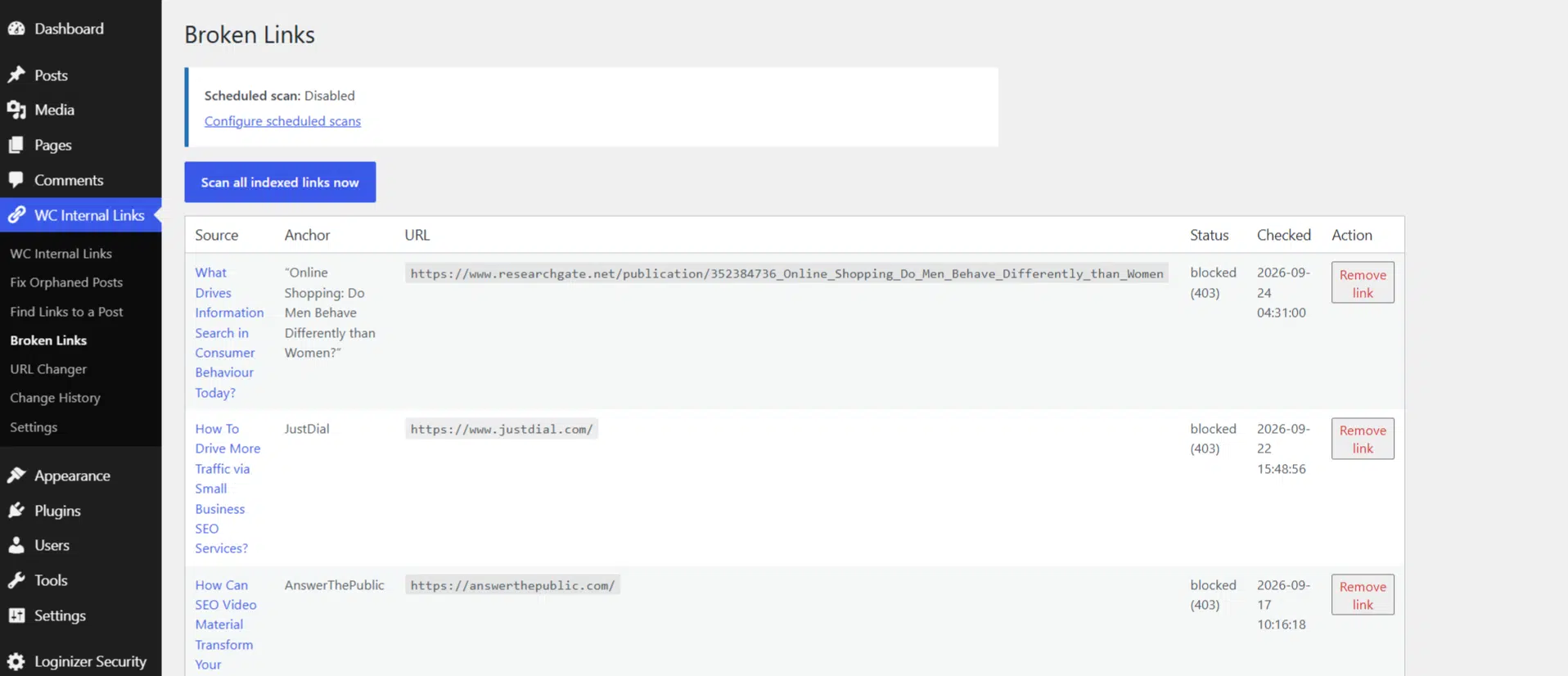
Broken Links
Run a link check and review links that need attention.
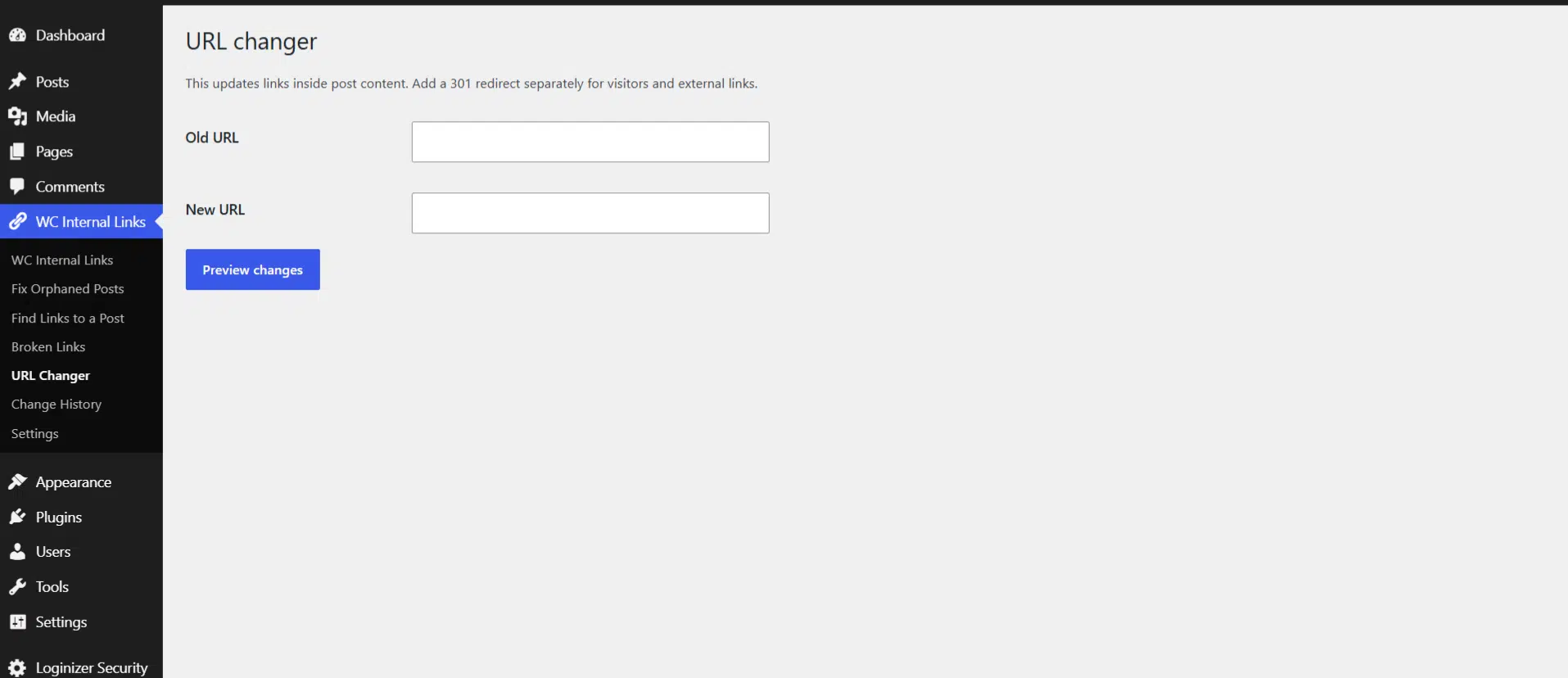
URL Changer
Preview and replace old internal URLs across selected content.
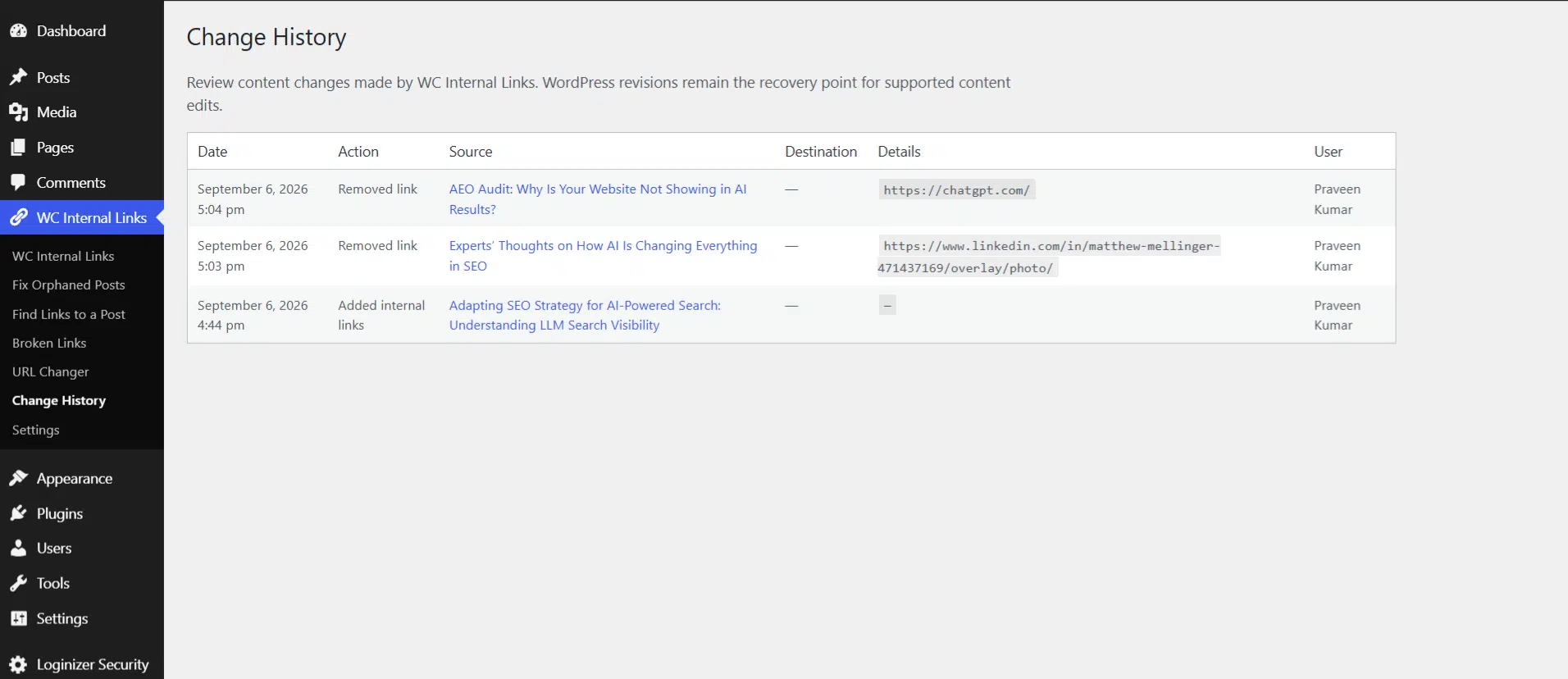
Change History
Review supported content changes made through WC Internal Links.
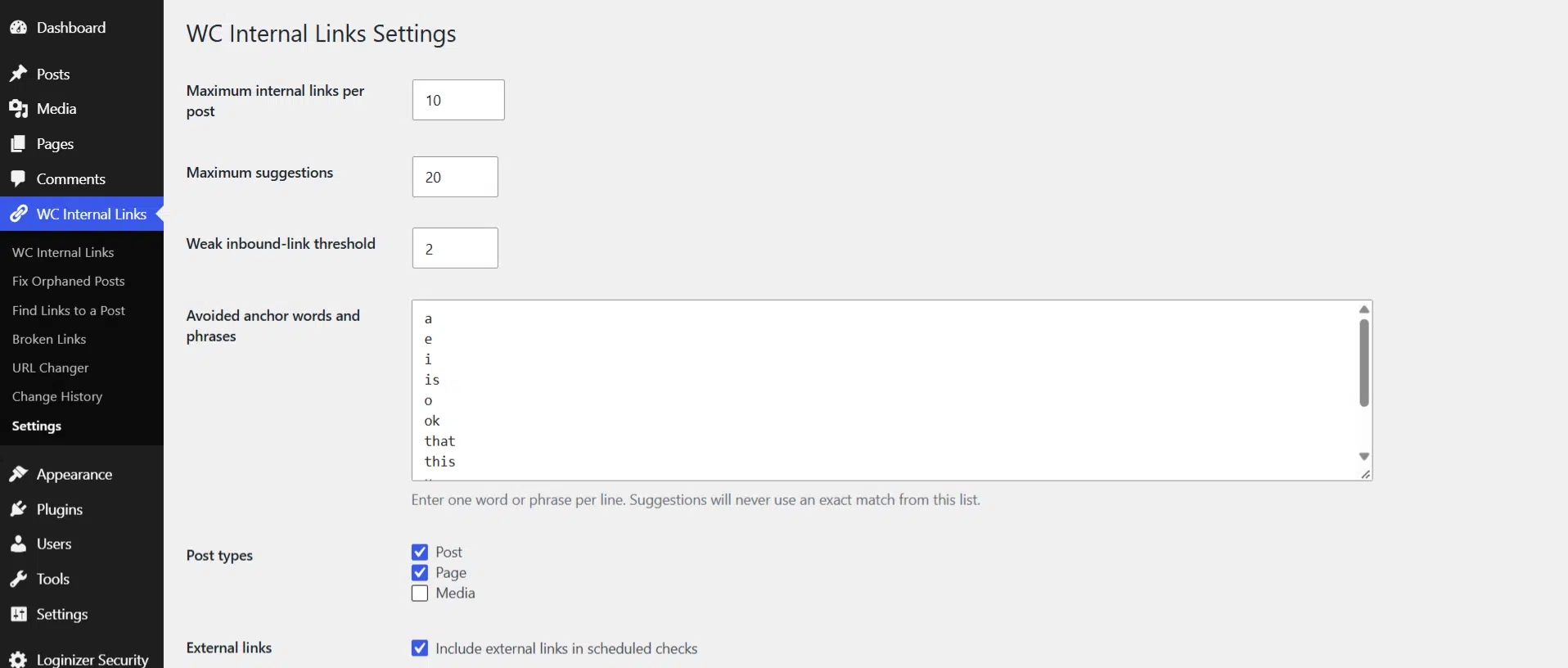
Settings
Control link limits, suggestion limits, weak-link thresholds, avoided anchors and the content types included in analysis.
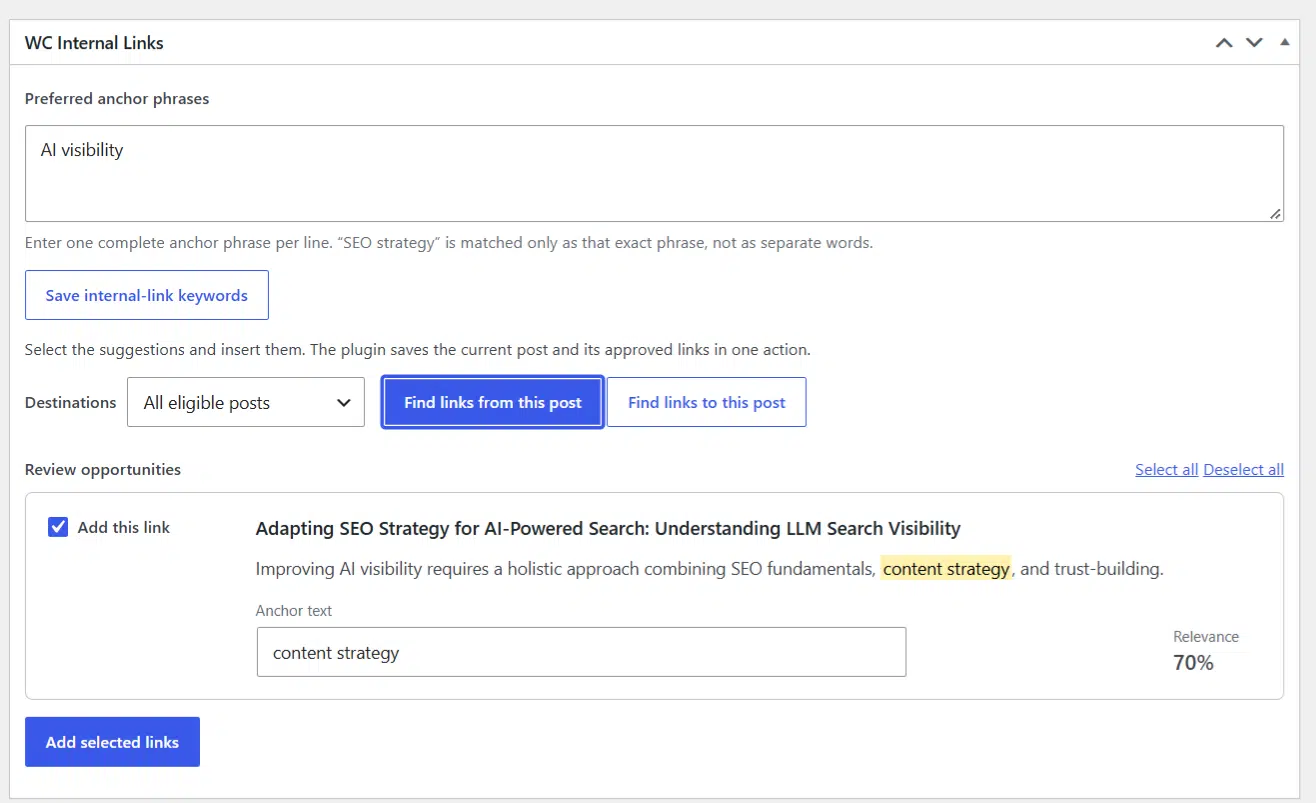
Link Recommendation Review Screen
Review suggested internal links with sentence context, editable anchor text and relevance before choosing which links to add.
Frequently Asked Questions
Does WC Internal Links add links automatically?
No. The plugin recommends opportunities and you choose which links are inserted.
Can it find links to a newly published post?
Yes. Open Find Links to a Post, choose the new content and review existing pages that could link to it.
Can it find pages for the post I am editing to link to?
Yes. Find links from this post searches the local index for relevant internal destinations.
Does it detect orphaned content?
Yes. Fix Orphaned Posts identifies indexed published content with no detected inbound internal links.
What does weakly linked mean?
It means the content has more than zero but no more than the configured number of inbound internal links. The threshold can be changed in Settings.
Does it support custom post types?
Yes, when they are registered as public WordPress post types. Posts and Pages are enabled by default, and additional public post types can be selected in Settings.
Does it work with Rank Math, Yoast and SEOPress?
Yes. WC Internal Links can use Rank Math focus keywords, the Yoast SEO focus keyphrase, Yoast SEO Premium related keyphrases and SEOPress target keywords when you have not saved your own WC Internal Links phrases.
Does it use an external AI service?
No. Link-recommendation analysis runs locally on your WordPress site.
Does it check external links?
Yes, when external-link checking is enabled. Checking an external link requires the site to make an HTTP request to that destination.
How does WC Internal Links handle redirects?
The link checker records HTTP redirect responses as redirects rather than treating every redirected URL as a broken link.
Can I see changes made through WC Internal Links?
Yes. Change History shows supported plugin-managed content changes with the date, action, affected content, details and user.
Can I replace an old internal URL?
Yes. URL Changer previews affected content and updates the internal links you select. It does not create a server-side redirect.
Can I prevent certain anchor text from being suggested?
Yes. Add words or phrases to the avoided-anchor list in Settings. Suggestions will not use an exact match from that list.
Can I limit the number of links and suggestions?
Yes. Settings includes separate controls for the maximum number of internal links per post and the maximum number of suggestions.
Does it support the WordPress Block Editor and Classic Editor?
Yes.
About WC Internal Links
WC Internal Links is developed by Wild Creek Web Studio. It was built to make internal-link discovery and maintenance easier on growing WordPress sites while keeping link selection under editorial control.
Download WC Internal Links
Install WC Internal Links to find internal-link opportunities, identify orphaned and weakly linked content, review natural anchor suggestions and maintain existing links from WordPress.