
Key Highlights
- Google Analytics is a powerful tool for understanding website traffic and user behaviour
- GA4 helps track traffic across different channels like organic search, direct traffic, and social media
- Metrics like users, page views, engagement time, and conversion rate define traffic quality
- Data becomes actionable only when tied to business goals and marketing efforts
- Organic traffic and referral traffic often indicate stronger long-term performance
- Combining Google Analytics with Search Console improves visibility into organic visitors
- Insights from traffic data help optimise content performance and lead generation
Most businesses today are getting web traffic, but here’s the real issue: they don’t know what that traffic is actually doing. Numbers go up, reports look active, but leads stay flat. So the question is not “are people visiting?” It’s “is any of this traffic driving results?”
When you open Google Analytics, you see page views, sessions, and new users. It looks detailed, but it doesn’t answer what matters. Which channels are bringing valuable users? What is working? And where are you losing potential conversions?
That’s the gap this blog solves. You’ll learn how to check Google Analytics website traffic properly, understand which metrics actually matter, and turn that data into decisions that improve performance, not just reports.
What Does “Website Traffic” Mean in Google Analytics?
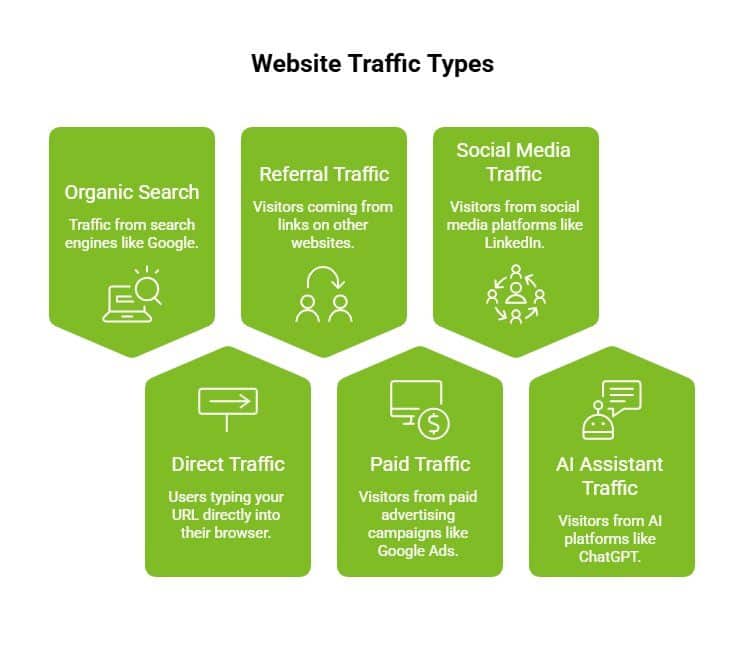
Website traffic in Google Analytics refers to the number of website visitors and how they interact with your site within a selected time frame. It includes session source, user behaviour, and engagement metrics that explain how traffic moves through your website.
To organise this data, GA4 groups traffic based on its origin.
Traffic Types in GA4
Google Analytics uses the default channel group to classify traffic:
- Organic search from Google and other search engines
- Direct traffic from users entering your URL
- Referral traffic from external referral sources
- Paid traffic from Google Ads and advertising campaigns
- Social media traffic from platforms like LinkedIn or Instagram
- AI Assistant traffic from AI platforms such as ChatGPT, Gemini, Perplexity, Claude, and Microsoft Copilot
As AI-driven search becomes more common, Google Analytics 4 may also classify visits from platforms like ChatGPT, Gemini, Perplexity, and Microsoft Copilot under the new AI Assistant channel. This helps businesses understand how conversational AI platforms contribute to website traffic and discovery.
Where Exactly to Check Website Traffic in Google Analytics?
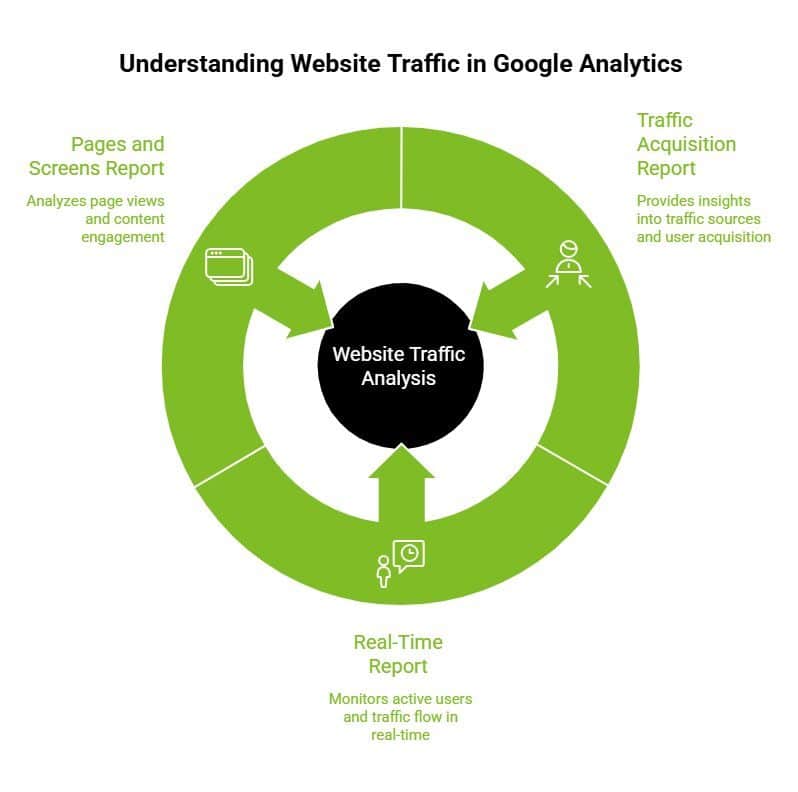
You can check website traffic in Google Analytics through the Reports section, where acquisition and engagement reports show traffic sources, user acquisition, and content performance.
1. Traffic Acquisition Report
Path: Reports → Acquisition → Traffic Acquisition
This is the primary report for traffic analysis. It includes:
- Session default channel group
- Number of sessions
- Specific source or medium
- User acquisition data
It gives a clear view of how traffic is distributed across different channels. Depending on your traffic sources, you may also see newer categories such as AI Assistant, which groups visits coming from AI-powered answer engines and conversational search platforms.
2. Real-Time Report
The real-time report shows:
- Active users on your site
- Traffic from different channels at that moment
This is useful for monitoring ongoing activity.
3. Pages and Screens Report
This report focuses on how traffic interacts with your site:
- Page views
- Content performance
- Engagement metrics per page
These reports together connect traffic sources with on-site behaviour, helping you move from raw data to structured analysis.
How to Check Website Traffic in Google Analytics?
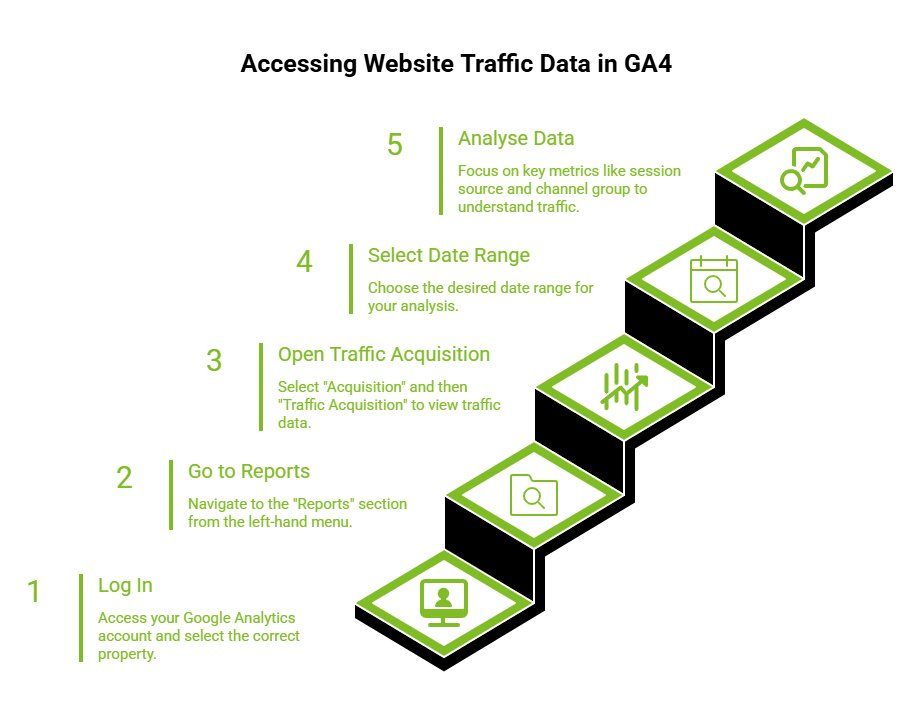
Once you know where traffic data lives inside Google Analytics, the next step is accessing it correctly. GA4 follows a structured reporting system, so understanding the exact navigation ensures you do not miss key metrics or misread web traffic data.
Step 1: Log In To Your Google Analytics Account
Start by accessing your Google Analytics account. Make sure you select the correct property connected to your website to ensure accurate data collection and reporting.
Step 2: Go to the Reports Section
From the left-hand menu, click on “Reports.” This is where all standard reports related to user acquisition, engagement, and marketing channels are available.
Step 3: Open Traffic Acquisition Report
Navigate to:
Reports → Acquisition → Traffic Acquisition
This report provides a single report view of your web traffic across different channels.
Step 4: Select the Date Range
Set the date range based on what you want to analyse. You can compare different periods to identify trends, spikes, or drops in traffic.
Step 5: Analyse Traffic Data
Focus on the following key metrics:
- Session source to understand where traffic is coming from
- Default channel group to evaluate performance across different channels
- Number of sessions to measure total visits
You can also apply filters to view traffic from a specific source, such as organic search, direct traffic, or referral traffic.
This step-by-step process helps you move from raw numbers to structured insights, making it easier to understand how your traffic is distributed and where your marketing efforts are performing.
Which Metrics Should You Use to Evaluate Website Traffic?
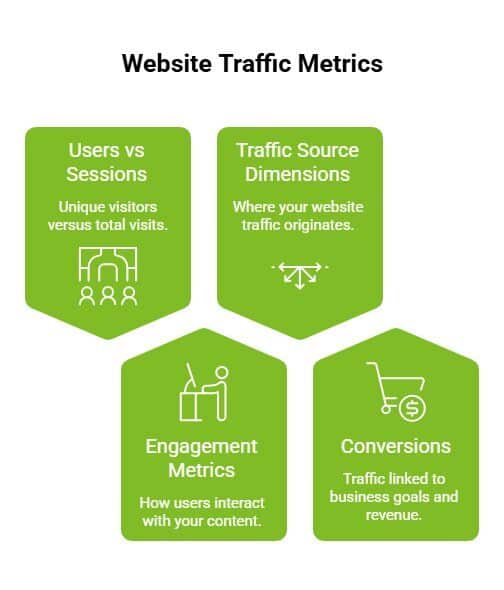
Once you open your reports, the real question is not “how much traffic” but “which metrics actually matter?”
Google Analytics gives you a lot of data, but only a few key metrics help you understand traffic properly. Focus on volume, behaviour, source, and outcomes.
1. Users vs Sessions
Start with traffic volume.
- Users: Unique website visitors
- Sessions: Total visits, including repeat visits
This tells you whether you are attracting new users or getting repeat engagement.
2. Engagement Metrics
Next, move beyond traffic and look at behaviour.
Key engagement metrics include:
- Engagement time
- Average engagement time
- Engaged session
These show if users are actually interacting with your content or leaving quickly. Strong engagement usually means better user experience and content relevance.
3. Traffic Source Dimensions
Now look at where your traffic is coming from.
Google Analytics tracks:
- Session source
- Default channel group
- Different marketing channels
- AI Assistant traffic to measure visits coming from AI-powered search experiences
Businesses are increasingly monitoring AI Assistant traffic to understand whether platforms like ChatGPT and Gemini are contributing meaningful website visitors alongside traditional organic search.
4. Conversions
Finally, connect traffic to outcomes.
A conversion event or key event includes:
- Form submissions
- Purchases
- Lead generation actions
This is where traffic links directly to business goals and total revenue.
These metrics tell you how much traffic you have, where it comes from, how users behave, and whether it leads to results. The next step is understanding what these numbers actually mean.
How to Interpret Website Traffic Data Correctly?
Metrics alone are not useful unless you interpret them properly. Instead of looking at numbers in isolation, focus on patterns across traffic, engagement, and conversions.
1. Identifying High-Quality Traffic
Not all traffic is valuable.
High-quality traffic usually shows:
- Higher engagement time
- Better conversion rate
- Alignment with business goals
For example, organic traffic from Google search may convert better than social media traffic, depending on intent.
2. Spotting Traffic Trends
Look at changes over time, not just snapshots.
- Sudden spikes → campaigns, referrals, or promotions
- Drops in organic traffic → possible SEO or tracking issues
Always connect trends with your marketing efforts and recent changes.
3. Analysing Content Performance
Move to page-level insights.
Check:
- Which blog post drives organic visitors
- Which pages support lead generation
High page views do not always mean success. Pages that convert matter more.
4. Connecting Traffic to Outcomes
This is where interpretation becomes useful.
Always tie traffic back to:
- Conversion events
- Total revenue
- Marketing efforts
If traffic is not driving outcomes, it needs optimisation.
This is what turns data into decisions. Now, before acting on it, you need to avoid a few common mistakes.
What Are the Most Common Google Analytics Traffic Mistakes?
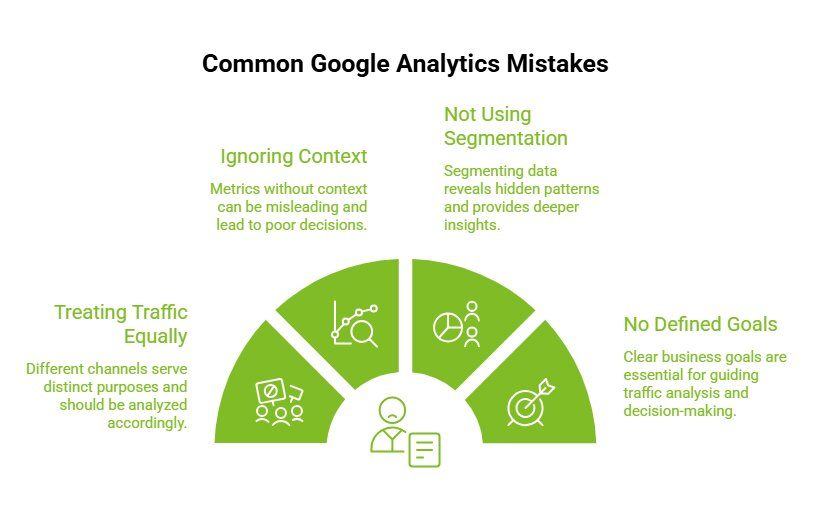
Even with the right data, mistakes in analysis can lead to wrong decisions.
Most issues come from looking at numbers without context.
1. Treating All Traffic as Equal
Different channels serve different purposes.
- Organic traffic → intent-driven
- Social media → awareness
- Referral traffic → trust-based
Do not evaluate all traffic the same way.
2. Ignoring Context
Metrics without context can mislead.
- High page views with low engagement = weak performance
- Lower sessions with higher conversion rate = better quality
Always compare metrics together.
3. Not Using Segmentation
A single report is not enough.
Segment your data by:
- Device
- Location
- Traffic source
This reveals patterns hidden in overall traffic.
4. No Defined Business Goals
This is the biggest gap.
Without clear goals like:
- Lead generation
- Conversion rate
- Revenue
Traffic data does not guide decisions.
Avoid these mistakes, and your data becomes far more reliable. From here, you can move toward improving traffic, not just tracking it.
When Is Google Analytics Alone Not Enough?
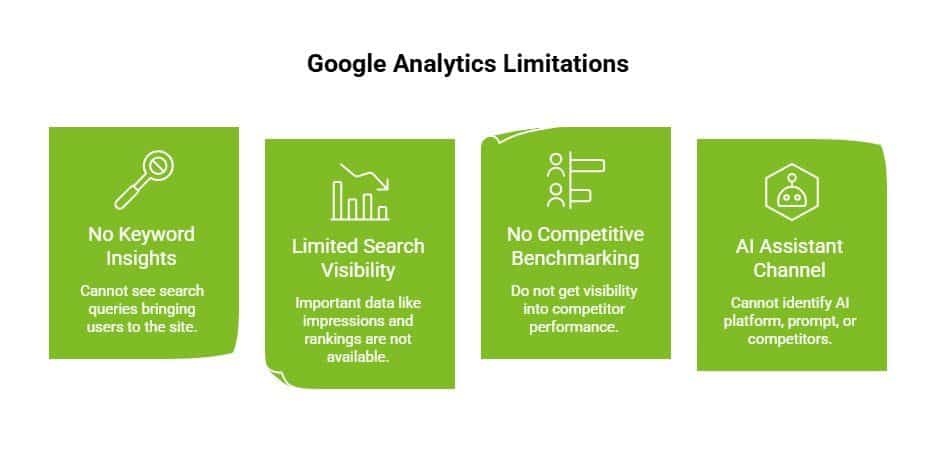
By now, you can track website traffic, understand user behaviour, and see which pages perform well in Google Analytics. But as you go deeper, a gap becomes clear.
Google Analytics shows what happens after users land on your website. It does not fully explain how they found you or why your traffic is growing or declining. This makes it harder to identify what is actually driving results.
Key Limitations
- No keyword-level insights from Google Search
You cannot see which search queries are bringing users to your site, making it difficult to understand what content or pages are working. - Limited search visibility without Google Search Console
Important data like impressions, click-through rates, and rankings are not available within Google Analytics. - No competitive benchmarking
You do not get visibility into competitor performance or how your traffic compares in the market. - While Google Analytics can show traffic arriving through the AI Assistant channel, it cannot identify which AI platform generated the visit, which prompt triggered it, or whether competitors were cited alongside your brand.
To bridge these gaps, most businesses rely on additional data sources. Tools like Google Search Console help you understand search performance, while platforms like Ahrefs or SEMrush provide visibility into competitors and keyword opportunities. Together, they complete the picture that Google Analytics alone cannot provide.
Growth happens when you combine:
- Google Analytics for user behaviour and engagement
- Google Search Console for search performance
- SEO tools for keyword insights and competitor analysis
In simple terms, Google Analytics tells you what is happening on your website. Growth comes from using that data, along with the right tools, to decide what to do next.
Google Analytics vs SEO Tools: What’s the Difference?
Once you recognise these limitations, it becomes easier to understand where each tool fits.
Google Analytics and SEO tools are not alternatives. They work at different stages of the same journey. Google Analytics focuses on user behaviour and engagement after the click, while SEO tools focus on how users discover your website in the first place.
| Capability | Google Analytics | SEO Tools |
| User behaviour | Yes | Limited |
| Organic search insights | Limited | Yes |
| Keyword tracking | No | Yes |
| Competitor analysis | No | Yes |
| Data visualisation | Via Looker Studio | Yes |
In simple terms, Google Analytics helps you understand what users do on your site, while SEO tools explain what drives that traffic.
This distinction matters because relying on just one creates blind spots. When you combine Google Analytics, Google Search Console, and SEO tools, you move from just tracking web traffic to actually understanding and growing it.
How to Improve Website Traffic Using Google Analytics Insights
Once your data is complete, the next step is turning insights into action. This is where many businesses get stuck. They monitor traffic regularly but do not use it to guide decisions.
Google Analytics becomes truly valuable when you use it to identify patterns across marketing channels and act on them.
1. Optimise Underperforming Pages
Start by identifying pages that attract website visitors but fail to keep them engaged.
Use the Pages and Screens report to analyse page views, engagement time, and drop-offs. Then:
- Improve content quality
- Fix user experience issues
- Update outdated or irrelevant information
2. Scale High-Performing Channels
Not all traffic sources contribute equally. Some marketing channels consistently drive better results.
Use the Traffic Acquisition report to evaluate the session source and the default channel group. Focus on:
- Channels generating the most organic traffic
- Sources with a strong conversion rate
This helps you allocate your marketing efforts more effectively instead of spreading resources too thin.
3. Improve Conversion from Existing Traffic
Increasing traffic is important, but improving conversion often delivers faster results.
Use conversion events in Google Analytics to identify where users drop off. Then:
- Optimise CTAs
- Improve landing page structure
- Simplify user journeys
Even small improvements here can significantly impact lead generation and total revenue.
4. Align Content with User Behaviour
Your traffic data already tells you what your audience is interested in. The goal is to use that data to guide your content strategy.
Combine Google Analytics engagement metrics with insights from Google Search Console. This allows you to:
- Create content based on actual search intent
- Improve content performance using real user behaviour
How Wild Creek Studio Helps You Turn Traffic Data Into Growth?
Tracking website traffic in Google Analytics is only the first step. The real impact comes from turning that data into decisions that improve your marketing efforts and business outcomes.
At Wild Creek Studio, the focus goes beyond data collection. By combining Google Analytics, Google Search Console, and SEO tools, the team helps identify what drives organic traffic, improves content performance, and increases conversion rate.
Instead of relying on a single report, the approach connects key metrics with business goals to drive meaningful results like better lead generation and stronger online presence.
If you are seeing traffic but not results, it is time to move from tracking to strategy.
Explore how Wild Creek Studio can help you turn your website traffic into measurable growth.
Conclusion
Google Analytics gives you clarity on website traffic, user behaviour, and performance across both traditional marketing channels and emerging AI Assistant traffic. As search behaviour evolves, understanding how visitors discover your website through AI platforms becomes just as valuable as tracking organic or referral traffic.
When you combine Google Analytics with tools like Google Search Console and a clear strategy, you move beyond reporting into growth. The next step is simple. Use these insights consistently to improve content performance, strengthen your marketing efforts, and build a more effective online presence.
Frequently Asked Questions
How do I check website traffic using Google Analytics 4?
Go to Reports, open Acquisition, and select the Traffic Acquisition report. This shows users, sessions, and traffic sources for your selected date range, helping you analyse overall website traffic performance.
What metrics should I track to understand website traffic?
Focus on key metrics like users, sessions, page views, engagement time, and conversion rate. Together, these metrics show traffic volume, user behaviour, and whether your website visitors are contributing to business goals.
How can I see where my website traffic is coming from?
Use the Traffic Acquisition report in Google Analytics to view the session source and default channel group. This helps identify traffic from organic search, direct traffic, referral traffic, social media, and other marketing channels.
Can Google Analytics show which pages get the most traffic?
Yes, the Pages and Screens report shows which pages receive the most page views and engagement. This helps you evaluate content performance and identify which pages effectively attract and retain website visitors.
What is the difference between users and sessions in GA4?
Users represent unique website visitors, while sessions count total visits, including repeat interactions. One user can have multiple sessions, making both metrics important for understanding traffic volume and engagement patterns.
Can Google Analytics track website traffic accurately?
Google Analytics provides reliable data, but it may not capture all traffic due to ad blockers or privacy settings. It still offers strong insights into web traffic trends, user behaviour, and performance across different channels.
How do I set up custom reports for website traffic in Google Analytics?
In GA4, you can create custom reports using the Explore section. Choose a template like Free Form, add dimensions such as session source, and include metrics like users or number of sessions to analyse traffic your way.
How do I use Google Analytics segments to analyse website traffic sources?
Segments in GA4 allow you to filter traffic based on conditions like traffic source, device, or user behaviour. This helps you compare how different channels, such as organic search or social media, contribute to performance.
Are there any free tools or features in Google Analytics to monitor basic website traffic?
Yes, Google Analytics itself is free and includes built-in reports like Traffic Acquisition, Real-Time, and Pages and Screens. These provide essential insights into website visitors, traffic sources, and engagement metrics without additional tools.
What steps do I need to follow to add Google Analytics to my website?
To add Google Analytics, create a Google Analytics account, set up a GA4 property, and copy the tracking code. Install it using Google Tag Manager or directly in your site’s code. Once added, verify data collection in the Real-Time report.