Key Highlights
- An SEO audit evaluates technical, on-page, off-page, content, local, and UX factors affecting search visibility.
- It identifies crawl, speed, structure, and content issues that limit organic traffic.
- Different audit types allow focused fixes instead of broad SEO changes.
- Audits should be run every 3–6 months and after major site or algorithm updates.
- Automated tools surface issues quickly, while manual analysis adds context and prioritisation.
- Wild Creek Web Studio converts SEO audit insights into clear actions that improve rankings and traffic quality.
Many websites fail to attract organic traffic not because the content is weak, but because of hidden SEO issues. A large number of web pages receive little to no search traffic simply because search engines cannot properly crawl, interpret, or prioritise them.
As search algorithms evolve, even small gaps such as slow load times, poor site structure, outdated pages, or weak local optimisation can limit growth. Without clear diagnostics, businesses often invest in SEO without understanding what is actually holding their website back.
This blog explains what an SEO audit is, why it matters, and how it helps identify the exact issues affecting performance. You will learn how to evaluate technical, on-page, off-page, and local SEO factors and convert audit findings into focused actions that improve search visibility and long-term results.
What Is an SEO Audit and Why Does Your Website Need One?
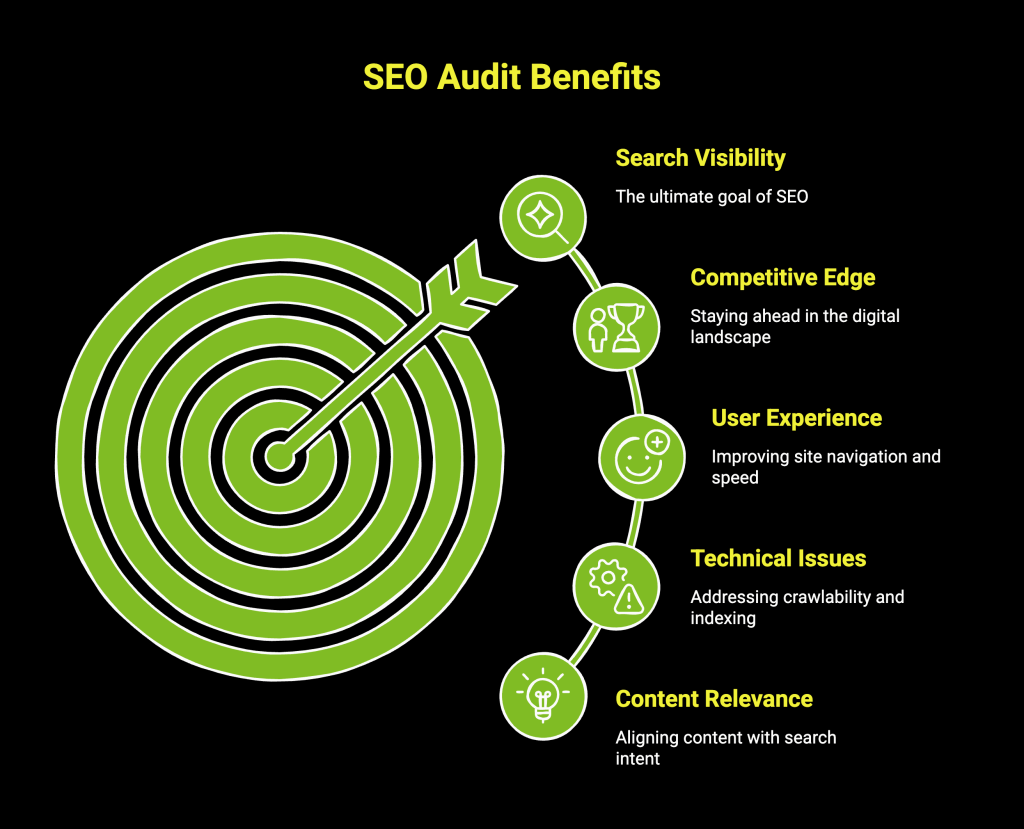
Infographic on SEO audit benefits
Your website may look fine on the surface, yet traffic is flat, rankings are unstable, or important pages never appear in search results. These issues are rarely obvious and often go unnoticed without an SEO audit.
An SEO audit is a complete health check of your website. It evaluates how search engines crawl, index, and assess your pages across technical setup, content, structure, performance, and authority signals. Instead of guessing what is wrong, an audit shows exactly where visibility and growth are being limited.
As competition increases, even small issues can hold a site back, including:
- Crawl and indexation problems affecting key pages
- Slow page speed impacting user experience and rankings
- Content that does not align with search intent
- Weak internal linking and unclear site structure
- Gaps in local and off-page SEO signals
To build on these insights and drive measurable growth, explore these proven strategies to boost sales with SEO.
What Are The Types of SEO Audits Every Website Owner Should Know?
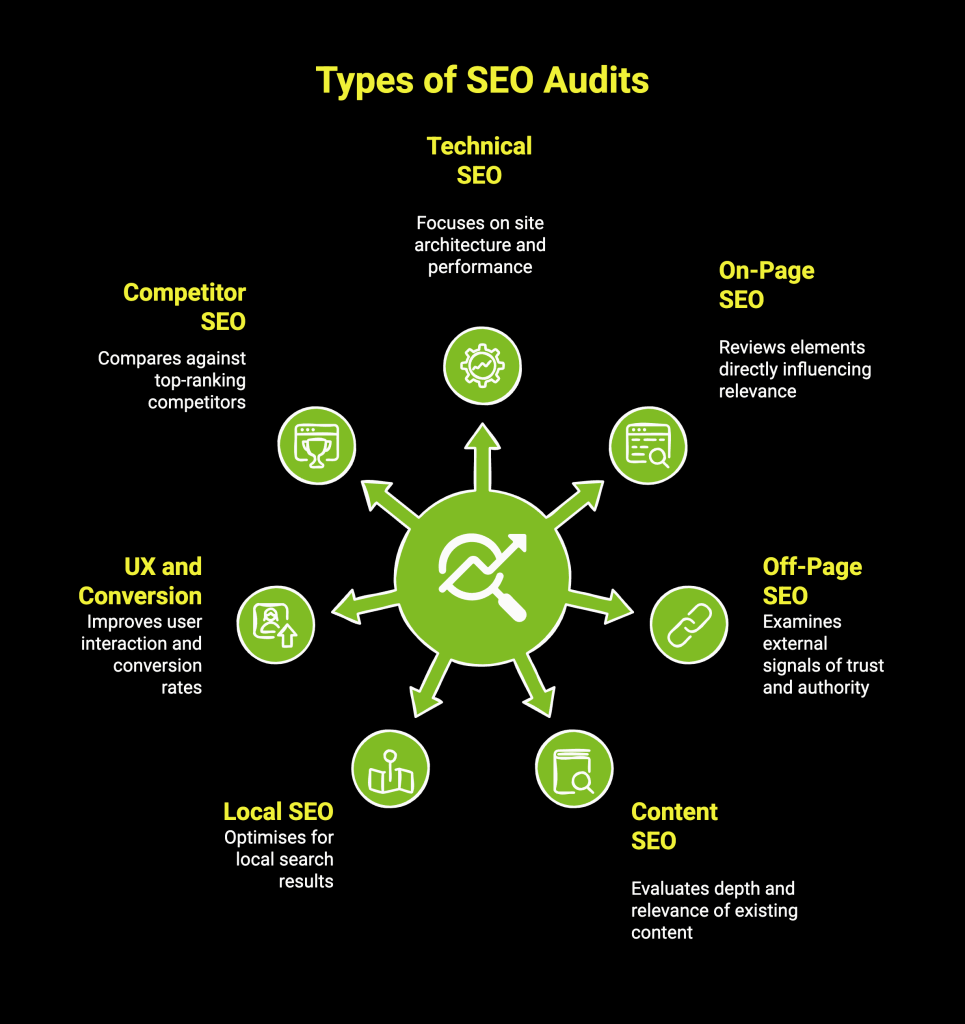
Infographic on types of SEO audits
The Best SEO audits are not one-size-fits-all. Different audit types focus on specific areas of a website, helping you diagnose issues more accurately and take targeted action instead of applying generic fixes.
The most important types of SEO audits include:
1. Technical SEO Audits
When pages fail to rank or appear in search results despite strong content, the issue is often technical. A technical SEO audit reviews how search engines crawl, index, and render your site by examining architecture, page speed, mobile usability, HTTPS, Core Web Vitals, structured data, and error handling.
Fixing these areas ensures search engines can efficiently access and evaluate your pages, creating a strong foundation for all other SEO efforts.
2. On-Page SEO Audit
If pages exist but do not rank for the right queries or attract clicks, on-page signals may be unclear. An on-page SEO audit reviews titles, meta descriptions, headings, internal linking, keyword usage, content structure, and alignment with search intent.
Improving these elements strengthens relevance, helps search engines understand page purpose, and increases engagement from search results.
3. Off-Page SEO Audit
A website with good technical health and content can still struggle if authority signals are weak. An off-page SEO audit evaluates backlink quality, referring domains, anchor text patterns, and link growth trends. Strengthening link profiles improves trust, credibility, and competitiveness in search rankings.
4. Content SEO Audit
Publishing frequently does not always translate into growth. A content SEO audit examines existing pages for depth, freshness, duplication, keyword overlap, performance, and topical coverage.
Refining and consolidating content improves usefulness for users while building stronger topical authority for search engines.
5. Local SEO Audit
Businesses targeting specific locations often miss visibility in local search due to inconsistent signals. A local SEO audit reviews Google Business Profile optimisation, NAP consistency, reviews, citations, and location-based landing pages. Improved local signals increase presence in map results and location-driven searches.
6. UX and Conversion Audit
High traffic with low engagement usually points to user experience issues. A UX and conversion audit assesses navigation, layout, mobile experience, engagement metrics, and conversion paths.
Enhancing usability keeps users on the site longer and supports SEO performance through stronger interaction signals.
7. Competitor SEO Audit
When competitors outrank you consistently, the difference often lies in strategy rather than effort. A competitor SEO audit analyses keyword targeting, content depth, backlink profiles, and structural advantages of top-ranking sites.
These insights reveal gaps and opportunities, helping you prioritise actions that close performance gaps effectively.
When and How Often Should You Do an Audit?
An SEO audit should not be treated as a reaction to traffic loss. Done at the right moments, it helps protect rankings, uncover growth opportunities, and keep your site aligned with how search engines evolve.
You should plan SEO audits at the following times:
- Every 3–6 months: Keeps technical health, content quality, and performance metrics in check, helping you stay aligned with algorithm changes before they impact rankings.
- After major website changes: Prevents crawl, indexation, or content losses caused by redesigns, migrations, CMS updates, or new integrations.
- Following algorithm updates: Identifies the root cause of visibility drops and highlights which pages or signals need adjustment to recover rankings.
- Before launching new campaigns: Ensures key pages are technically sound, properly indexed, and aligned with target keywords and search intent, improving the chances of early traction.
- When analysing competitors: Reveals gaps in content, backlinks, and structure, allowing you to refine strategy and capture missed opportunities in your niche.
Regular, proactive audits turn SEO from damage control into a consistent growth lever-helping you spot risks early and act before performance declines.
How to Conduct a Technical SEO Site Audit? A Step-by-Step Process
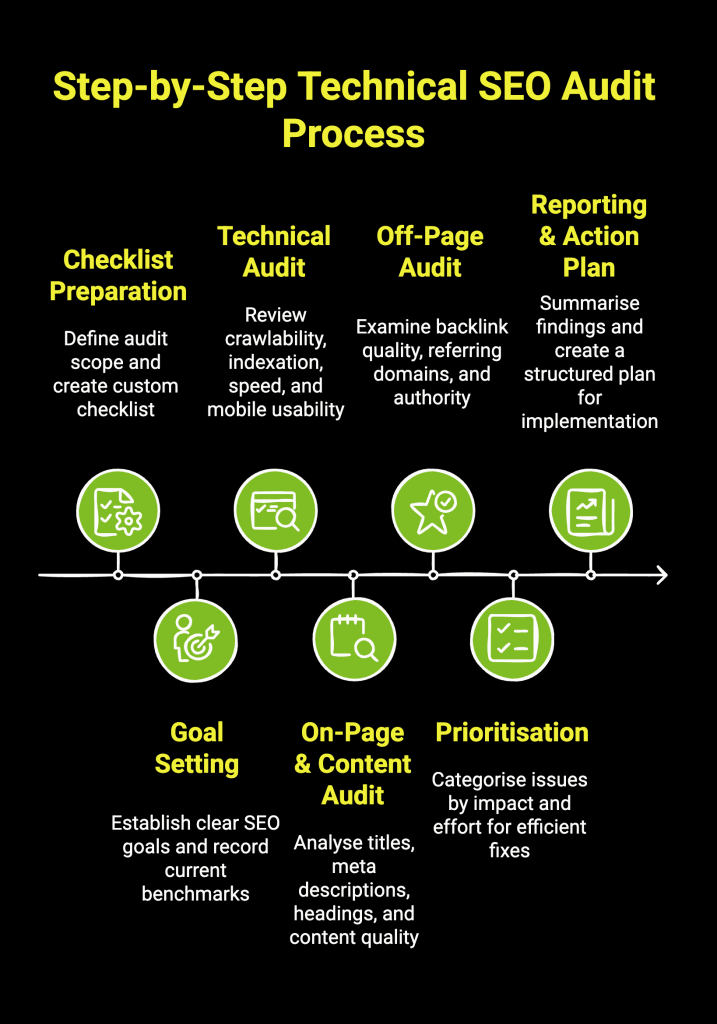
Infographic on step by step technical SEO audit process
Conducting an SEO audit requires a structured approach to ensure no critical area is overlooked. Following clear steps helps turn raw data into meaningful insights and actionable priorities.
Below is a structured step-by-step process that shows how to conduct an SEO audit effectively, from preparation to execution and prioritisation.
Step 1: Preparing a Customised SEO Audit Checklist
Starting with a customised checklist keeps the audit aligned with your website’s structure, industry, and goals. E-commerce sites, content publishers, and local businesses face different technical and content challenges, and a one-size-fits-all checklist often leads to irrelevant findings.
A tailored checklist helps focus effort on areas that influence rankings, traffic, and conversions, ensuring the audit supports real business outcomes instead of producing generic recommendations.
Step 2: Setting Goals and Benchmarks Before the Audit
Defining goals and recording baseline metrics provides context for every issue uncovered. Tracking current traffic, keyword visibility, and performance indicators creates a reference point for evaluating improvements after fixes are implemented.
This approach turns the audit into a measurable process, making it easier to assess progress, demonstrate impact, and prioritise changes that align with growth objectives.
Step 3: Auditing Technical SEO Foundations
Technical elements such as crawlability, indexation, site speed, mobile usability, HTTPS, and Core Web Vitals determine how efficiently search engines access and evaluate your pages. Errors like broken links, redirect chains, or slow load times can suppress visibility even when content is strong.
Addressing these issues ensures search engines can fully discover and process your site, while users benefit from faster, more reliable page experiences.
Step 4: Reviewing On-Page and Content Factors
On-page signals help search engines understand relevance and intent. Reviewing titles, headings, internal links, and content structure ensures pages clearly align with target queries and user expectations.
Strengthening content depth and eliminating duplication improves topical clarity, supports rankings, and increases the likelihood of attracting qualified organic traffic.
Step 5: Evaluating Off-Page Signals and Authority
Backlinks and external references influence how trustworthy and authoritative a site appears in search results. Reviewing link quality, anchor text patterns, and referral trends helps identify risks and missed opportunities.
Cleaning up low-quality links and building stronger authority signals supports long-term ranking stability and competitive positioning.
Step 6: Prioritising Issues Based on Impact
SEO audits often uncover many issues, but addressing everything at once is rarely practical. Categorising findings by impact and effort helps teams focus on changes that improve crawlability, visibility, and user experience first.
This prioritisation ensures time and resources are directed toward fixes that deliver the fastest and most meaningful SEO gains.
Step 7: Documenting Findings and Creating an Action Plan
Clear documentation transforms audit insights into execution. Organising findings with recommendations, timelines, and ownership makes implementation easier across teams.
A structured action plan keeps SEO improvements moving forward and ensures the audit leads to sustained performance improvements rather than a one-time analysis.
Should You Use Free or Paid SEO Website Audit Tools?
Choosing between a free and a paid SEO audit tool depends on the depth of analysis you need. Free tools are useful for quick checks and identifying basic issues, while paid tools provide deeper insights, ongoing tracking, and competitive analysis.
The table below highlights the key differences between free and paid SEO website audit tools:
| Feature | Free SEO Audit Tools | Paid SEO Audit Tools |
| Crawl Limit | Usually limited (e.g., 500 URLs) | Much higher or unlimited, suitable for large sites |
| Data Depth | Provides surface-level data and basic errors | Offers in-depth analysis, historical data, and trend reports |
| Competitor Analysis | Limited or non-existent | Comprehensive competitor tracking and backlink analysis |
| Customisation | Limited reporting options | Highly customisable reports and dashboards |
| Support | Generally, community-based or no support | Dedicated customer support and training resources |
Free SEO audit tools are ideal for quick diagnostics and smaller sites, but paid tools are essential for deeper analysis, competitive insight, and scalable SEO growth.
Which SEO Audit Tools Work Best for Website Analysis?
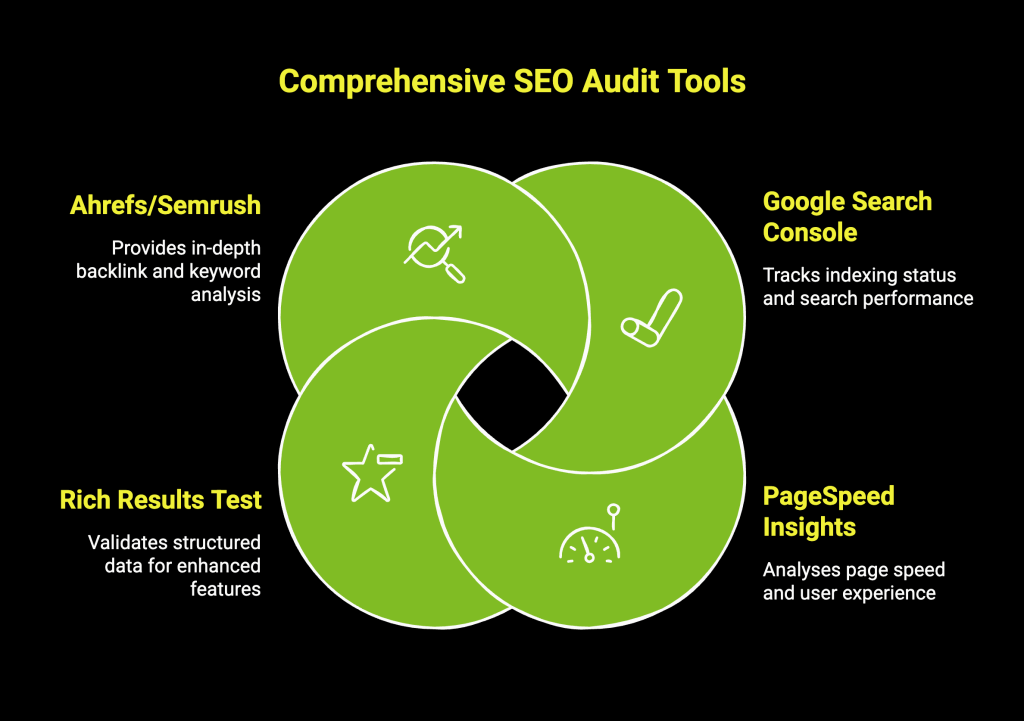
Infographic on comprehensive SEO audit tools
A balanced mix of free and paid tools delivers the most effective SEO audit. Free tools help diagnose core technical and performance issues directly from search engines, while paid platforms add competitive intelligence, deeper crawling, and long-term tracking. For most websites, audits should begin with tools provided by Google.
Core Free SEO Audit Tools
1. Google Search Console
This is the foundation of any SEO audit. It shows how Google crawls, indexes, and understands your site. You can identify indexing errors, crawl issues, manual actions, Core Web Vitals problems, keyword impressions, and pages losing visibility.
Best used for: Diagnosing indexation gaps, validating fixes, and monitoring search performance over time.
2. PageSpeed Insights
PageSpeed Insights evaluates page speed and Core Web Vitals using both lab data and real user data from Chrome. It highlights issues such as render-blocking resources, image inefficiencies, and layout instability.
Best used for: Identifying performance bottlenecks that affect rankings and user experience on mobile and desktop.
3. Rich Results Test
This tool checks whether your structured data is valid and eligible for rich results like FAQs, reviews, and product snippets. It helps catch schema errors that prevent enhanced visibility in search results.
Best used for: Validating schema implementation and improving SERP appearance.
Advanced Paid SEO Audit Tools
Ahrefs or Semrush
These platforms provide large-scale crawling, backlink audits, keyword tracking, competitor benchmarking, and historical data. They uncover issues like broken backlinks, toxic links, content gaps, and keyword cannibalization that free tools do not fully surface.
Best used for: Competitive analysis, backlink health checks, content opportunities, and ongoing SEO monitoring.
How to Combine Free and Paid Tools for a Comprehensive Audit?
Start with Google Search Console to identify what Google is already flagging as a problem. Use PageSpeed Insights to address performance and Core Web Vitals issues, then validate structured data with Rich Results Test.
Once technical foundations are clear, layer in Ahrefs or Semrush to analyse backlinks, competitors, keyword visibility, and site-wide issues at scale. This combination ensures your audit reflects both search engine feedback and competitive realities, resulting in prioritised fixes that improve visibility, rankings, and traffic.
Which Is Better for SEO Audits: Automated Tools or Manual Analysis?
Automated and manual SEO audits address different parts of the optimisation process. Automated tools help uncover issues quickly, while manual analysis adds context, judgment, and strategy. Most effective SEO audits combine both approaches to achieve accurate and actionable results.
The table below compares automated and manual SEO audits across key factors:
| Aspect | Automated SEO Audits | Manual SEO Audits |
| Speed | Very fast and scalable across large websites | Slower and more time-intensive |
| Issue detection | Excellent for technical errors and on-page gaps | Strong for contextual and strategic issues |
| Content evaluation | Limited to surface-level checks | In-depth assessment of relevance and intent |
| Accuracy | Data-driven but sometimes generic | More nuanced and tailored |
| Scalability | Ideal for large or frequently updated sites | Better suited for focused or deep analysis |
| Best use case | Identifying and monitoring SEO issues | Prioritising fixes and shaping strategy |
Automated tools find issues fast, but manual analysis decides what to fix and why. Combining both delivers audits that are accurate, prioritised, and actionable.
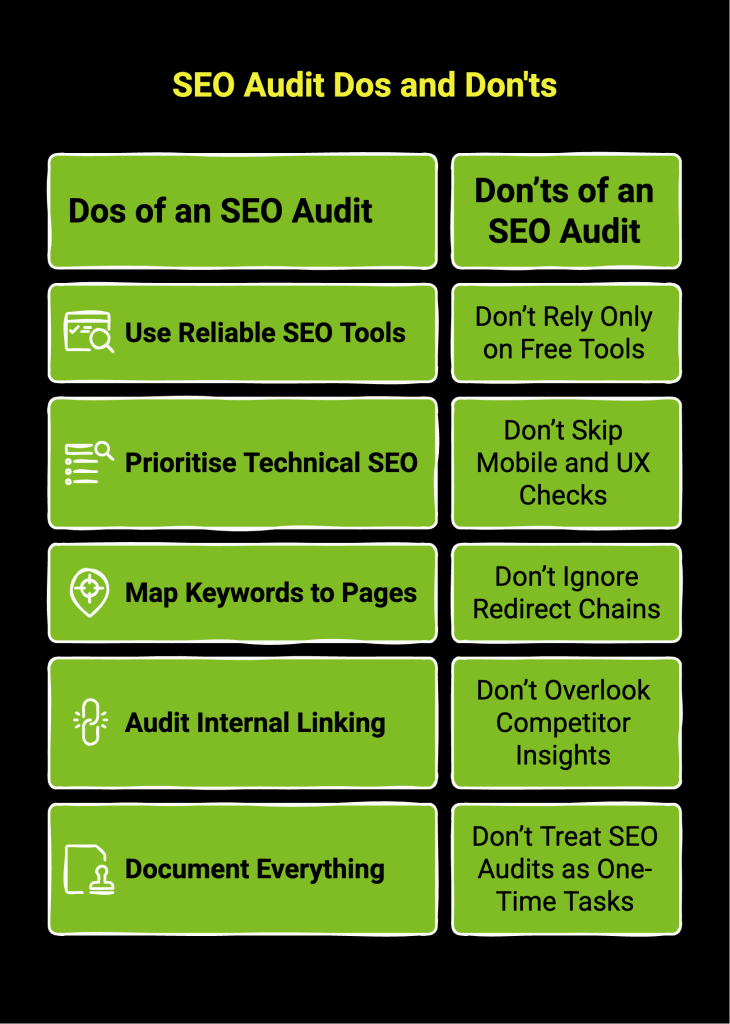
Infographic on SEO audit Dos and Donts
What Common Problems Does an SEO Audit Reveal?
An SEO audit often uncovers hidden issues that limit search visibility and user engagement. These problems may not be obvious during day-to-day site management but can significantly affect rankings and performance if left unresolved.
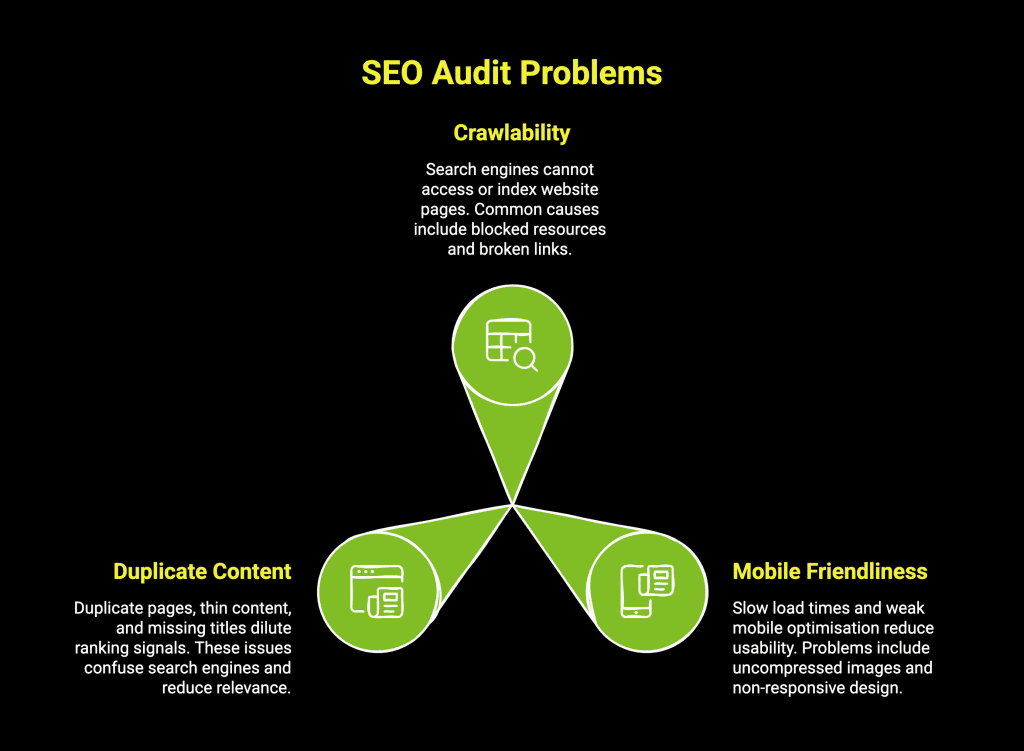
Infographic on SEO audit problems
1. Crawlability and Indexability Challenges
These issues arise when search engines are unable to access, crawl, or properly index website pages. Common causes include blocked resources, broken internal links, incorrect noindex tags, duplicate URLs, and poorly structured sitemaps. Pages that cannot be indexed will not appear in search results.
2. Mobile Friendliness and Page Speed Troubles
Many audits highlight slow load times and weak mobile optimisation. Problems such as uncompressed images, excessive scripts, layout instability, and non-responsive design reduce usability and harm rankings. Improving mobile experience and page speed supports both visibility and user retention.
3. Duplicate Content and Meta Data Errors
Duplicate pages, thin content, missing titles, repeated meta descriptions, and inconsistent headings are frequent audit findings. These issues dilute ranking signals and confuse search engines, often leading to lower click-through rates and reduced relevance in search results.
What Should Be Included in an SEO Audit Checklist?
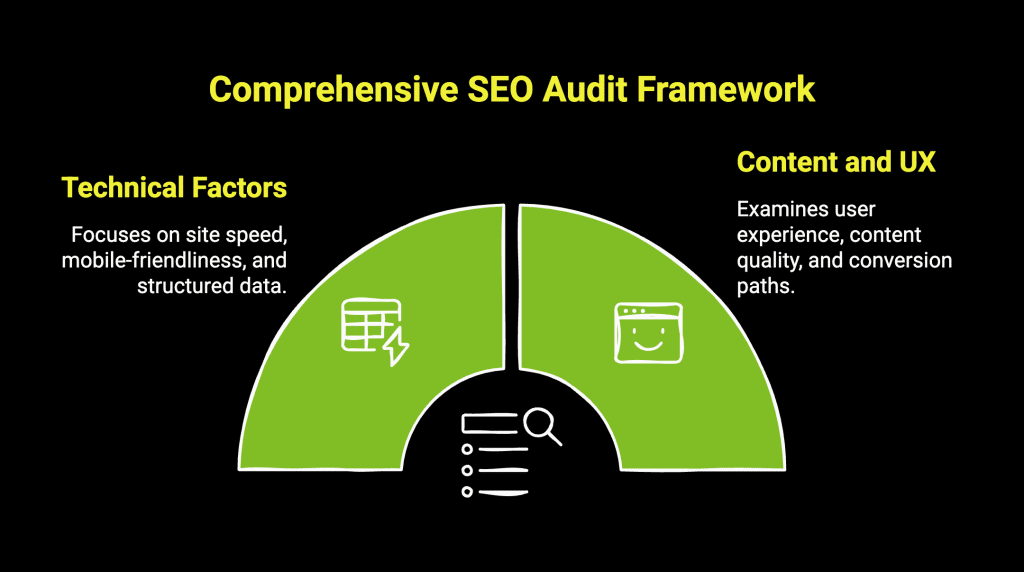
Infographic on comprehensive SEO audit framework
A structured checklist helps ensure your SEO audit covers all critical areas without missing key issues. By methodically reviewing technical, content, and local factors, you can stay focused and turn audit findings into clear, actionable improvements.
Below are the essential elements to include in a comprehensive SEO audit checklist:
1. Technical Factors to Include in Your Audit
Start by checking for indexing and crawlability issues using Google Search Console. Ensure your XML sitemap is submitted and error-free, and that your robots.txt file isn’t blocking important content. Then, turn your attention to performance.
Your technical checklist should cover:
- Site Speed and Core Web Vitals: Use PageSpeed Insights to test loading times and user experience metrics.
- Mobile-Friendliness: Confirm your site is fully responsive and easy to use on mobile devices.
- Structured Data: Use Google’s Rich Results Test to validate your schema markup and check for errors.
You can also cross-reference data from Google Analytics to identify technical problems on high-traffic pages that need urgent attention.
2. Content, UX, and Conversion Checks
Once the technical foundation is solid, your checklist should move on to content and user experience (UX). These factors determine how visitors interact with your site and whether they find what they need. A great UX keeps users engaged and signals to search engines that your site is valuable.
Key checks for this section include:
- User Experience (UX): Is navigation intuitive? Are menus and buttons easy to use?
- Content Quality: Check for duplicate content, thin content, and keyword targeting.
- Conversion Path: Analyse the steps a user takes to complete a goal, looking for any points of friction.
Ensuring high user satisfaction is a primary goal of this part of the audit.
How Does Wild Creek Web Studio Turn SEO Audits Into Growth?
An SEO audit is only the starting point. Wild Creek Web Studio focuses on turning audit insights into clear, prioritised actions that improve visibility, traffic quality, and long-term performance.
As a results-driven digital marketing studio, Wild Creek Web Studio combines technical SEO, content strategy, and modern search practices to help brands rank with clarity and consistency. Their approach is structured, data-backed, and aligned with how search engines evaluate websites today.
From detailed SEO audits to execution-focused optimisation, we ensure every recommendation leads to measurable impact. If your goal is not just to identify issues but to fix what truly matters, we help bridge the gap between analysis and growth.
Final Words
SEO success is rarely about doing more. It is about fixing the right things at the right time. An SEO audit gives you the clarity to stop guessing and start making informed decisions that actually move performance forward.
When audit insights guide how you improve structure, content, and authority, SEO becomes a system rather than a series of experiments. The impact compounds over time, creating steady visibility instead of short-lived spikes.
In a search landscape driven by precision and relevance, clarity is your strongest advantage.
Frequently Asked Questions (FAQ)
How Often Should I Perform an SEO Audit on My Website?
It’s best to conduct a full SEO audit every three to six months. Regular audits help you keep up with search engine algorithm changes and monitor your website’s performance.
What Advantages Do Automated SEO Audit Tools Offer?
An automated SEO audit tool offers speed and scale. It can crawl thousands of pages in minutes and identify technical issues like broken links or slow site speed. These tools are excellent for following an audit checklist and generating a baseline report.
What are the 4 pillars of SEO?
The four pillars of SEO are technical SEO, on-page SEO, content, and off-page SEO. Together, they improve website performance through keyword optimisation, meta tags, alt text, page content, website speed, and authority signals to strengthen search engine rankings.
After you’ve done SEO audit, what do you tackle first?
After an SEO audit, prioritise issues affecting website performance and crawlability, such as page load times, technical errors, and content issues impacting user intent. Fixing these creates a strong foundation for SEO efforts, keyword optimisation, and improved search engine rankings.
What is an SEO audit report?
An SEO audit report is a detailed analysis of a website’s performance across individual pages. It highlights content issues, relevant keywords, website speed, page content, social media signals, and actionable recommendations used by SEO professionals.
Are SEO Audit Tools Really good?
SEO audit tools are effective for identifying technical issues, content gaps, and website performance problems. They help analyse meta tags, alt text, page load times, and individual pages, but work best when combined with manual review by SEO professionals.
Is a site audit worth it?
A site audit is worth it because it reveals hidden issues affecting search engine rankings, user intent, and online presence. Regular SEO audits improve website speed, page content, and overall SEO strategy, making SEO efforts more focused and measurable.
How to audit a website for SEO?
To audit a website for SEO, review website performance, page load times, crawlability, meta tags, alt text, page content, relevant keywords, and backlink quality. Analyse individual pages, user intent, and technical issues to improve search engine rankings and overall online presence.